Simultaneous Linear Equations
Here, we explain the general procedure for solving a simultaneous
equation with an example that solves a simultaneous linear equation with
three unknowns.
Example 1:
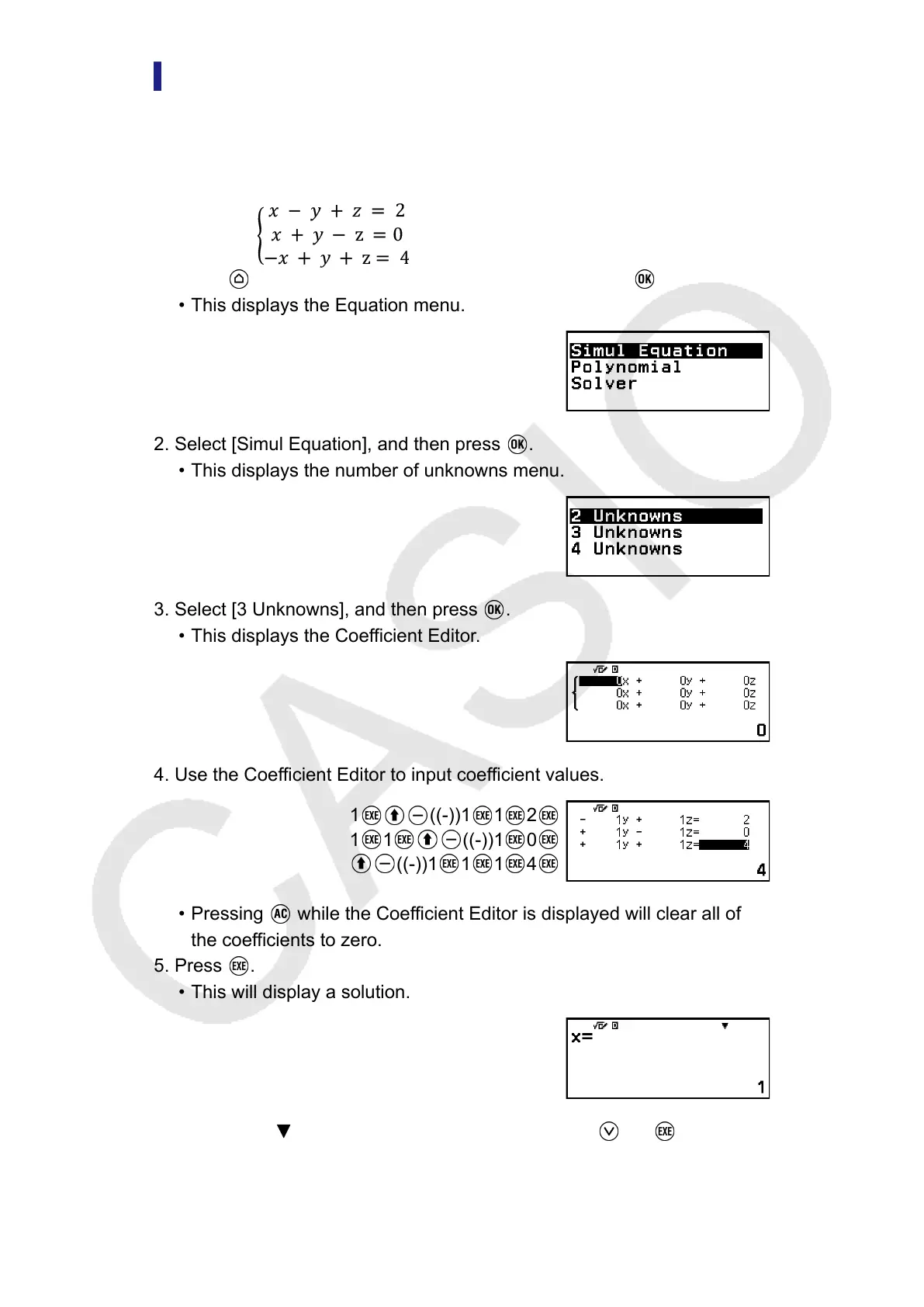
1. Press , select the Equation app icon, and then press .
• This displays the Equation menu.
2. Select [Simul Equation], and then press .
• This displays the number of unknowns menu.
3. Select [3 Unknowns], and then press .
• This displays the Coefficient Editor.
4. Use the Coefficient Editor to input coefficient values.
1 ((-))1 1 2
1 1 ((-))1 0
((-))1 1 1 4
• Pressing while the Coefficient Editor is displayed will clear all of
the coefficients to zero.
5. Press
.
•
This will display a solution.
• While the indicator is displayed, each press of (or ) will
display another solution.
100



 To Next Page