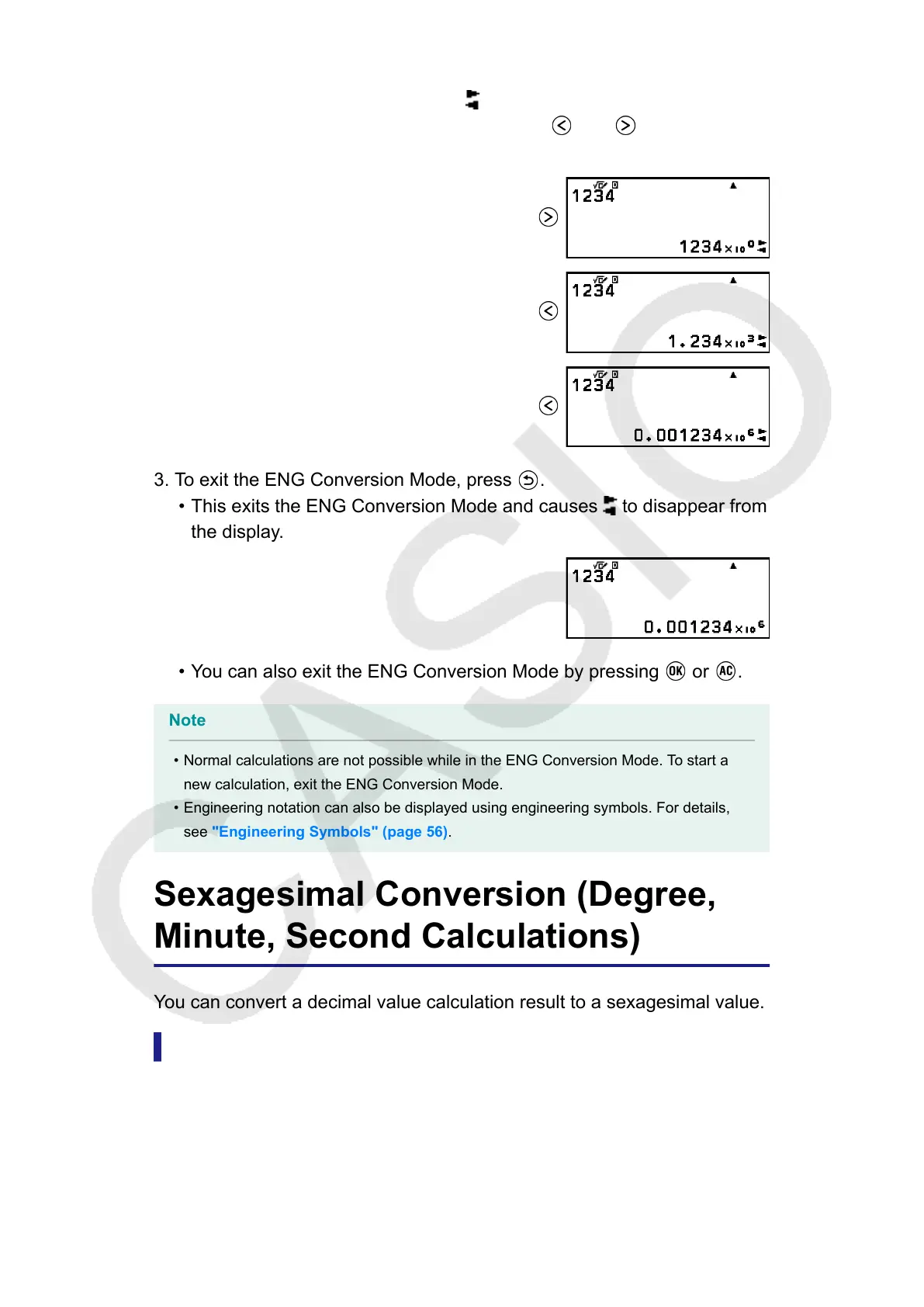
• Entering the ENG Conversion Mode converts the calculation result to
engineering notation and causes to appear to its right.
• In the ENG Conversion Mode, you can use and to shift the
decimal point of the mantissa.
3. To exit the ENG Conversion Mode, press .
• This exits the ENG Conversion Mode and causes to disappear from
the display.
• You can also exit the ENG Conversion Mode by pressing or .
Note
• Normal calculations are not possible while in the ENG Conversion Mode. To start a
new calculation, exit the ENG Conversion Mode.
• Engineering notation can also be displayed using engineering symbols. For details,
see "Engineering Symbols" (page 56).
Sexagesimal Conversion (Degree,
Minute, Second Calculations)
You can convert a decimal value calculation result to a sexagesimal value.
Converting a Decimal Value Calculation Result to a
Sexagesimal Value
Example: 1.25 = 1°15’0”
44



 To Next Page