*
1
*
2
*
3
Others
Functions and symbols that can be input with the calculator keys can also
be input using the [Other] menu. Use
– [Other] to display the function
and symbol menu. For example, to input Ans, you could either press or
perform the following operation: – [Other] > [Ans].
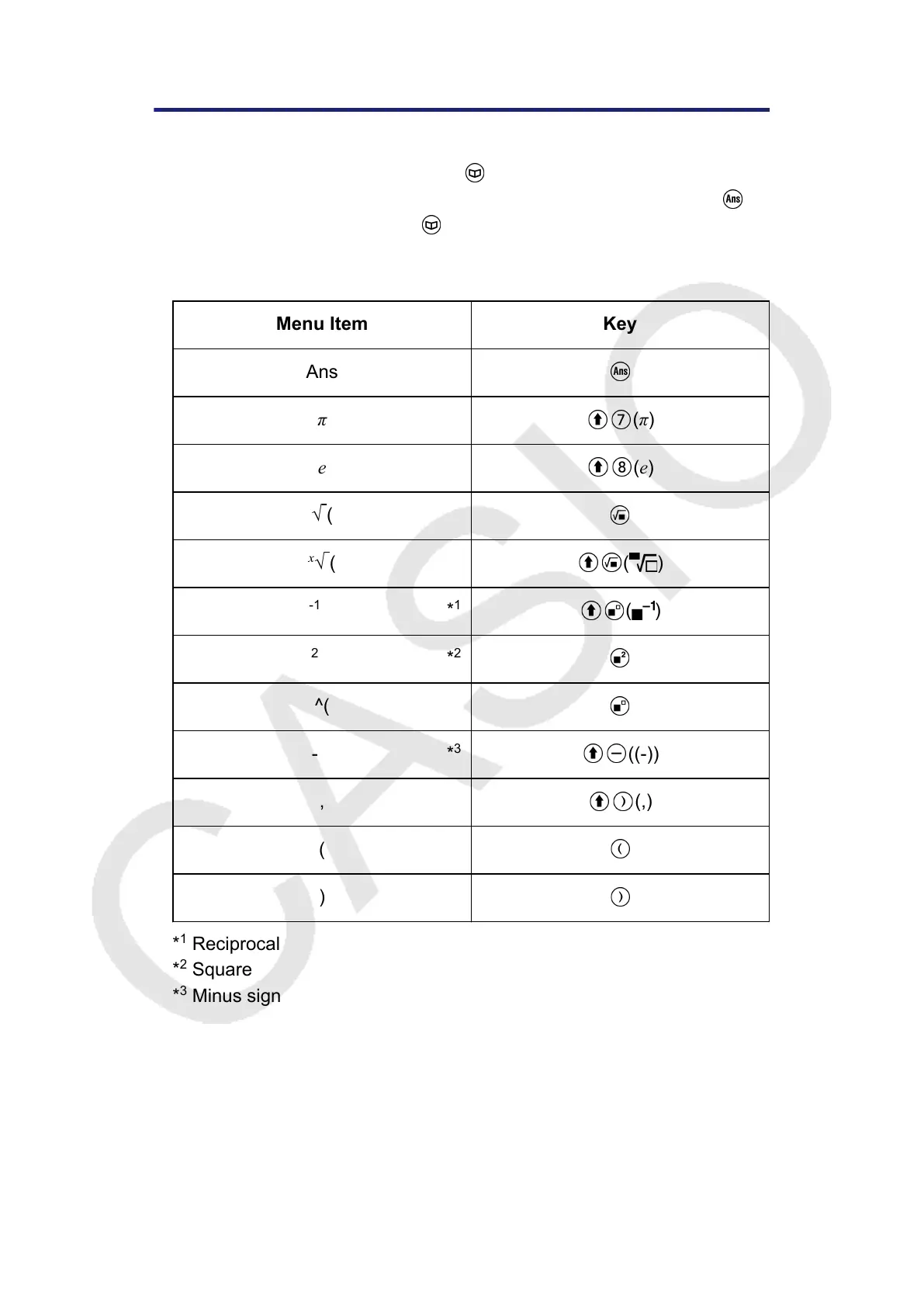
The table below shows the [Other] menu item that corresponds to each
key operation.
Menu Item Key
Ans
π
(π)
e
(e)
√ (
x
√ ( ( )
-1
( )
2
^(
- ((-))
, (,)
(
)
*
1
Reciprocal
*
2
Square
*
3
Minus sign
60



 To Next Page