Using Menus
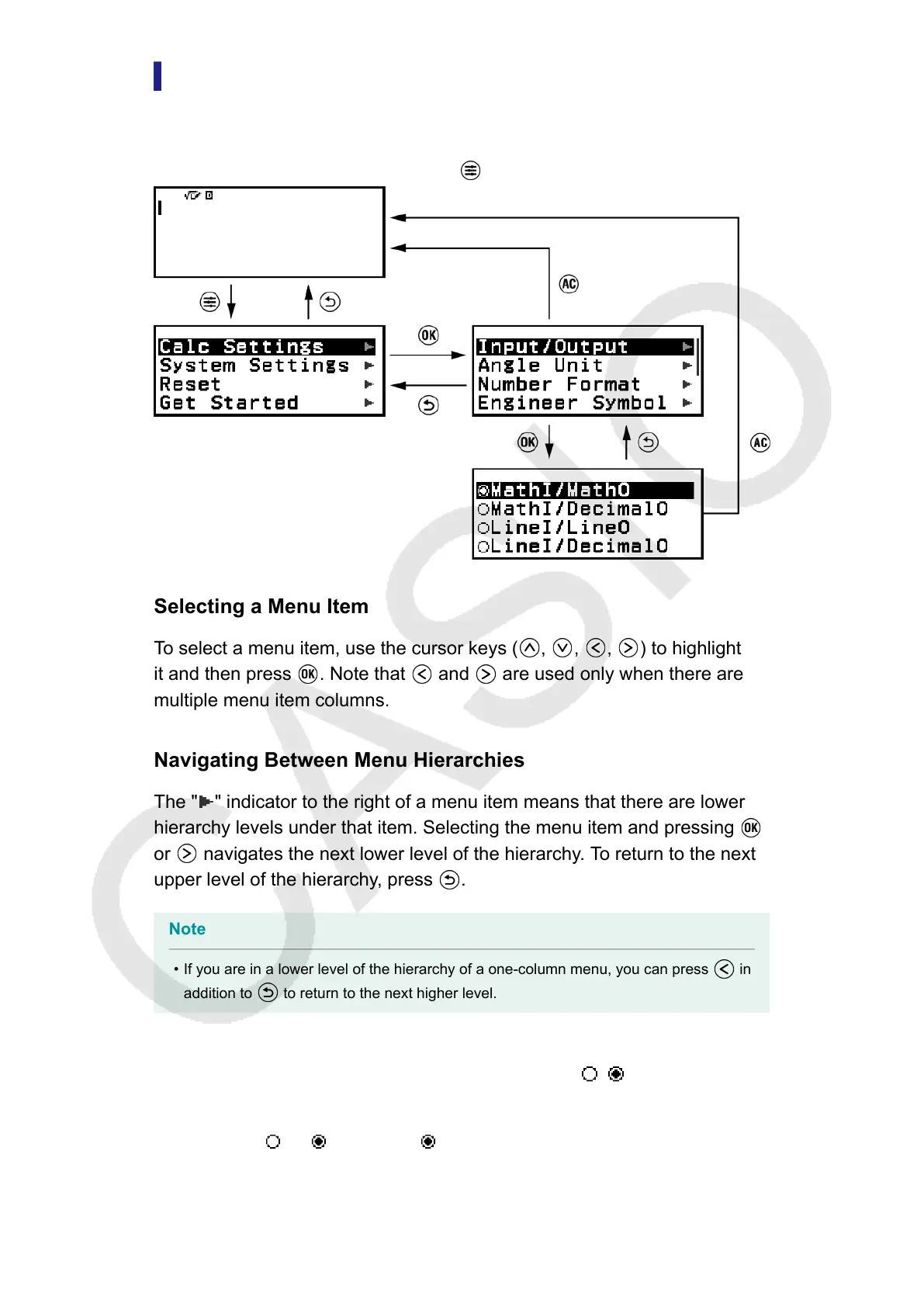
Many of the operations of your calculator are performed using menu
screens. The example below shows operations starting from the menu
screen that appears when you press
.
Selecting a Menu Item
To select a menu item, use the cursor keys (
, , , ) to highlight
it and then press . Note that and are used only when there are
multiple menu item columns.
Navigating Between Menu Hierarchies
The " " indicator to the right of a menu item means that there are lower
hierarchy levels under that item. Selecting the menu item and pressing
or navigates the next lower level of the hierarchy. To return to the next
upper level of the hierarchy, press .
Note
• If you are in a lower level of the hierarchy of a one-column menu, you can press in
addition to to return to the next higher level.
Selecting a Menu Item with a Radio Button (
/ )
When the display shows a list of multiple options, each option will have a
radio button (
or ) to its left. indicates the currently selected option.
15



 To Next Page