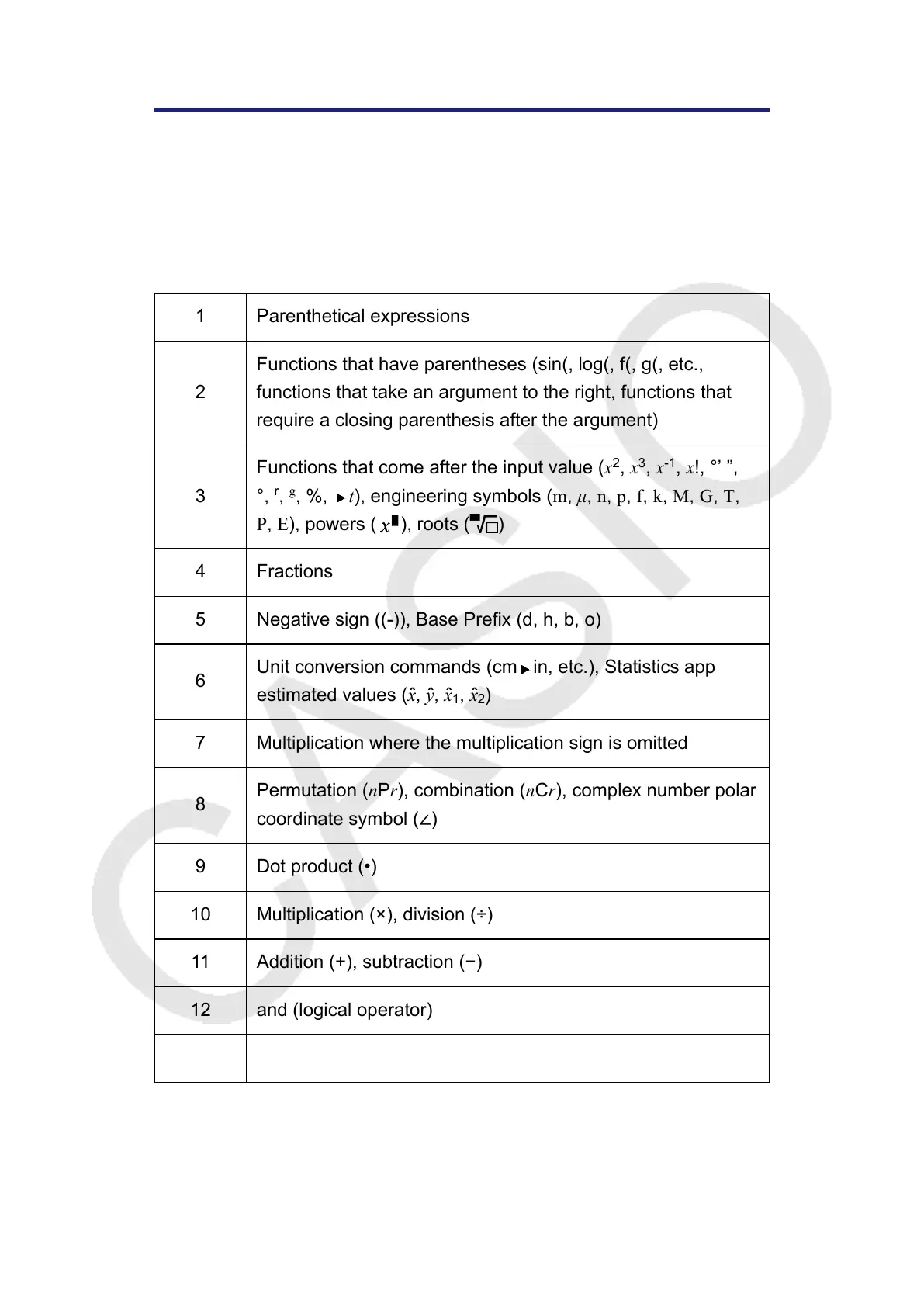
Calculation Priority Sequence
The calculator performs calculations according to a calculation priority
sequence.
• Basically, calculations are performed from left to right.
• Expressions within parentheses have the highest priority.
• The following shows the priority sequence for each individual command.
1 Parenthetical expressions
2
Functions that have parentheses (sin(, log(, f(, g(, etc.,
functions that take an argument to the right, functions that
require a closing parenthesis after the argument)
3
Functions that come after the input value (x
2
, x
3
, x
-1
, x!, °’ ”,
°,
r
,
g
, %, t), engineering symbols (m, μ, n, p, f, k, M, G, T,
P, E), powers (
), roots ( )
4 Fractions
5 Negative sign ((-)), Base Prefix (d, h, b, o)
6
Unit conversion commands (cm in, etc.), Statistics app
estimated values (xˆ, yˆ, xˆ
1
, xˆ
2
)
7 Multiplication where the multiplication sign is omitted
8
Permutation (nPr), combination (nCr), complex number polar
coordinate symbol (∠)
9 Dot product (•)
10 Multiplication (×), division (÷)
11 Addition (+), subtraction (−)
12 and (logical operator)
13 or, xor, xnor (logical operators)
If a calculation contains a negative value, you may need to enclose
the negative value in parentheses. If you want to square the value -2,
for example, you need to input: (-2)
2
. This is because x
2
is a function
143



 To Next Page