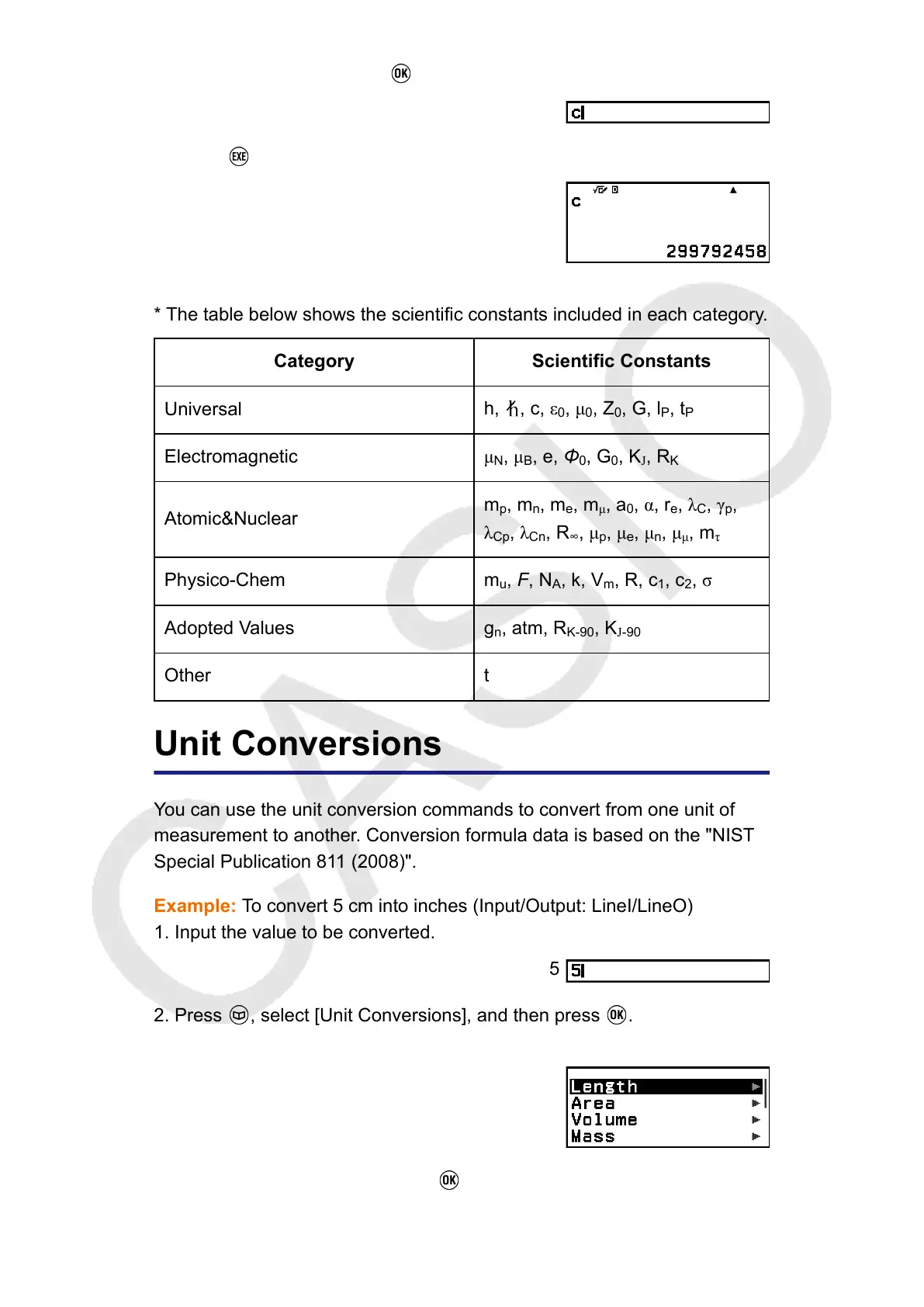
3. Select [c], and then press .
4. Press .
* The table below shows the scientific constants included in each category.
Category Scientific Constants
Universal
h, , c, ε
0
, μ
0
, Z
0
, G, l
P
, t
P
Electromagnetic
μ
N
, μ
B
, e, Φ
0
, G
0
, K
J
, R
K
Atomic&Nuclear
m
p
, m
n
, m
e
, m
μ
, a
0
, α, r
e
, λ
C
, γ
p
,
λ
Cp
, λ
Cn
, R
∞
, μ
p
, μ
e
, μ
n
, μ
μ
, m
τ
Physico-Chem
m
u
, F, N
A
, k, V
m
, R, c
1
, c
2
, σ
Adopted Values g
n
, atm, R
K-90
, K
J-90
Other t
Unit Conversions
You can use the unit conversion commands to convert from one unit of
measurement to another. Conversion formula data is based on the "NIST
Special Publication 811 (2008)".
Example: To convert 5 cm into inches (Input/Output: LineI/LineO)
1. Input the value to be converted.
5
2. Press , select [Unit Conversions], and then press .
• This displays a menu of unit conversion categories*.
3. Select [Length], and then press .
58



 To Next Page