To batch input the same constant into a series of cells
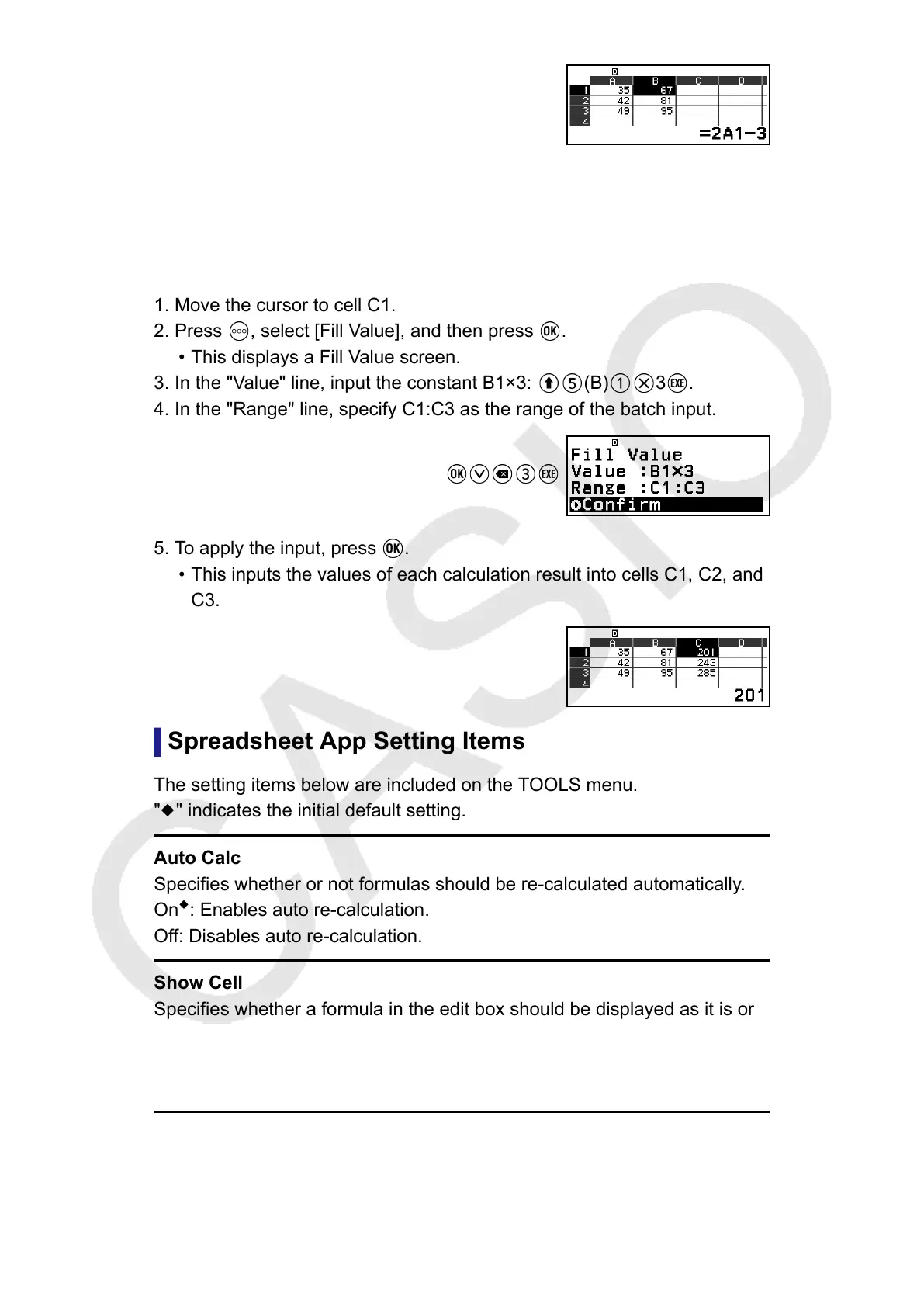
Example 5: Continuing from Example 4, batch input into cells C1, C2, and
C3 values that are triple the values in the cells to their left.
1. Move the cursor to cell C1.
2. Press
, select [Fill Value], and then press .
• This displays a Fill Value screen.
3. In the "Value" line, input the constant B1×3: (B) 3 .
4. In the "Range" line, specify C1:C3 as the range of the batch input.
5. To apply the input, press .
• This inputs the values of each calculation result into cells C1, C2, and
C3.
Spreadsheet App Setting Items
The setting items below are included on the TOOLS menu.
"◆" indicates the initial default setting.
Auto Calc
Specifies whether or not formulas should be re-calculated automatically.
On
◆
: Enables auto re-calculation.
Off: Disables auto re-calculation.
Show Cell
Specifies whether a formula in the edit box should be displayed as it is or
as its calculation result value.
Formula
◆
: Displays the formula as it is.
Value: Displays the calculation result value of the formula.
94



 To Next Page