Decimal
-2147483648 ≤ x ≤ 2147483647
Hexadecimal
Positive: 00000000 ≤ x ≤ 7FFFFFFF
Negative: 80000000 ≤ x ≤ FFFFFFFF
• A Math ERROR occurs when a calculation result is outside the applicable range for
the number system being used.
Specifying the Number Mode of a Particular Input
Value
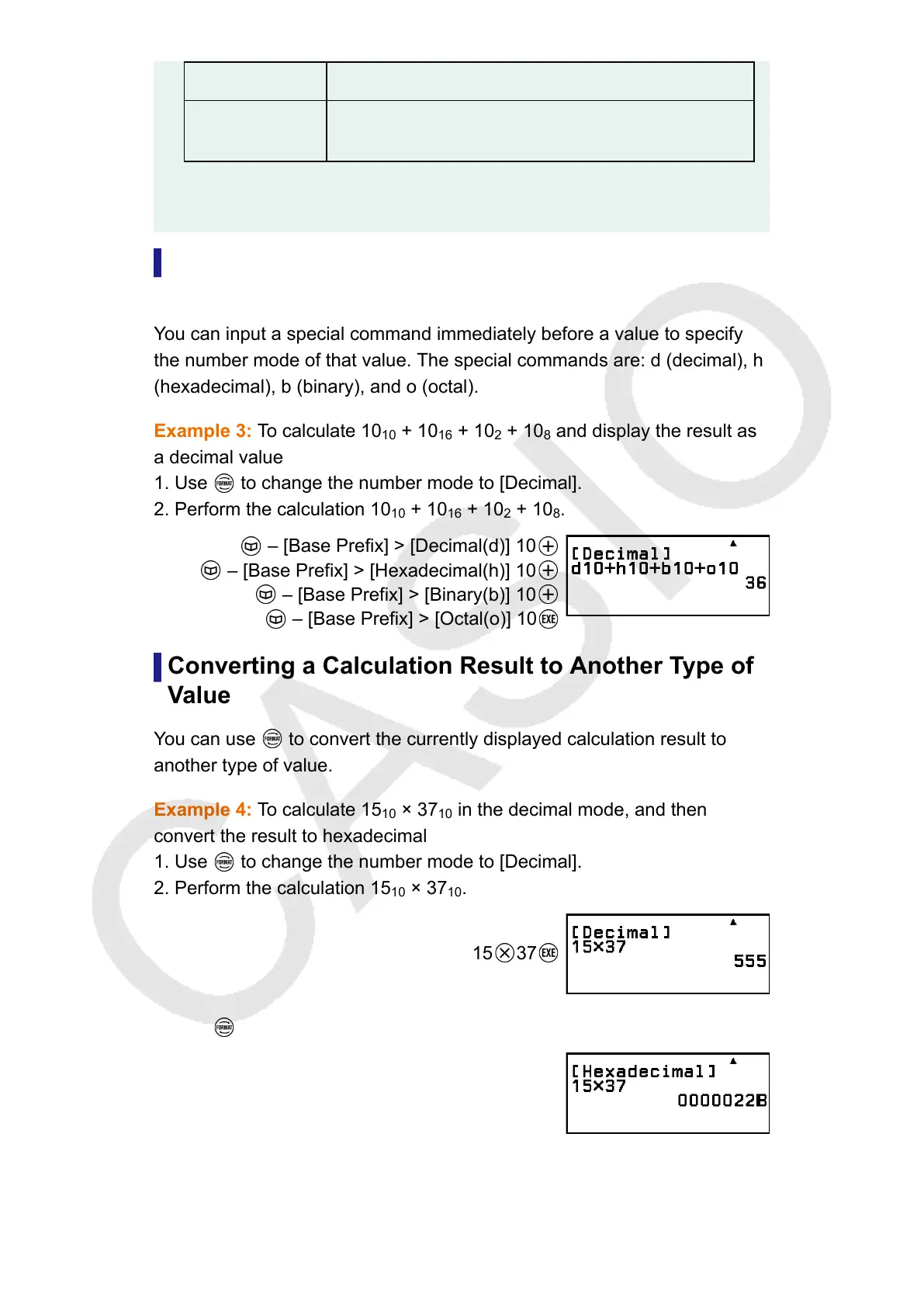
You can input a special command immediately before a value to specify
the number mode of that value. The special commands are: d (decimal), h
(hexadecimal), b (binary), and o (octal).
Example 3: To calculate 10
10
+ 10
16
+ 10
2
+ 10
8
and display the result as
a decimal value
1. Use to change the number mode to [Decimal].
2. Perform the calculation 10
10
+ 10
16
+ 10
2
+ 10
8
.
– [Base Prefix] > [Decimal(d)] 10
– [Base Prefix] > [Hexadecimal(h)] 10
– [Base Prefix] > [Binary(b)] 10
– [Base Prefix] > [Octal(o)] 10
Converting a Calculation Result to Another Type of
Value
You can use
to convert the currently displayed calculation result to
another type of value.
Example 4: To calculate 15
10
× 37
10
in the decimal mode, and then
convert the result to hexadecimal
1. Use to change the number mode to [Decimal].
2. Perform the calculation 15
10
× 37
10
.
15
37
3. Use to change the number mode to [Hexadecimal].
113



 To Next Page