• This displays the Solver equation input screen.
3. Here, store 4 to variable B.
4
• This operation can be executed at any point before step 7 of this
procedure.
• For details about variables, see "Variables (A, B, C, D, E, F, x, y, z)"
(page 36).
• Press to return to the Solver equation input screen.
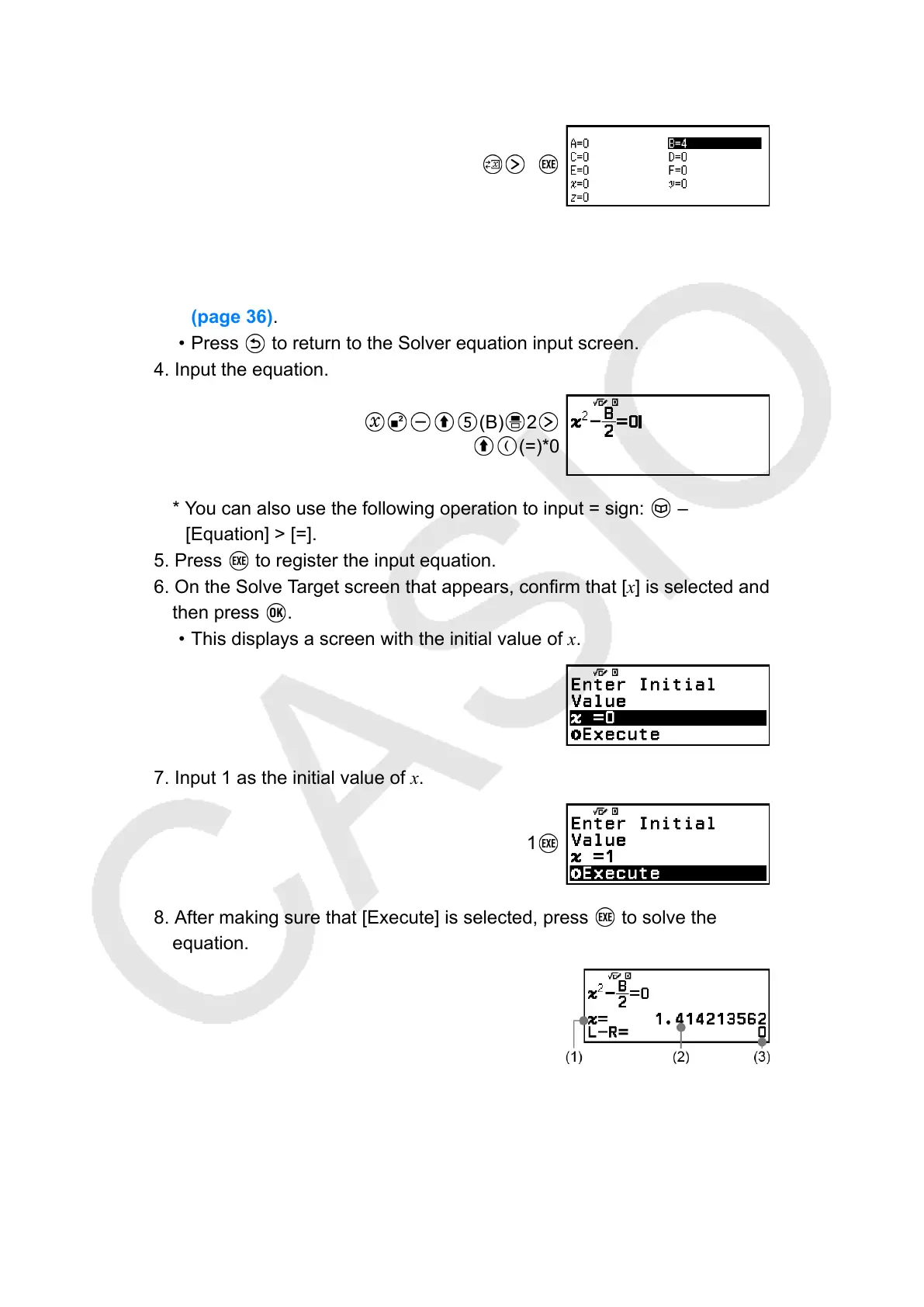
4. Input the equation.
(B) 2
(=)*0
* You can also use the following operation to input = sign: –
[Equation] > [=].
5. Press to register the input equation.
6. On the Solve Target screen that appears, confirm that [x] is selected and
then press
.
• This displays a screen with the initial value of x.
7. Input 1 as the initial value of x.
1
8. After making sure that [Execute] is selected, press to solve the
equation.
(1) Variable solved for
(2) Solution
(3) (Left Side) − (Right Side) result
•
Solutions are always displayed in decimal form.
106



 To Next Page