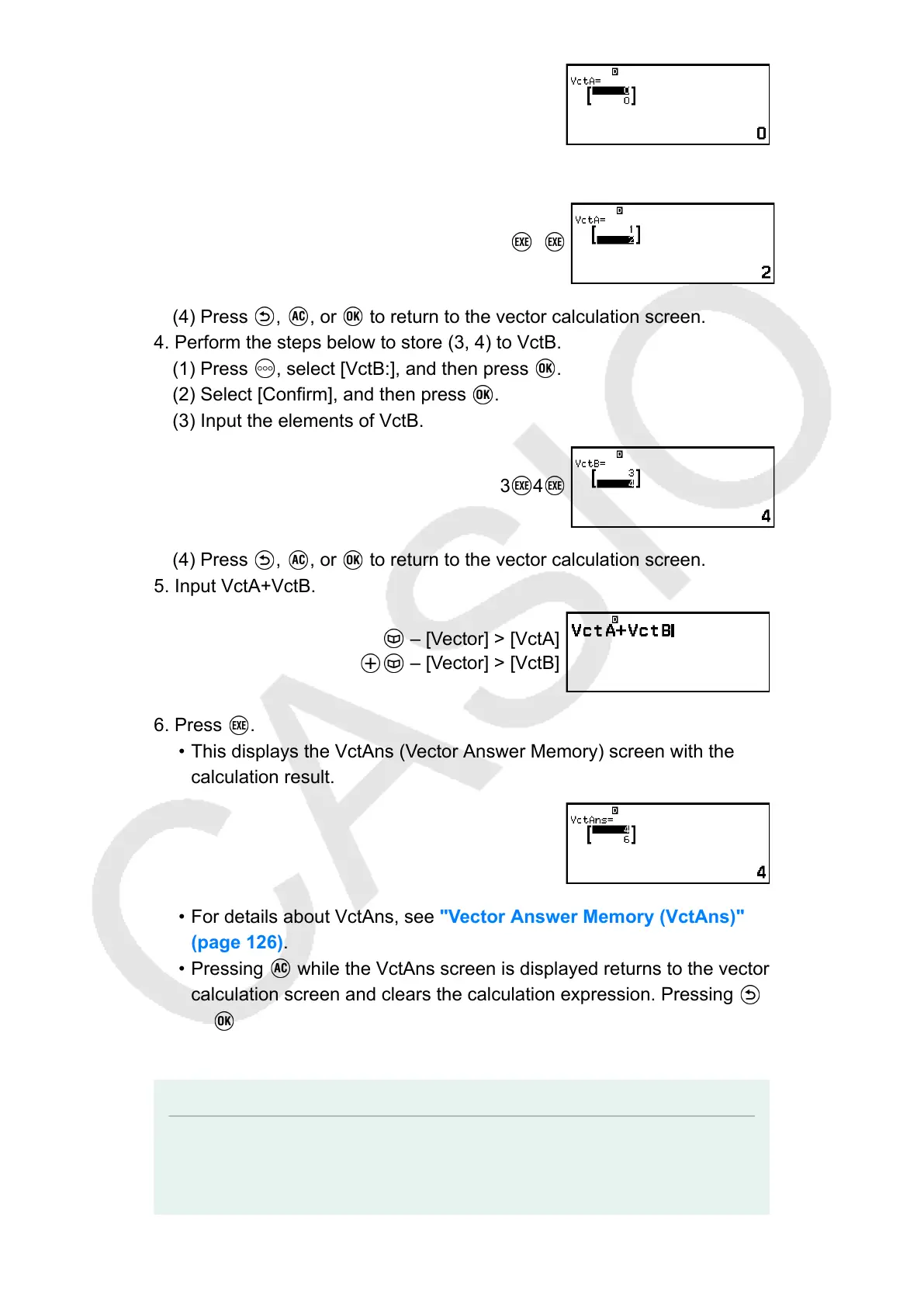
(3) Input the elements of VctA.
1 2
(4) Press , , or to return to the vector calculation screen.
4. Perform the steps below to store (3, 4) to VctB.
(1) Press , select [VctB:], and then press .
(2) Select [Confirm], and then press .
(3) Input the elements of VctB.
3 4
(4) Press , , or to return to the vector calculation screen.
5. Input VctA+VctB.
– [Vector] > [VctA]
– [Vector] > [VctB]
6. Press .
• This displays the VctAns (Vector Answer Memory) screen with the
calculation result.
• For details about VctAns, see "Vector Answer Memory (VctAns)"
(page 126).
• Pressing while the VctAns screen is displayed returns to the vector
calculation screen and clears the calculation expression. Pressing
or returns to the calculation expression input complete state in
step 5 of this procedure.
Note
• While the Vector Editor or the VctAns screen is displayed, you can store the currently
highlighted value to a variable. While the vector calculation screen is displayed and a
calculation result value is on the screen, you can store the displayed calculation result
123



 To Next Page