16
7 - WIRE LOADING
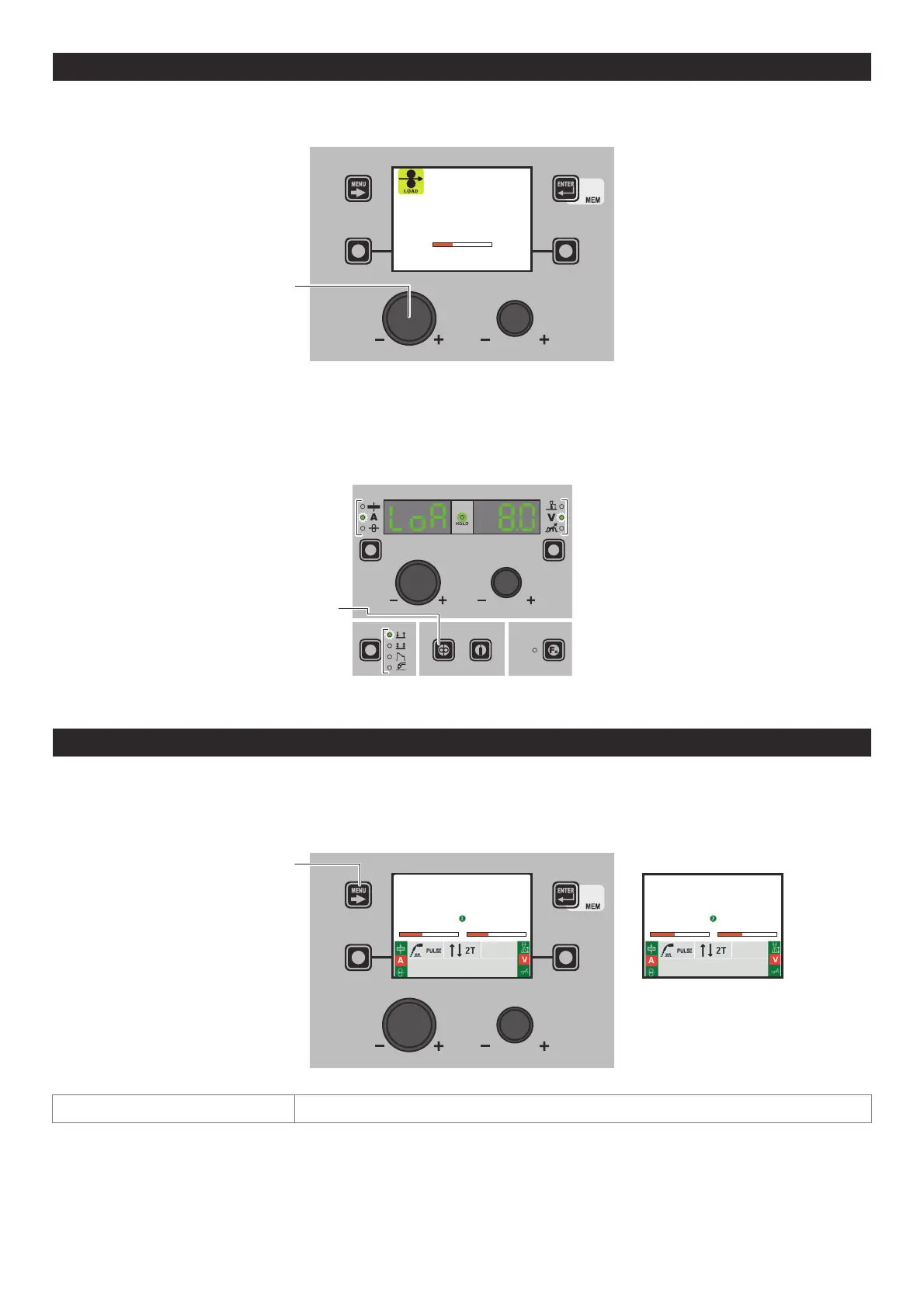
The purpose of this menu it to allow the operator to load the welding wire and set the loading speed, only when welding is not
is progress. If the wire loading function is activated (also see the CONFIG menu), to enable it hold the torch button or the load-
ing button on the feeder down for 4 seconds.
ENCODER KNOB - SX
m/min
8.0
Rotate the ENCODER KNOB - SX the wire loading speed can be changed from 1,0 to 22,0 (default 8,0). The other keys and knobs
are not active.
When the torch button or the wire loading key on the HT5 feeder are released, the machine goes back to its previous status. For
models not fitted with an HT5 feeder, that is DH 32 and VS 32, loading is done by pushing the relevant (wire test / gas
test) button, located in the space in which the wire coil is housed.
NOTE: Wire loading cannot be accessed when their are errors on the machine or in the set-up procedure.
WIRE KEY
Rotate the ENCODER KNOB - SX the wire loading speed can be changed from 1,0 to 22,0 (default 8,0). The other keys and knobs
are not active.
8 - DOUBLE FEEDER
Two feeders can be connected to the same generator simultaneously. Once everything has been configured correctly, as indi-
cated in the HT5 operator’s manual and set as indicated in the equipment layout section, the machine’s display shows one of
the following two images.
The number ➊ or ➋ on the display indicates that the feeder in use at that time is number 1 or 2. If no number is displayed, this
means that only one feeder has been configured.
Al 99.5 Al 1050 Ø 1.0 Ar 99.9%
PROGRAM 1402
AV
105 19.5
MENU KEY
Fe G3 Sl-1 Ø 0.8 Ar 16-20% CO2
PROGRAM 1402
AV
111 19.4
MENU KEY To switch from one feeder to the other, hold down the MENU KEY. (*)
(*) Switching from one feeder to the other can also be done by pushing the relevant torch button.












 To Next Page