22
6 - ACTIVATING THE VRD DEVICE MMA
The Voltage Reduction Device (VRD) is a safety device that reduces voltage. It prevents voltages forming on the output termi-
nals that may pose a danger to people. The standard settings and those defined beforehand by do not provide for the VRD to be
active on the welding machine and so the VISION S
CREEN does not normally provide any indication.
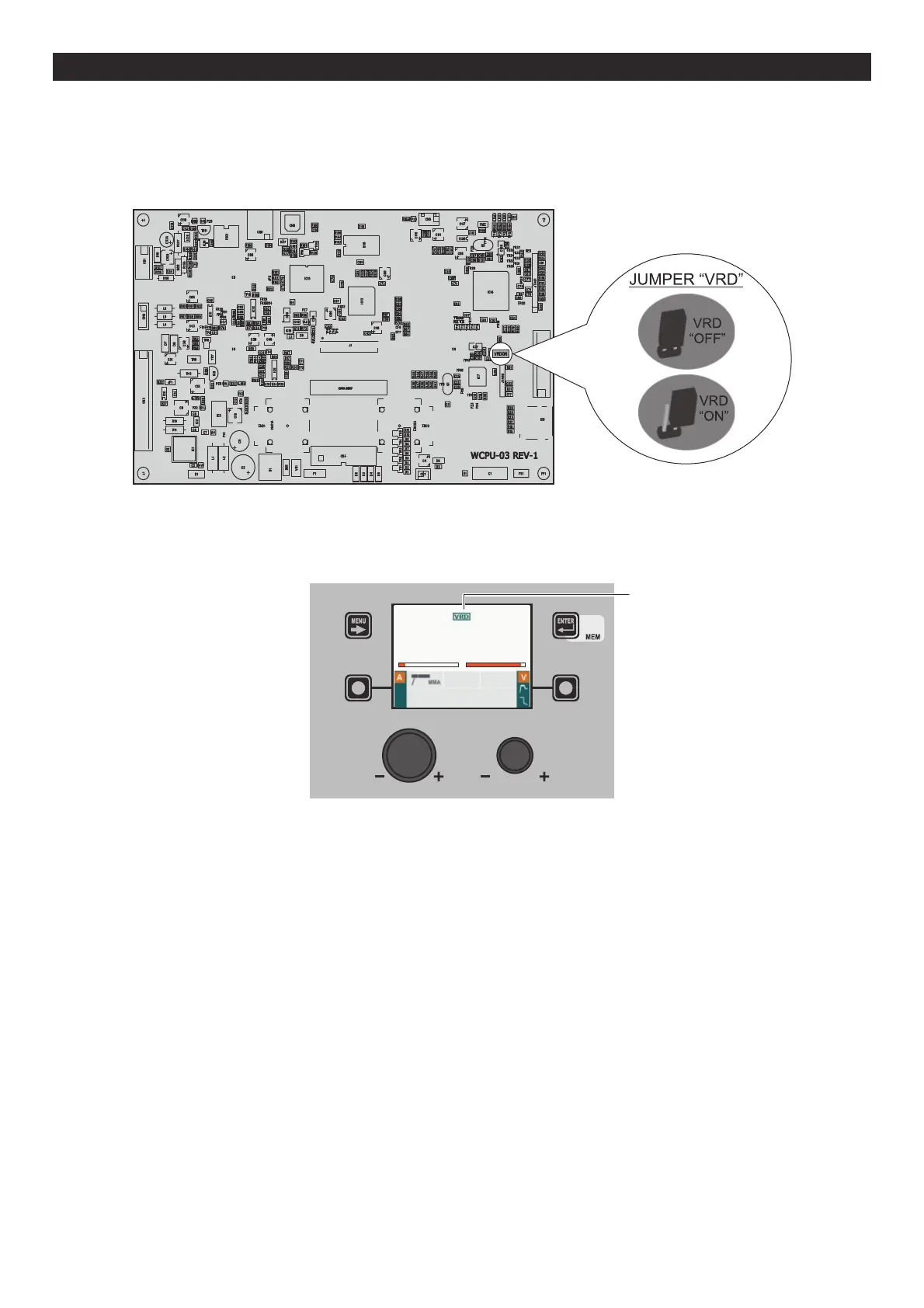
If the operator wishes to weld in MMA using the VRD device (which must be done with the welding machine switched off), they must:
1) Use a suitable screwdriver to unscrew the 4 screws that fix the DH/VS control panel to the welding machine.
2) Remove the “VRD” JUMPER on the DIGITAL INTERFACE PCB (see figure).
3) Use a suitable screwdriver to tighten the 4 screws that fix the DH/VS control panel to the welding machine.
4) Start the welding machine by turning the switch on the rear panel to position I.
When it switches on, but with the machine in stand-by, the DH/VS control panel shows that the VRD device is active (indication
on the VISION S
CREEN green colour - see enclosed image: MMA - PRE-SETTING).
DISPOSITIVO VRD
AV
60 70.0
MMA Cr Ni
PROGRAM 3200
During the welding phase the VRD device is activated (indication on the VISION SCREEN red colour (does not indicate malfunction-
ing of the welding machine) - see enclosed image: MMA - WELDING) and when welding is ended the voltage will be reduced
within a maximum time of 0,3 seconds.












 To Next Page