40
EDITING THE EXISTING PASSWORD
STORE PASSWORD?
SET PASSWORD
077
WARNING: This operation is only possible after having accessed the SETUP Menu using the password
you wish to edit!
To edit the existing PASSWORD proceed as follows:
• Make sure the VISION S
CREEN shows the PASSWORD entered previously (a number that must be
between 001 and 999).
• Choose the new PASSWORD to be entered by rotating the ENCODER K
NOB - DX.
• Push the ENTER/MEM K
EY to confirm the operation of editing the PASSWORD.
• Push the SX K
EY to confirm and finalise editing of the PASSWORD.
• To cancel the operation of editing a PASSWORD push the DX K
EY.
DELETING THE EXISTING PASSWORD
STORE PASSWORD?
SET PASSWORD
000
WARNING: This operation is only possible after having accessed the SETUP Menu using the password
you wish to delete!
To delete the existing PASSWORD proceed as follows:
• Make sure the VISION S
CREEN shows the PASSWORD entered previously (a number that must be
between 001 and 999).
• Take the VISION S
CREEN to number 000 by rotating the ENCODER KNOB - DX.
• Push the ENTER/MEM K
EY to confirm the deletion of the PASSWORD.
• Push the SX K
EY to confirm and finalise deleting of the PASSWORD.
• To cancel the operation of deleting a PASSWORD push the DX K
EY.
To exit the PASSWORD Menu and go back to the SETUP Menu:
• Push the MENU K
EY.
BLOCKS SETUP Menu
The purpose of this menu is to allow the operator to block or limit use of the welding machine and/or certain welding parame-
ters / functions.
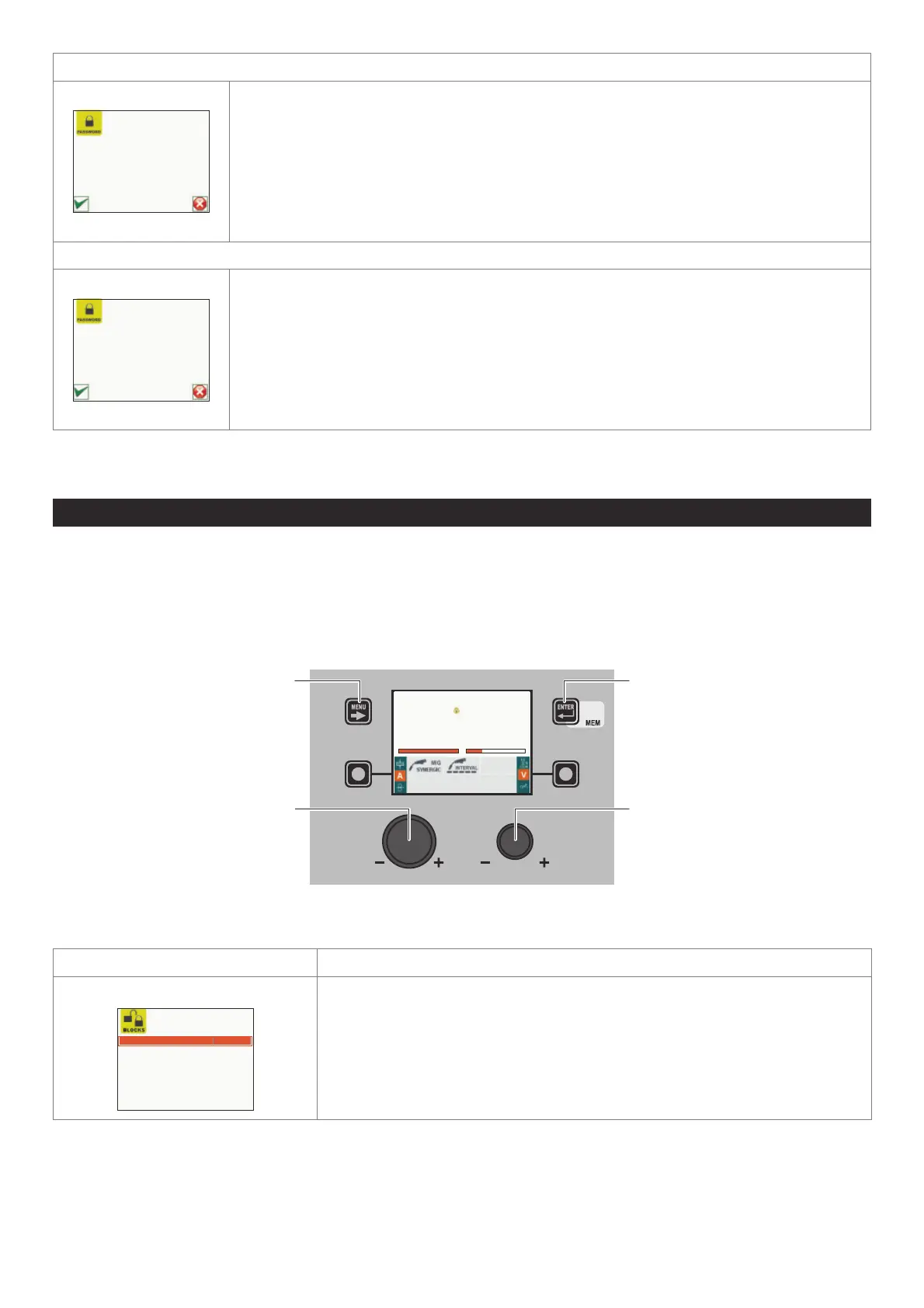
To access the BLOCKS Menu from the SETUP Menu:
• Turn the ENCODER K
NOB - SX to select the desired icon.
• Push the ENTER/MEM K
EY.
The image graphically shows how the type of block is shown on the VISION S
CREEN
when the welding machine is operating normally.
MENU KEY ENTER/MEM KEY
ENCODER KNOB - SX ENCODER KNOB - DX
Fe G3 SI-1 Ø 0.8 Ar 16-20% CO2
PROGRAM 0011
A
L2
V
212 24
Within the BLOCKS Menu it is possible to select, by rotating the ENCODER KNOB - DX, the block required (this operation does not
require confirmation) from the 4 options available:
Block type Description
NONE
BLOCK TYPE NONE
BLOCK ABSENT or RELEASE MACHINE
Does not allow any block to be activated on the welding machine, but allows the operator
to release the machine if its was blocked previously.
(continued)












 To Next Page