9
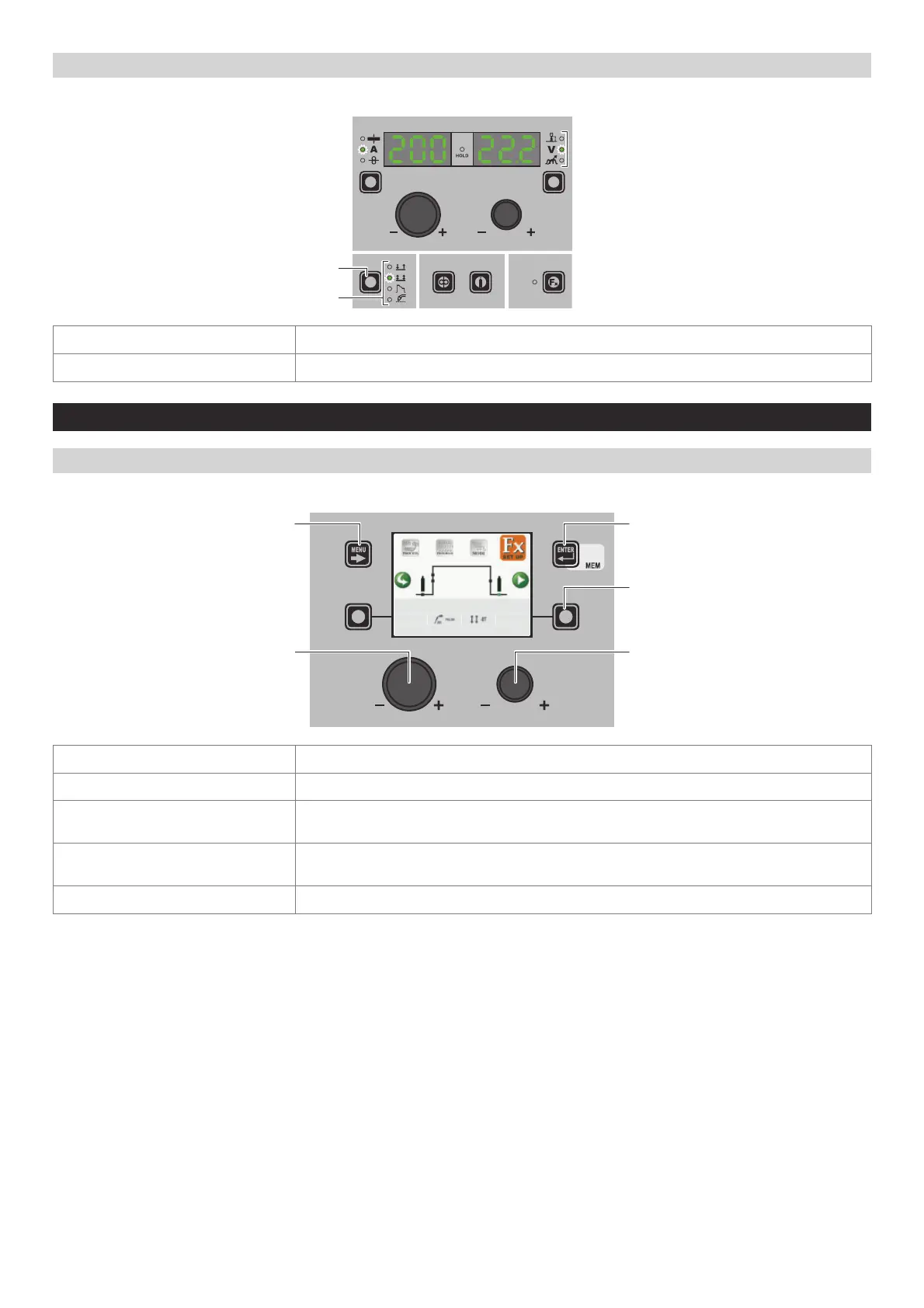
“HT5” CONTROL PANEL (not used with DH 32 and VS 32)
To access the WELDING MODE SELECTION Menu (MODE) push the WELDING MODE SELECTION KEY.
WELDING MODE SELECTION LED
WELDING MODE SELECTION K
EY
WELDING MODE SELECTION KEY Scrolls the various welding modes available in succession.
WELDING MODE SELECTION LED Displays the welding mode selected.
3 - SPECIAL FUNCTIONS Menu (SET UP Fx)
“DH” / “VS” CONTROL PANEL
To access the SPECIAL FUNCTIONS Menu (SET UP Fx) push the MENU KEY.
MENU KEY ENTER/MEM KEY
ENCODER KNOB - SX ENCODER KNOB - DX
DX KEY
1011 Fe G3 SI-1 Ø 0.8 Ar 16-20% CO2
DEFAULT
POST GAS 1.0 s
MENU KEY Used to access subsequent menus if there are any.
ENCODER K
NOB - SX Used to select the various SPECIAL FUNCTIONS (Fx).
ENTER/MEM K
EY
Used to access the PRE-SETTING for the program selected beforehand, in the MODE
chosen and with the changes made to the SPECIAL FUNCTIONS (Fx).
DX KEY
If held down for 2 seconds it makes it possible to return the value for the SPECIAL
FUNCTION (Fx) selected to the DEFAULT value.
ENCODER K
NOB - DX Used to change the selected SPECIAL FUNCTION (Fx) value.












 To Next Page