30
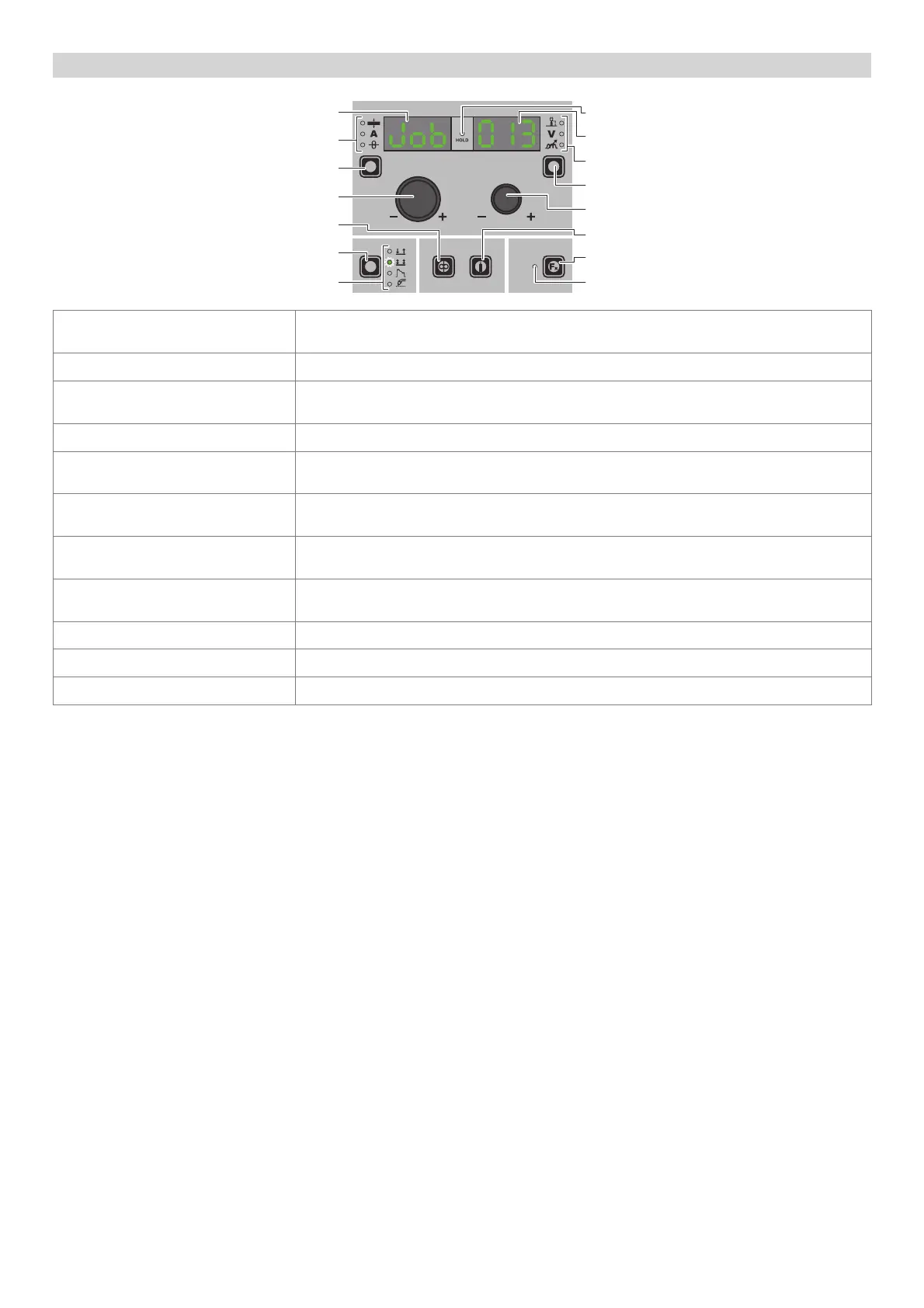
“HT5” CONTROL PANEL (not used with DH 32 and VS 32)
WELDING MODE SELECTION LED
WELDING MODE SELECTION K
EY
WIRE KEY
ENCODER KNOB - A
PARAMETER SELECTION K
EY - A
PARAMETER SELECTION LED - A
PARAMETER DISPLAY S
CREEN - A
SPECIAL FUNCTIONS (FX) LED
SPECIAL FUNCTIONS (F
X) KEY
GAS KEY
ENCODER KNOB - V
PARAMETER SELECTION K
EY - V
PARAMETER SELECTION LED - V
PARAMETER DISPLAY S
CREEN - V
HOLD Function LED
PARAMETER DISPLAY SCREEN - A
Shows the JOB term or value of the parameter indicated by the PARAMETER SELECTION LED -
A.
PARAMETER SELECTION LED - A The LED unit shows the welding parameter selected using the PARAMETER SELECTION K
EY - A.
PARAMETER SELECTION K
EY - A
Scrolls the active parameters in succession, based on the type of welding process saved in
the JOB selected.
WIRE K
EY Activates loading of the wire.
WELDING MODE SELECTION LED
The LED unit indicates the welding mode saved in the JOB selected, which is coherent with
the VISION S
CREEN.
PARAMETER DISPLAY S
CREEN - V
Displays the JOB number also selected in the SEQUENCES or the value for the parameter
indicated by the PARAMETER SELECTION LED - V.
PARAMETER SELECTION LED - V
The LED unit indicates the welding parameter selected using the PARAMETER SELECTION K
EY
- V.
PARAMETER SELECTION K
EY - V
Scrolls the active parameters in succession, based on the type of welding process saved in
the JOB selected.
ENCODER K
NOB - V Used to scroll through the JOBS in the SEQUENCES as well.
GAS K
EY Activates the flow of gas.
SPECIAL FUNCTIONS (F
X) KEY Used to access the SPECIAL FUNCTIONS (Fx) saved in the JOB selected.












 To Next Page