6
Instrument Overview
Instrument Overview
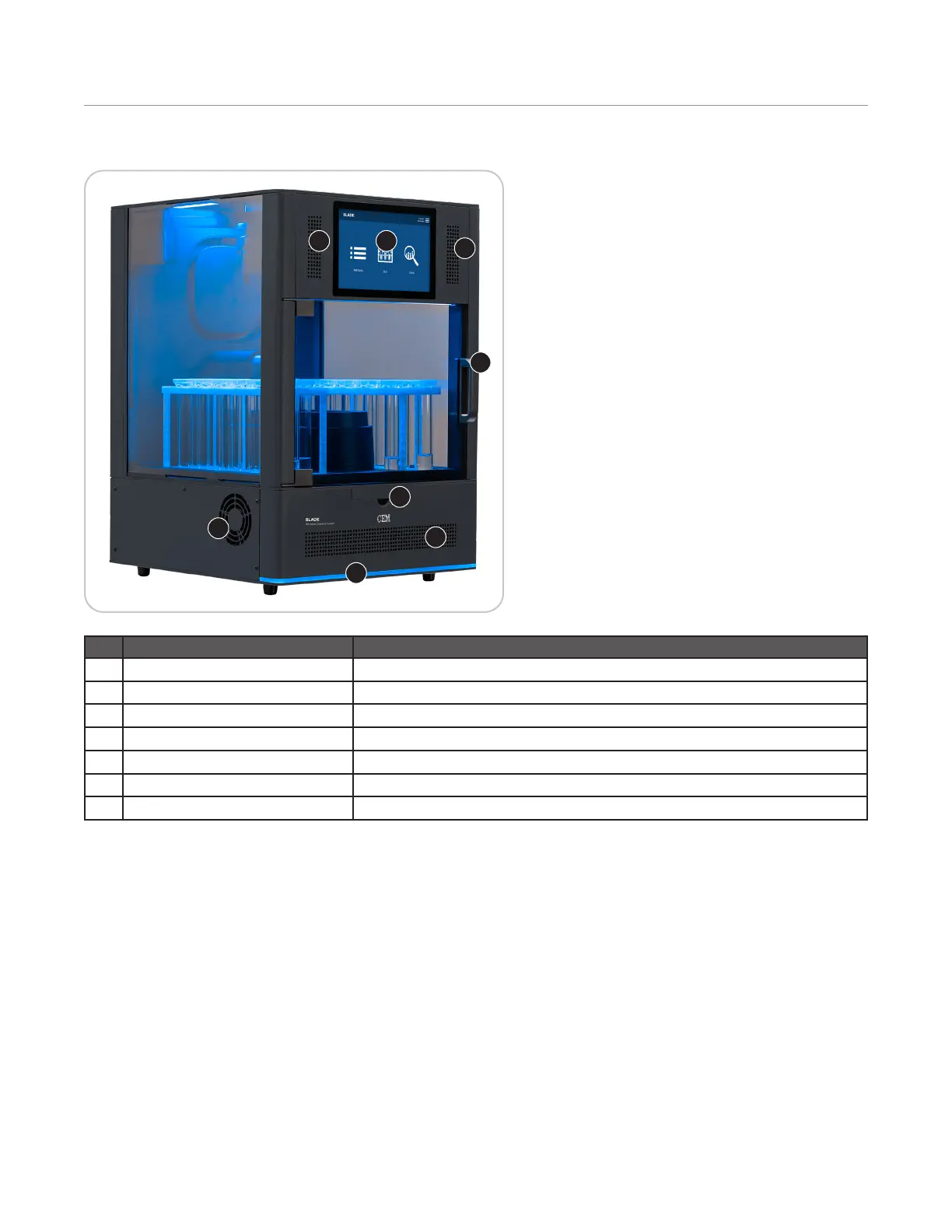
Front and Side View
12
3
4
5
6
7
2
Item Description
1 Touch Screen Display Shows menus, method parameters, etc.
2 Speakers Audio for instrument
3 Door Handle Permits ease of opening instrument door to access fume cabinet
4 Cooling Fan Draws room air past the electronics
5 LED Indicator During a run, the LED shows the status of the currently loaded method.
6 Interlock cover Allows the user to access the attenuator and replace the plenum
7 Cooling Vent Provides passive ventilation for electronics.


 To Next Page