10
Software Overview
Home Screen
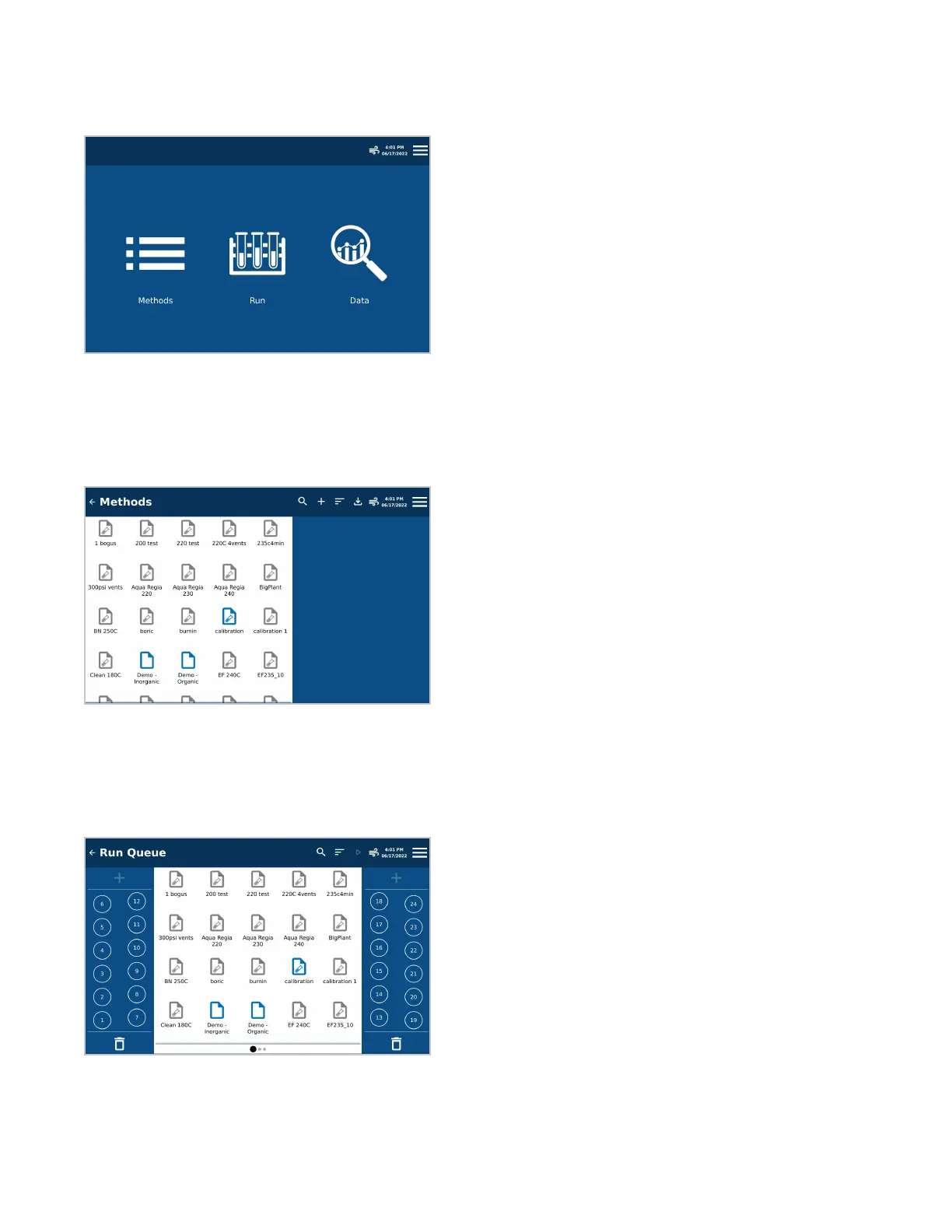
The Home screen is the rst screen that appears when the system is turned on. Four areas are accessible from
this screen: Methods, Run, Data, and System Menu.
Methods Screen
Methods are created or imported by a user with administrative privileges and can be recalled for future use. Data
associated with a method can also be recalled if the method has not been edited.
Run Queue Screen
Allows the user to queue Methods to be digested and shows the status of currently loaded methods: green when
ready to run, red when stopped, blue when complete.


 To Next Page