40
System Repacking
System Repacking
WARNING
Proper precautions must be taken to avoid contact with acid or acid vapors. Personal
protective equipment (PPE) should be worn as outlined in the user’s safety program for
hazardous materials and the manufacturer’s safety data sheet. Refer to these guidelines for
proper handling and disposal.
Prepare to Ship
Follow the procedures below to prepare the BLADE for shipment.
1. Remove the racks from the fume cabinet.
2. Wipe the inside of the fume cabinet with a clean, lint-free cloth.
3. Place empty racks into the fume cabinet.
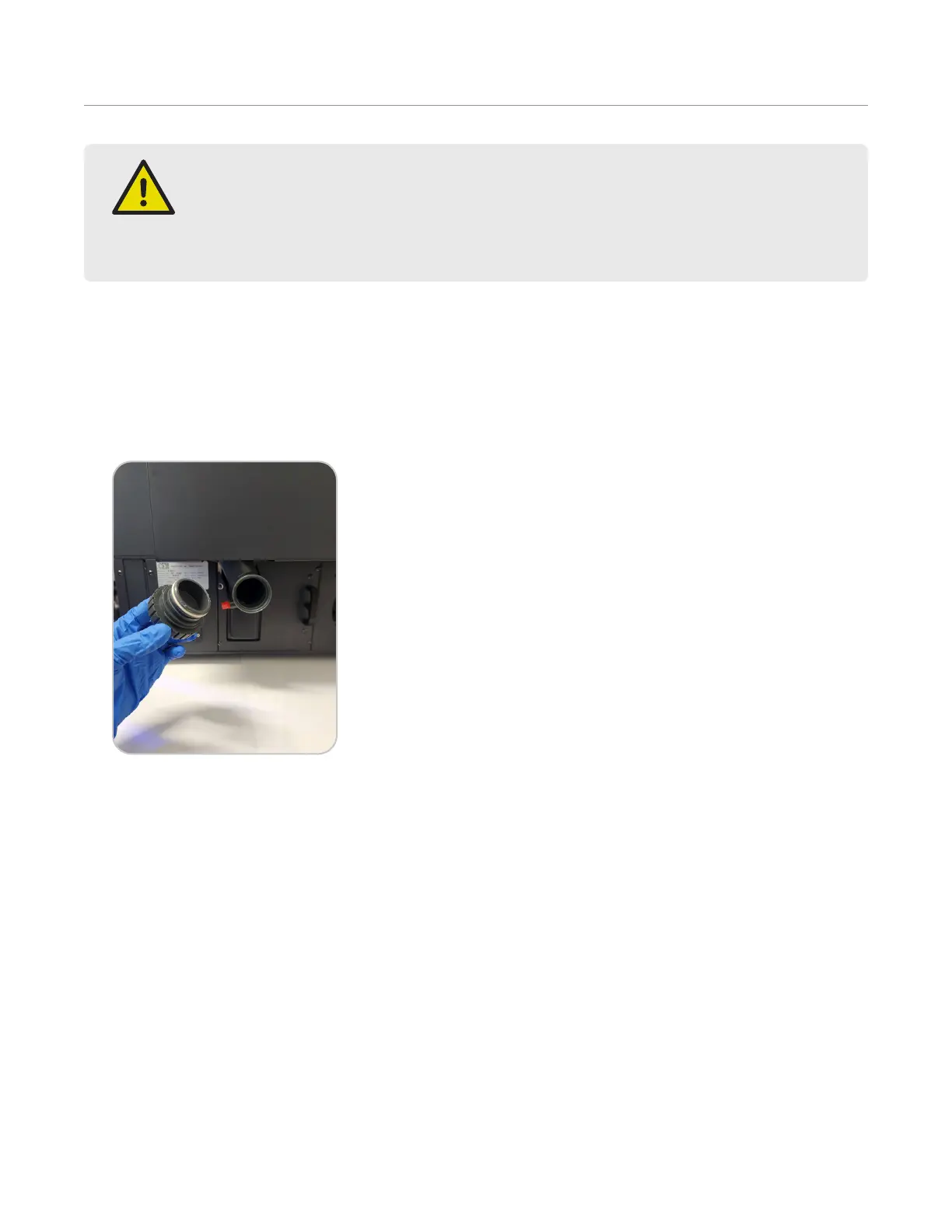
4. Remove trap cover by twisting counter-clockwise and wipe with a clean, lint-free cloth.
5. Re-install the trap cover.
6. If needed, wipe the inside of the fume cabinet and exterior of the instrument with a clean, lint-free cloth damp-
ened with warm soapy water. Allow the fume cabinet to dry. DO NOT use organic solutions to clean the BLADE.
7. Use the BLADE software to prepare the APD and automation for shipment.
7.1. Press the System Menu icon located in the top right corner of the screen.
7.2. Press “Tools” and the “Utilities” tab.
7.3. Locate “Prepare to Ship” and press “Start.” Follow the prompts on the software screen.
8. Turn the instrument off using the power switch.
9. Disconnect the power cord from the instrument and power receptacle. “Do not include the power cord with the
instrument if it is returning to CEM for service.”
10. Remove the exhaust hose.
11. Place the BLADE into the original packaging.
12. Locate the inner carton.
12.1. Close one side of the inner carton using tape.
12.2. Place the bottom foam just inside the box.
12.3. Loosely place the plastic sheeting over the foam.


 To Next Page