28
Methods
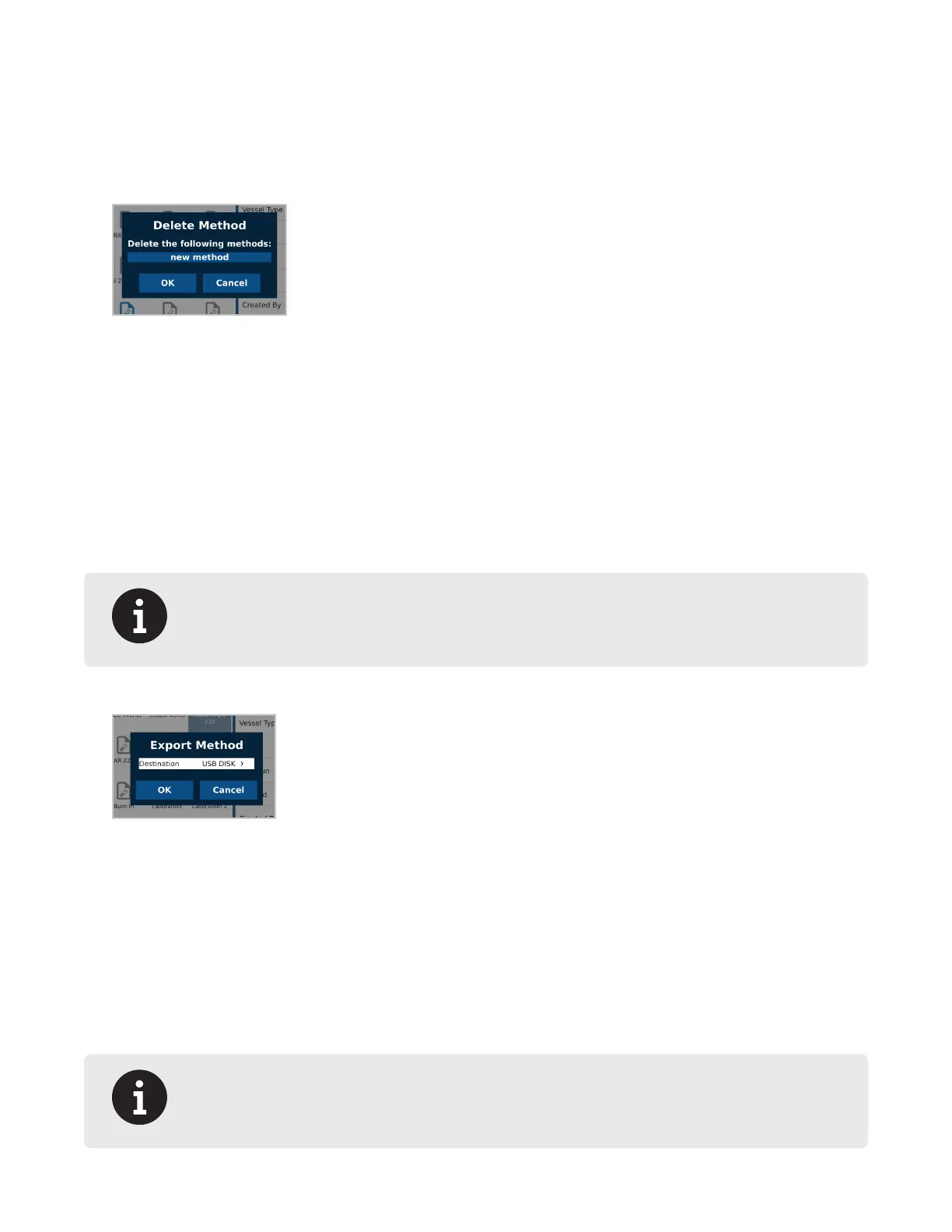
Delete Method
Only users with administrator or standard privileges can delete methods. Run data will no longer be available once
a method is deleted.
1. From the Home screen, press the Methods icon.
2. Press method to be deleted. Multiple methods can be deleted at a time by highlighting multiple methods.
3. Press the Delete icon.
4. Press “OK” to delete the method(s) or “Cancel” to return to the previous screen.
Export Method
Only users with administrator or standard privileges can export methods.
1. Insert a ash drive into a USB port on the BLADE.
2. From the Home screen, press the Methods icon.
3. Select the method(s) to export to the ash drive. Multiple methods can be exported at a time by long holding a
method and then highlighting additional methods.
4. Press the Export icon.
NOTE
If the export icon does not appear within ten (10) seconds, then the USB may need to be
reformatted to FAT32. Contact CEM Corporation for details.
5. Select the destination.
6. Press “OK” to Export the method(s) or “Cancel” to return to the previous screen.
7. Press “OK” when nished.
Import Method
Only users with administrator or standard privileges can import methods.
1. To import a method, insert a ash drive in the USB port on the system.
2. From the Home screen, press the Methods icon.
3. Press the Import icon.
NOTE
If the import icon does not appear within ten (10) seconds, then the USB may need to be
reformatted to FAT32. Contact CEM Corporation for details.


 To Next Page