27Methods
• Pressure (psi):
Quartz vessel: 50 - 700
Quartz vessel with TFM Liner: 50 - 400
• Stirring: High, Medium, or Low.
High = 1000 RPM, Medium = 650 RPM, and Low = 350 RPM
• Ramp Time: 1 - 30 min per stage
• Hold Time: 0 - 60 min per stage
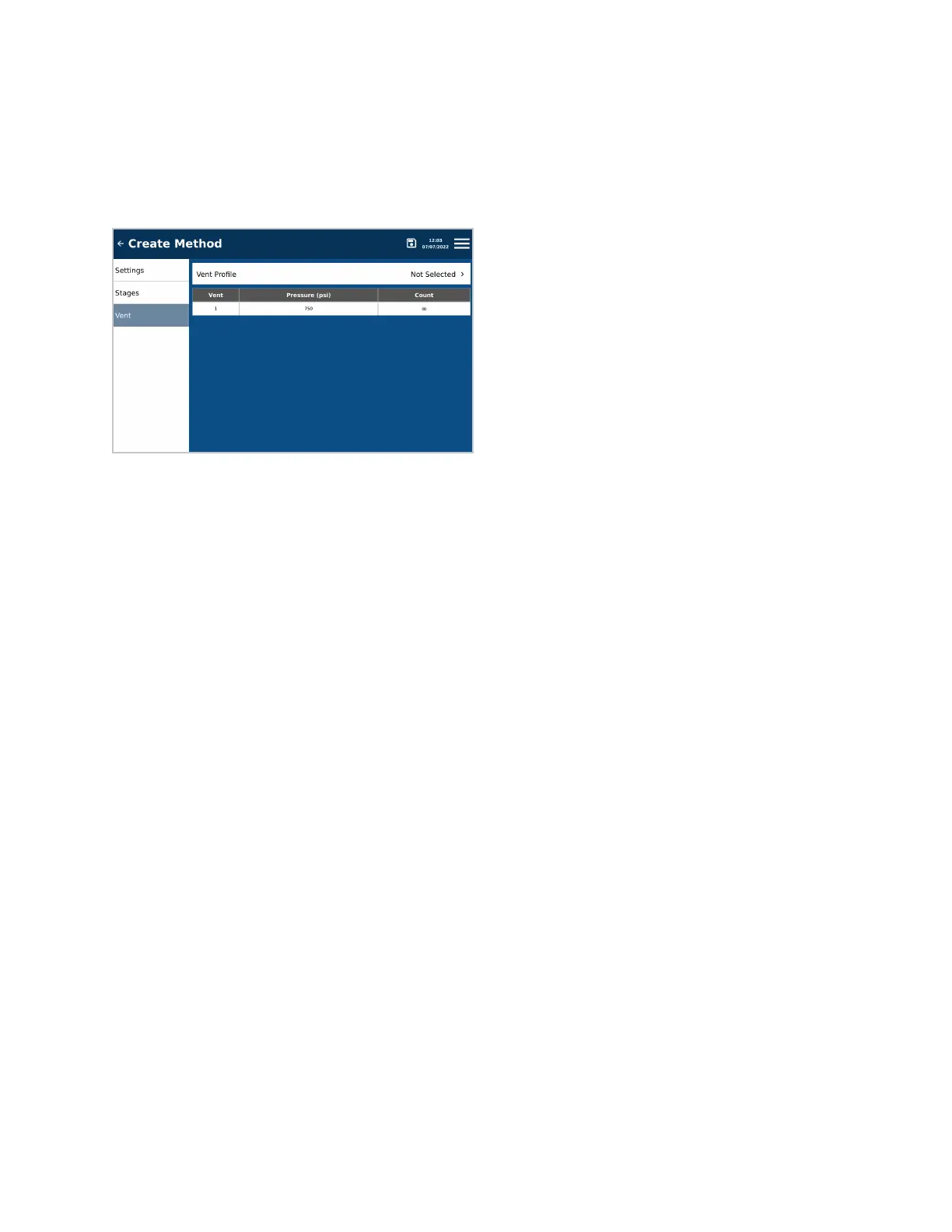
6. Press “Vent” on the left side of the screen.
7. Select the appropriate “Vent Prole.” Parameters for each prole are dened in the software.
• QV (Quartz Vessel): Organic (QV), Inorganic (QV), or Custom (QV). Contact CEM for more information
regarding Custom (QV).
• QVL (Quartz Vessel with Liner): Inorganic (QVL)
8. Press the Save icon.
Edit Method
When a method is edited, a new Snapshot of the method will be taken. This will allow the user to recall the method
parameters when viewing run data. Only users with administrator or standard privileges can edit methods. CEM
methods cannot be edited.
1. From the Home screen, press the Methods icon.
2. Press the method to be edited.
3. Press the Edit icon at the top of the screen.
4. Select desired tab to edit: Settings, Stages or Vent.
5. Edit parameters. See the “Create Method” section for specic details.
6. Press the Save icon.
Copy Method
A method can be copied and edited if desired. Only users with administrator or standard privileges can copy
methods.
1. From the Home screen, press the Methods icon.
2. Press the method to be copied.
3. Press the Copy icon at the top of the screen.
4. Create a new name for the method and press “OK” or cancel.
5. If “OK” is pressed, the method will be transferred into the User Methods folder and the “Edit Method” screen
will appear.
6. Edit the desired parameters, and save method.


 To Next Page