Install the Station and Charging Cable
35
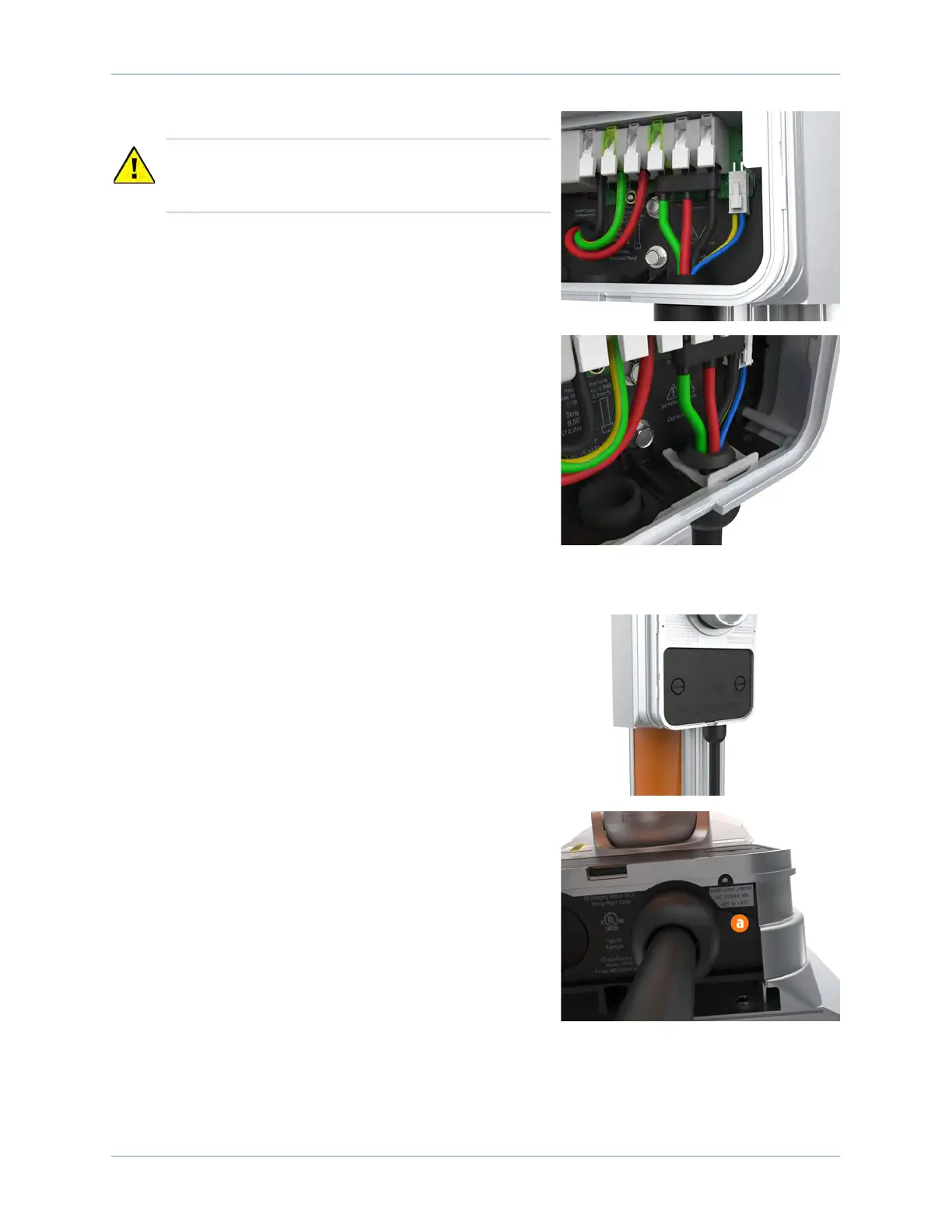
6. Snap the white levers all the way down on each wire.
7. Insert the 4-pin plug into the connector to the right of
the output supply wiring.
8. While pushing the cable up, slide the cable clip into the
slot until it snaps into place. This secures the cable and
provides strain relief.
Attach the Wire Cover and Faceplate
1. Place the wire cover over the exposed wiring.
2. Use a coin to lock the wire cover in place.
Note: To avoid damage to the wire cover, do not use a
screwdriver.
3. Apply the appropriate rating label to match the circuit
feeding the charging station on the bottom of the
station over the default rating displayed (a).
CAUTION: Ensure each wire is fully inserted into the
connector with no bare wire showing before
pressing it into place with the white clip.












 To Next Page