User manual CHD FiVE
6.1 STYLUS
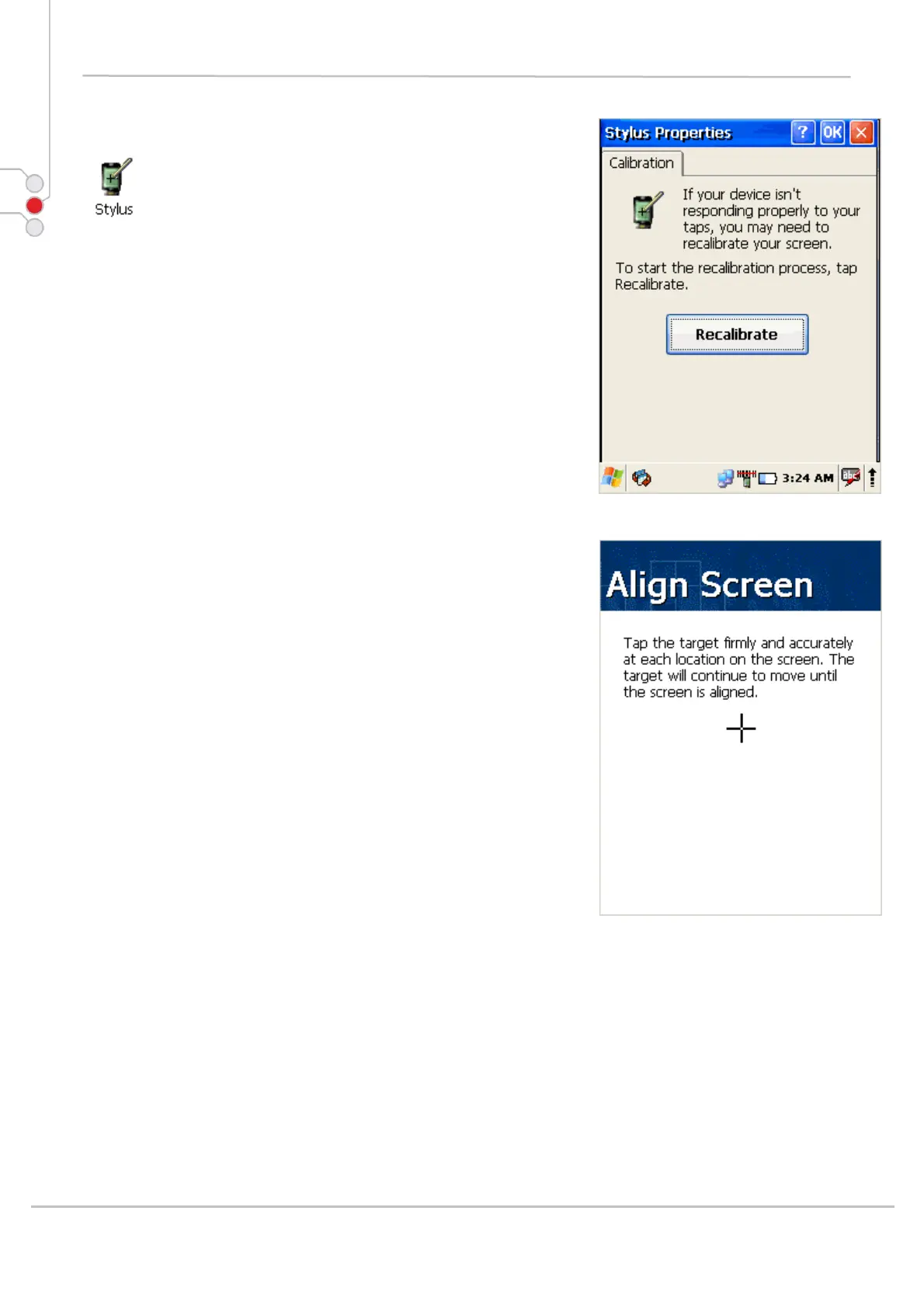
You might need to align the touch screen (i.e. when you
notice that when you attempt to select one item with the
stylus, another item is erroneously selected).
To align the touch screen,
1. Open
Start -> Settings -> Control Panel ->
Stylus
OR
2. Press < FUNC > + < Space > on keyboard
3. Align Screen dialog shows on screen
4. Carefully press and briefly hold stylus on the centre of
the target as the target moves around the screen.
© All rights reserved
Computer Hardware Design 27



 To Next Page