User manual CHD FiVE
7.2 WIRELESS NETWORK
CHD FiVE comes from factory with default built in wireless network adapter. You can
connect the device to secured wireless networks or open network.
To connect to secured network contact network administration.
Wifi card MAC address can be found under
Start > Settings > Control Panel > System.
If no address is shown please turn Wireless LAN on.
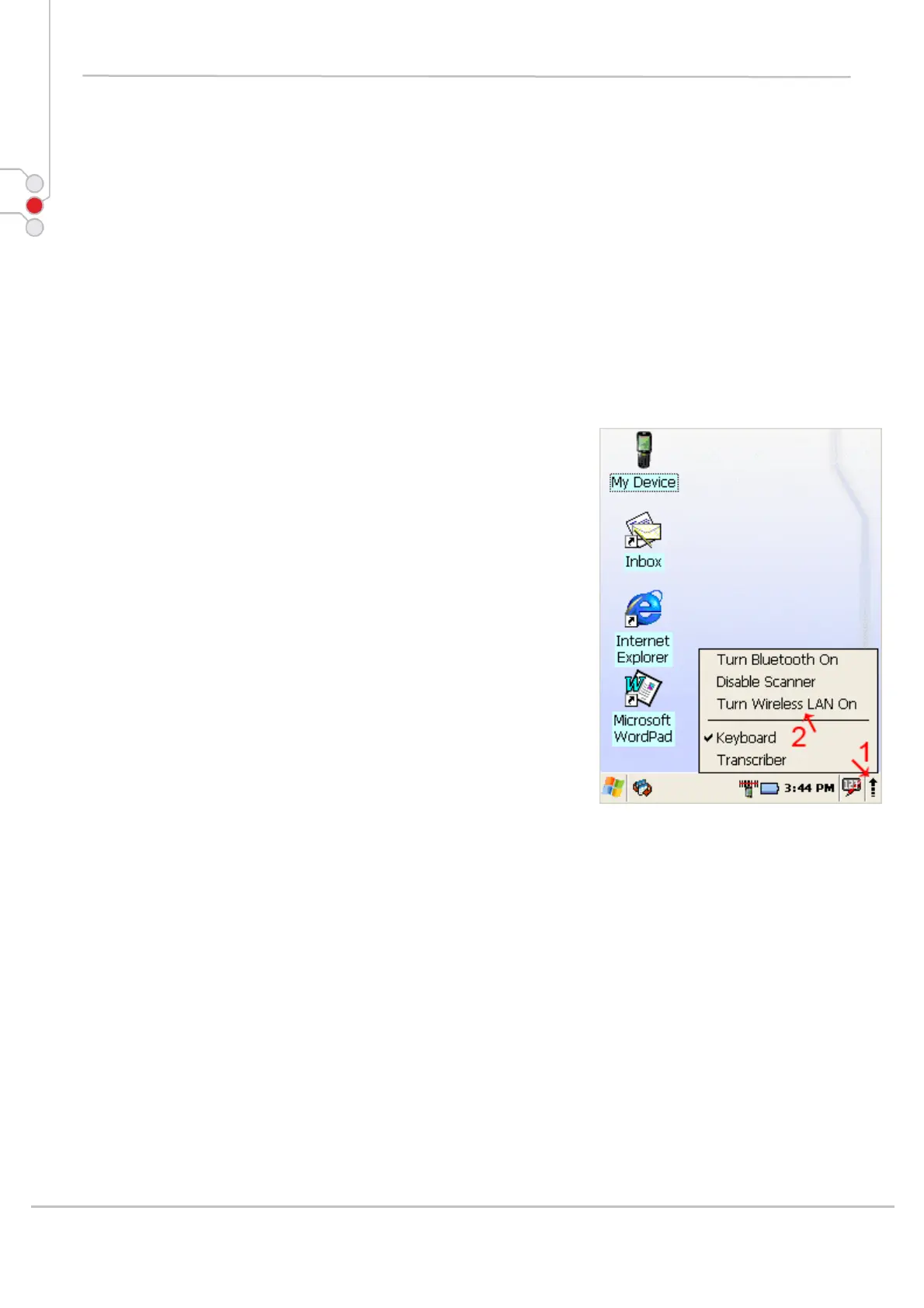
7.2.1 Enabling Wireless LAN
1. Tap on arrow and open device control window
2. Select Turn Wireless LAN On
This also can be done by:
1. Open
Start > Settings > Control Panel >
Power properties > Wireless power
2. Select Wireless power ON
Wireless Icon appears on taskbar.
© All rights reserved
Computer Hardware Design 63



 To Next Page