User manual CHD FiVE
PEAP - Protected Extensible Authentication Protocol, Protected EAP, or simply PEAP, is a
method to securely transmit authentication information, including passwords, over wired or
wireless networks.
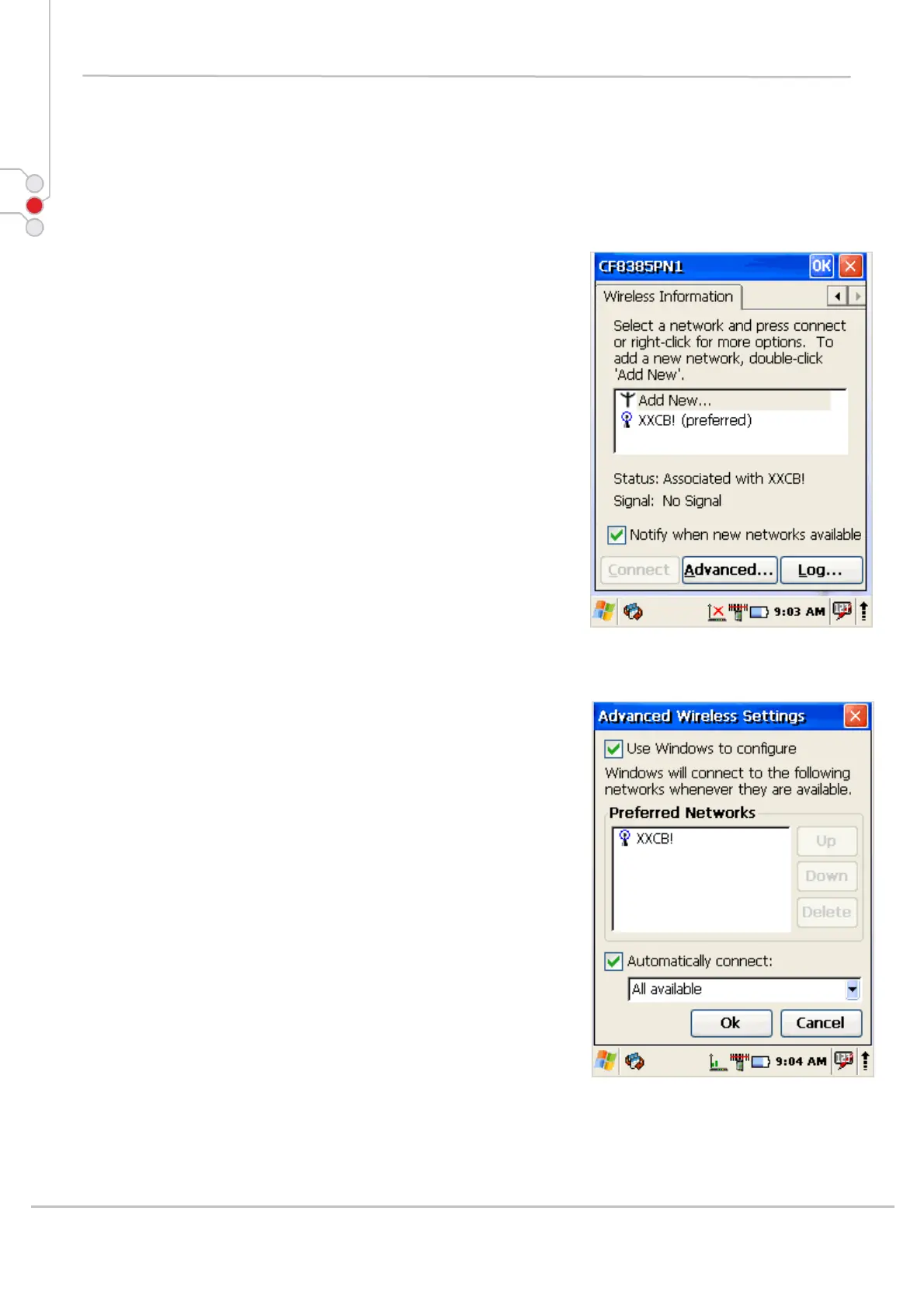
7.2.3 Preferred networks
In some areas there are more than one wireless networks
available to connect.
Select wireless network and tap on Advanced … button.
Tap on Network name and use control buttons Up/Down
to change priority or Delete – to remove network from
the list.
7.2.4 Automatic connections
Also check to what device can be automatically
connected:
• All available
• Only access points
• Only computer – to computer
© All rights reserved
Computer Hardware Design 66



 To Next Page