User manual CHD FiVE
6.11 OWNER
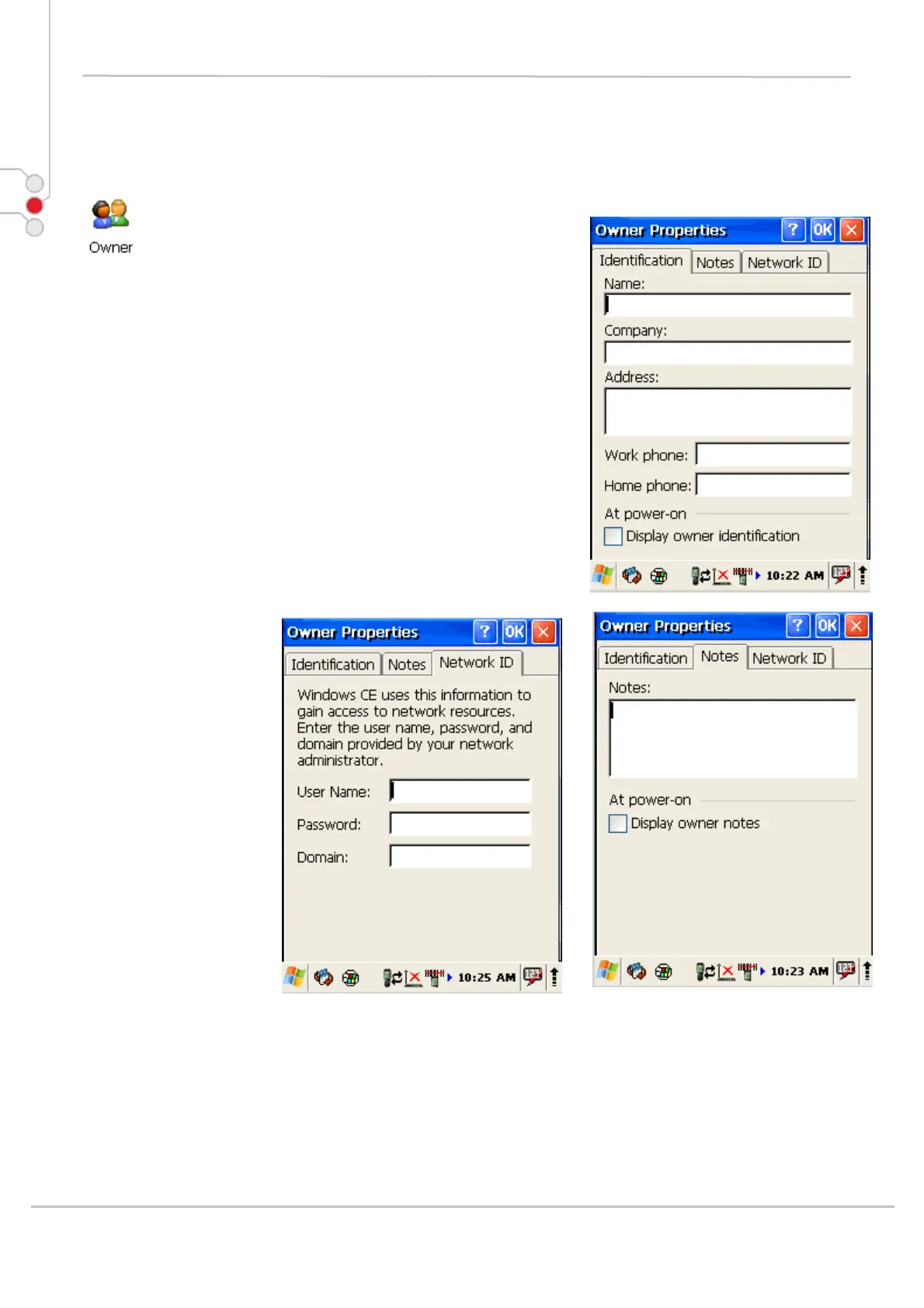
To change the Owner default settings:
1. Select
Start > Settings > Control Panel >
Owner Properties
2. Enter data using the input panel or the keypad on
the PDA.
3. In the Notes tab set additional notes.
4. In the Network ID tab enter information to gain
access to network resources.
5. To exit the Owner Properties control panel press
OK from the control bar or press the < ENT > key
on the keypad.
© All rights reserved
Computer Hardware Design 43



 To Next Page