User manual CHD FiVE
7.3.3 Pairing Bluetooth devices
To connect to Bluetooth device usually they must be
paired – on each device entered the same passkey
number.
If you connect to devices without input methods (printers,
headsets etc.), please refer to devices user manual about
pairing.
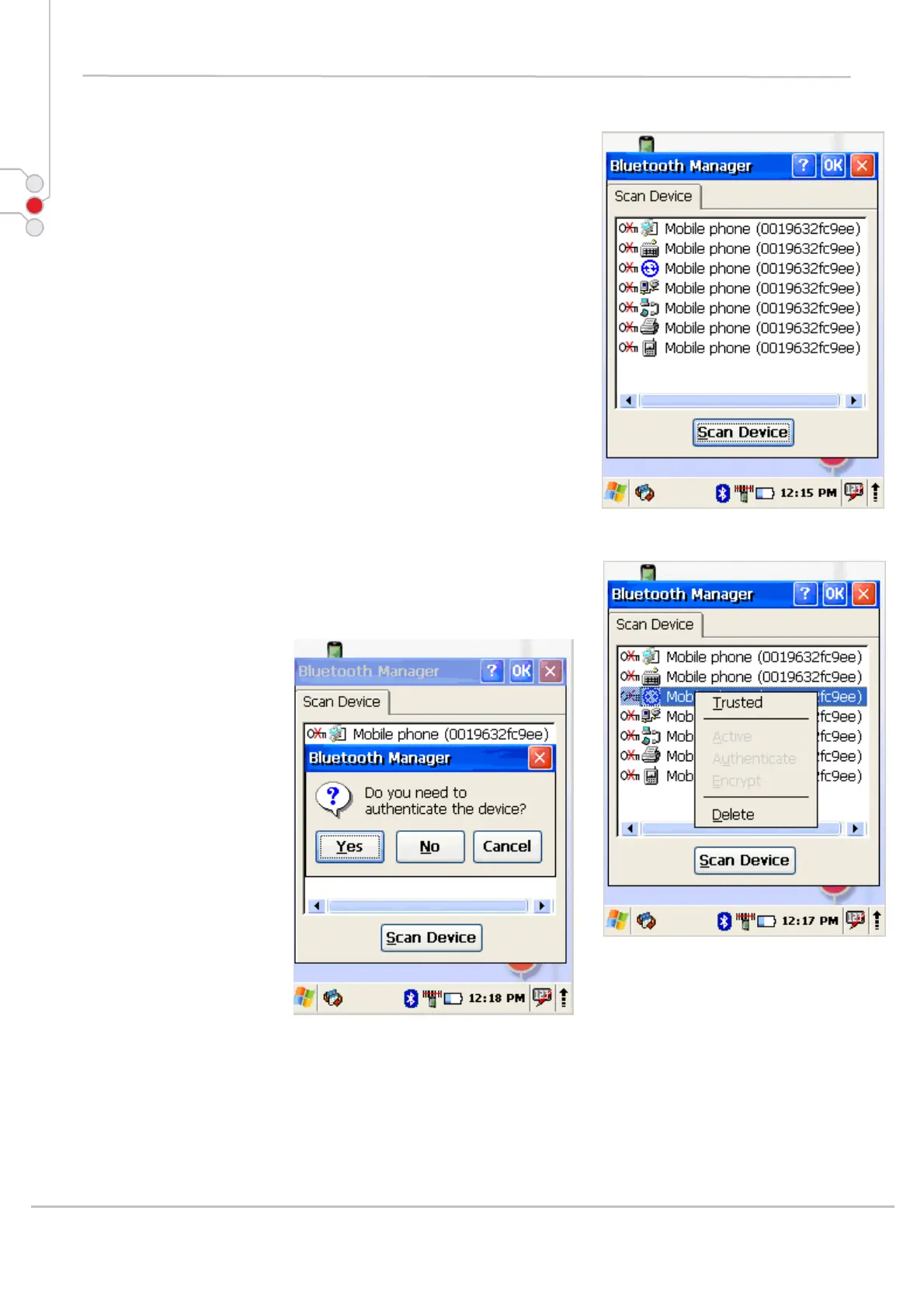
1. Double tap on desired devices service
2. Select Trusted from dropdown menu
3. You will be prompted
4. Click on Yes button
5. Enter random 4 digits (if pairing with device without
possibility to input (refer to devices user manual) and tap
on Yes
6. Enter the same digits on other device when
prompted.
7. After pairing double tap on devices service and
select Active
© All rights reserved
Computer Hardware Design 70



 To Next Page