User manual CHD FiVE
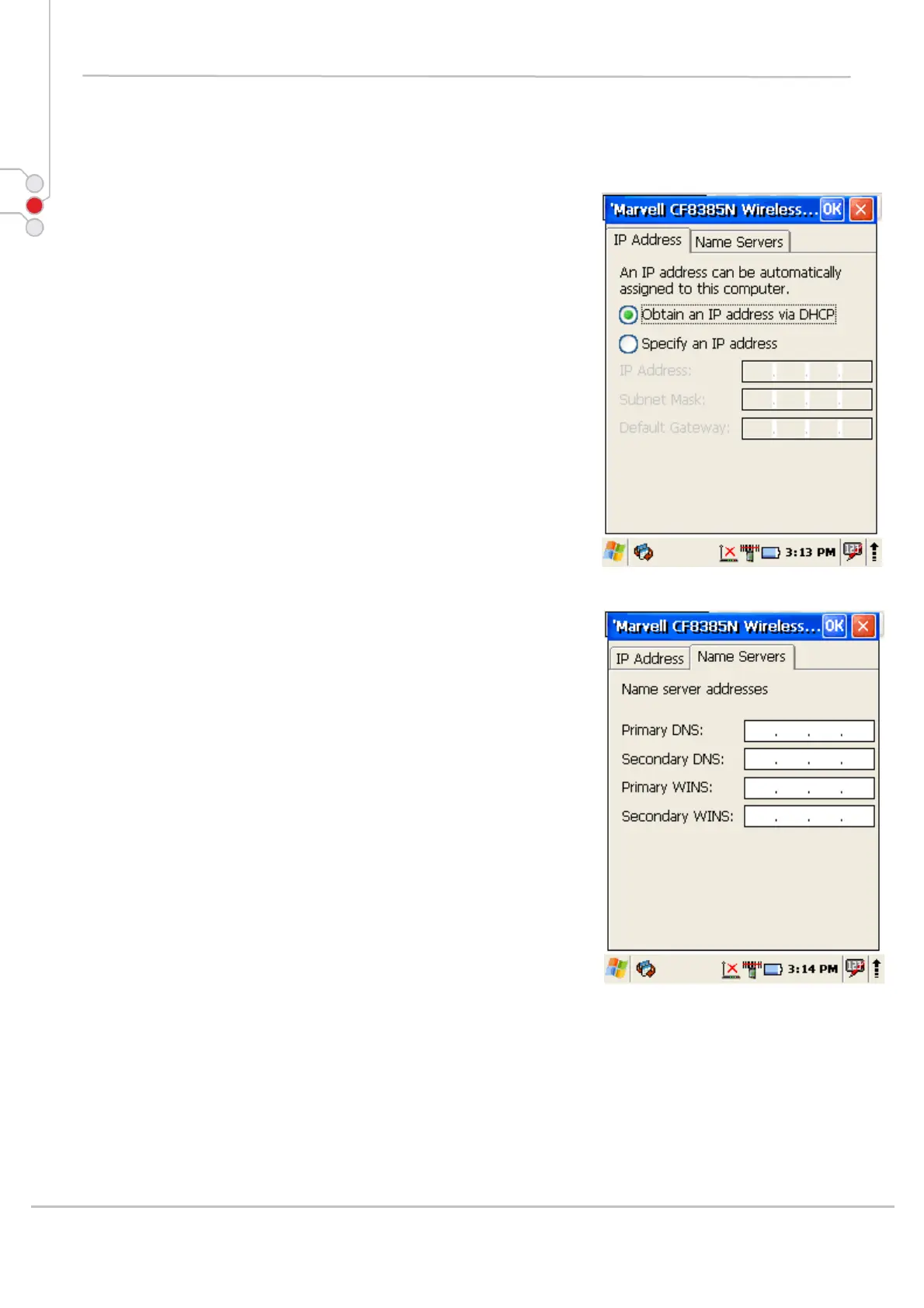
6.10.1 Change IP address or DHCP settings
1. Select
Start > Settings > Control Panel >
Network and dialup connections
2. Tap and hold on connection
3. Press Properties
4. Select to automatically obtain an IP address via
DHCP or manually enter the address
5. Click on Name Servers tab and enter DNS
servers IP addresses
6. To exit Network connection properties, press OK
from the control bar, or press the < ENT > key on
the keypad.
© All rights reserved
Computer Hardware Design 42



 To Next Page