User manual CHD FiVE
6.17 SCANNER CONFIGURE
To change the Scanner Settings and bar code types,
complete as follows:
Go to
Start > Programs > Scanner > Quick ScanSet
to open the bar code scanning application. The only
indicator that the program is open is the bar code System
Tray icon. Quick ScanSet starts automatically as device
boots.
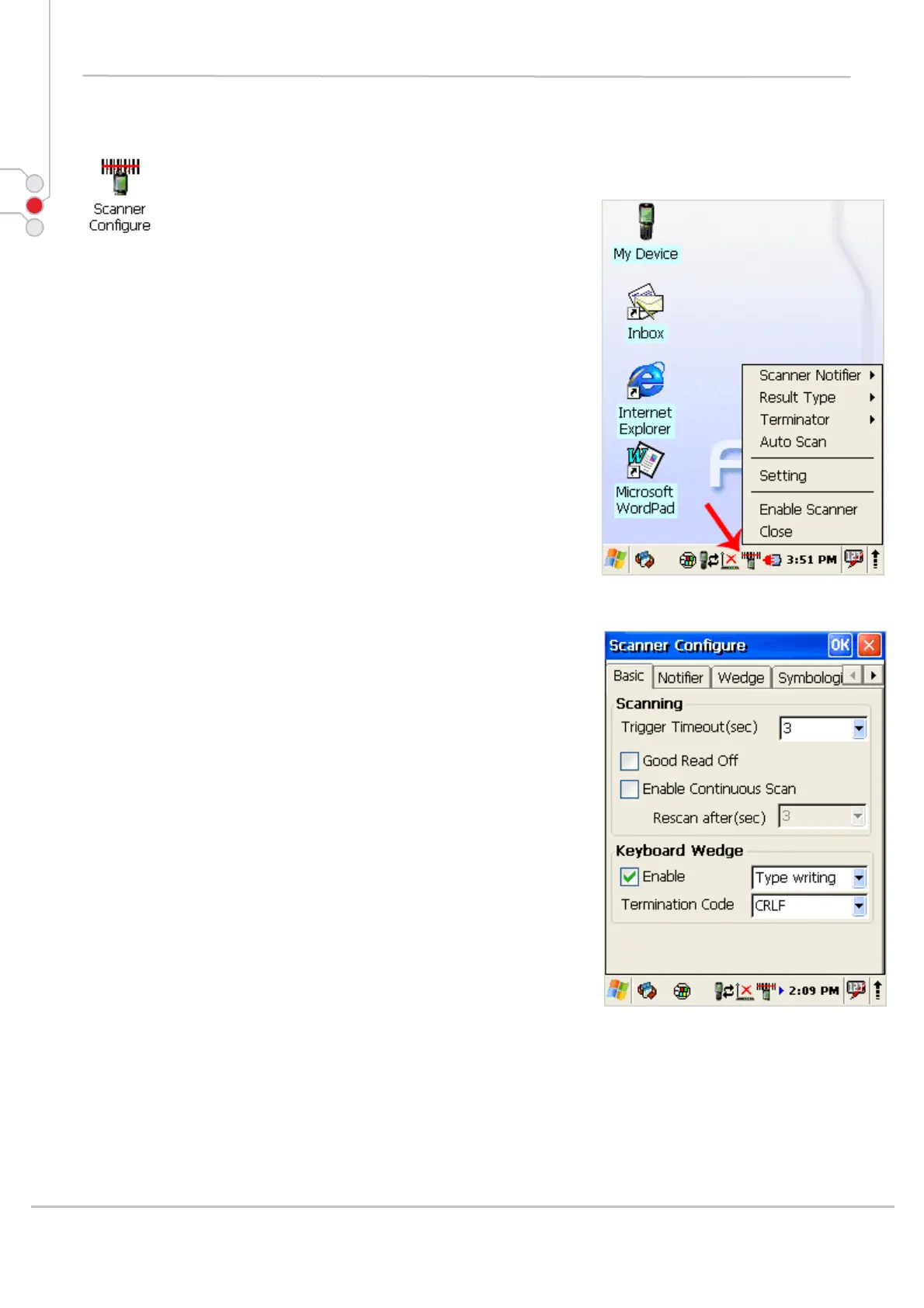
Select/tap the bar code icon in the System Tray to open
the menu shown in image on the left.
• Select Settings to open the Scanner Configure
applet.
© All rights reserved
Computer Hardware Design 50



 To Next Page