User manual CHD FiVE
7.4.2 Connect to VPN network
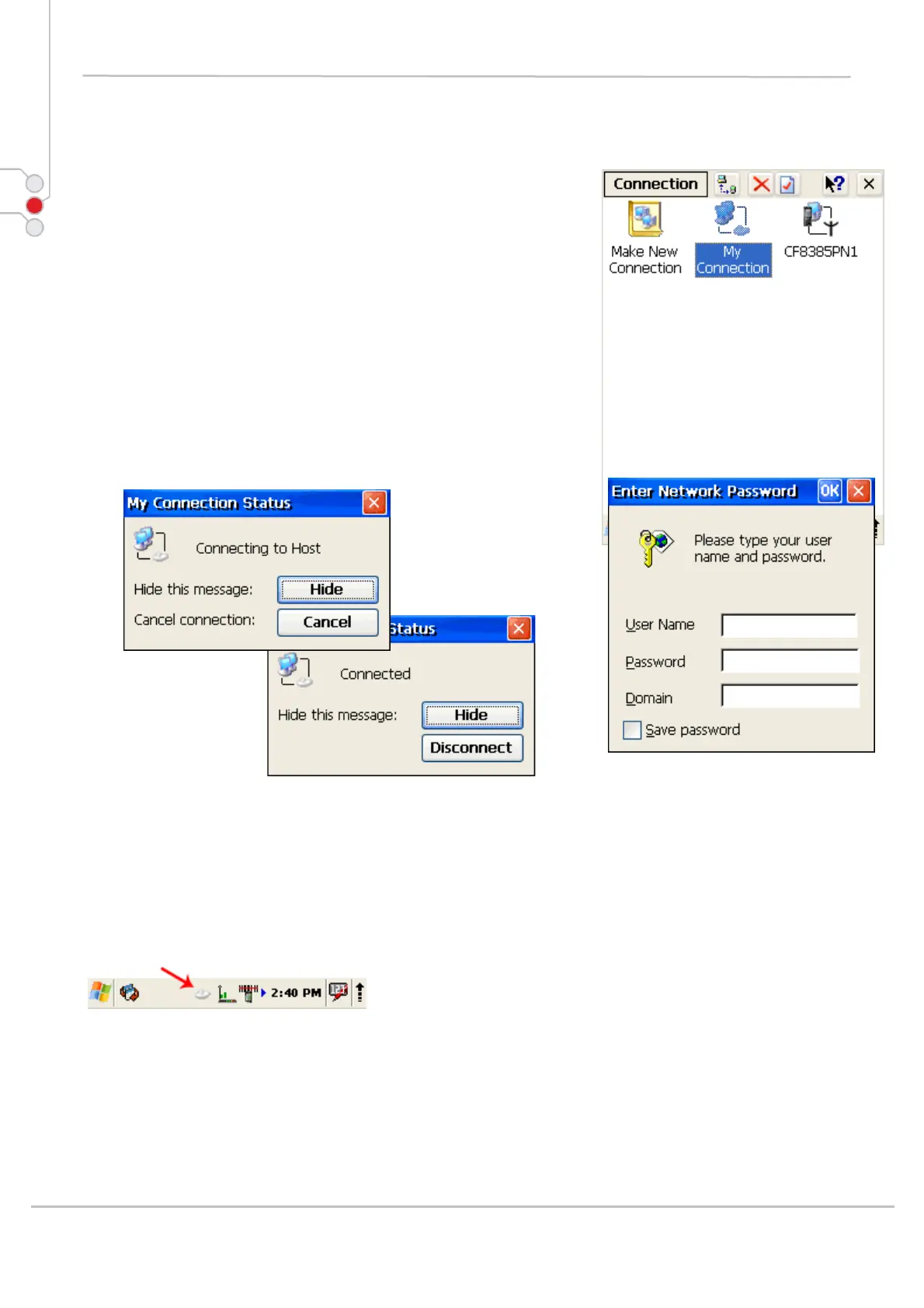
1. Open
Start > Settings >
Network and Dial-up connections
2. Double tap on VPN connection
3. Enter Username, Password and Domain
4. Click on OK
5. After authorization tap on Hide to hide status
window.
According to VPN network specifics – you will need to
reconnect to your VPN network if device is turned off and
on.
To disconnect from VPN network
1. Double tap on VPN icon in task bar
2. Click Disconnect
© All rights reserved
Computer Hardware Design 77



 To Next Page