User manual CHD FiVE
6.7 INPUT PANEL
Adjust input panel behaviour and settings.
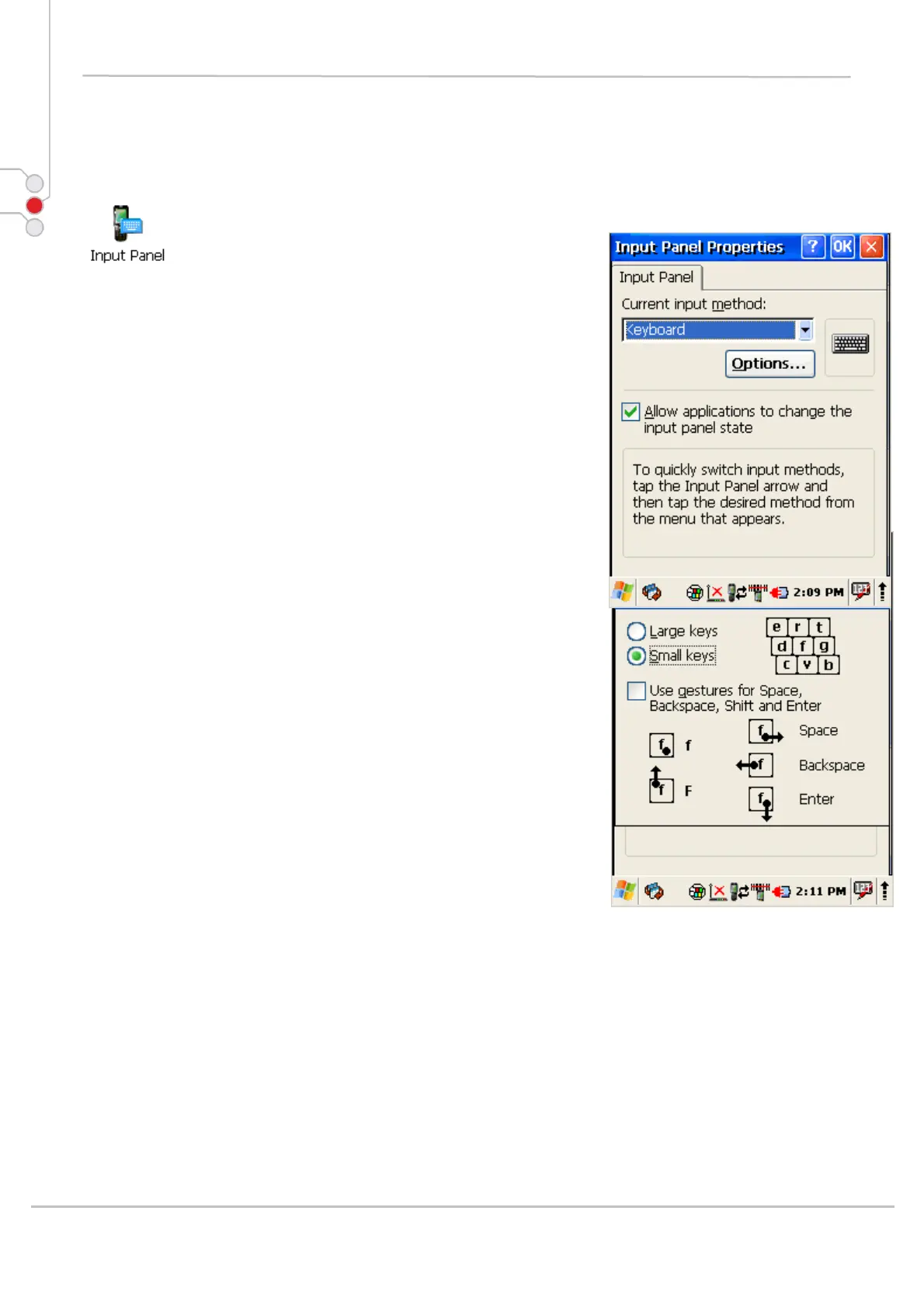
Change the Soft Input Panel settings:
1. Select
Start > Settings > Control Panel >
Input Panel
2. Change the desired settings.
3. To change the Soft Keyboard Options, tap on the
Options
4. Change the soft keyboard options , selecting from:
• Large or small keys.
• Using gestures for space, backspace, shift,
and enter.
5. To exit the Soft Keyboard Options, press OK on the
control bar, or press the < ENT > key on the
keypad.
6. To exit Input Panel settings, press OK from the
control bar, or press the < ENT > key on the
keypad.
© All rights reserved
Computer Hardware Design 36



 To Next Page