Small-Scale Deployment Installation
R81.10.X Quantum Spark 1500, 1600, 1800, 1900, 2000 Appliances Centrally Managed Administration Guide|53
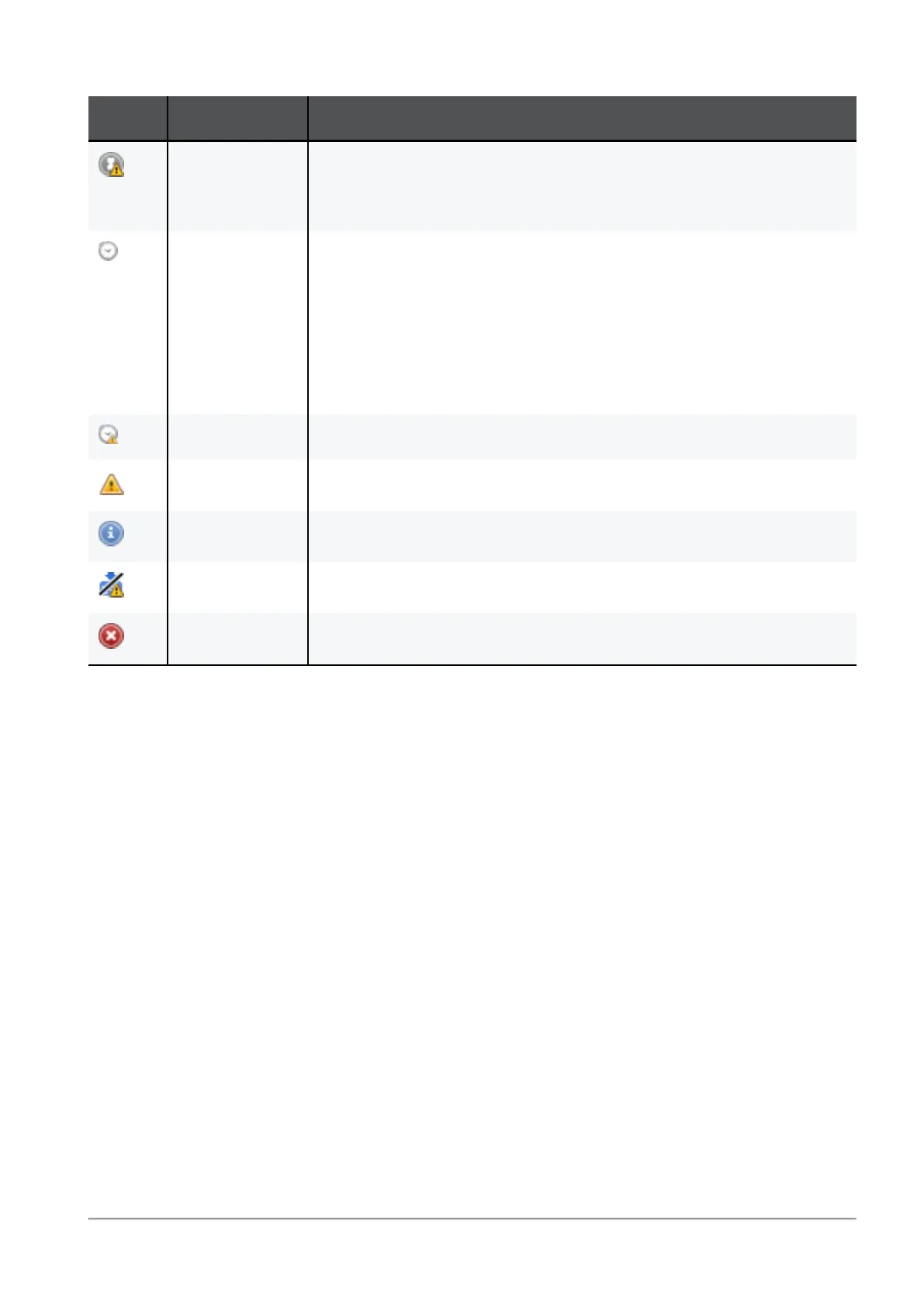
Icon Policy Status Description
Waiting for
first
connection
Same as above, with warnings that attempts to establish trust
failed or there are verification warnings.
Pending The policy remains in the pending status until the gateway
successfully connects to the Security Management Server and
retrieves the policy. This status is shown only if there was at
least one successful policy installation. For example, when the
Security Management Server has problems connecting to the
Gateway (the Gateway is unavailable for receiving
communication, as in behind NAT).
Pending Same as above but there are verification warnings.
Warning Warning
Information Information
Failed Policy not installed due to a verification error.
Failed Policy installation failed.
Table: Policy Installation Statuses (continued)
You can access the Policy Installation Status window in these ways:
n
From the menu bar - Click Policy > Policy Installation Status.
n
From the toolbar - Click the Policy Installation Status icon.
n
From the status bar - Click Failed or Pending. The contents of the Policy Installation
Status window are shown filtered according to the link clicked.
n
From notification balloons - Click See Details in the balloon.









 To Next Page