Small-Scale Deployment Installation
R81.10.X Quantum Spark 1500, 1600, 1800, 1900, 2000 Appliances Centrally Managed Administration Guide|52
Viewing the Policy Installation Status
You can see the installation status of managed gateways with the status bar that shows at the
bottom of the SmartConsole window. The status bar shows how many gateways are in
Pending or Failed mode.
n
Pending - gateways that are in the waiting for first connection status or are in the
pending status (see below for detailed explanations).
n
Failed - gateways that have failed to install the policy.
The status bar is updated dynamically each time a gateway tries to install a policy or tries to
connect to the Security Management Server. The results of these actions are also shown in
SmartConsole popup notification balloons when such events occur. You can configure these
notifications.
To monitor the status of the last policy installed on each gateway, you can use the Policy
Installation Status window.
The window has two sections. The top section shows a list of gateways and status details
regarding the installed policy. You can use the filter fields to see only policies of interest and
hide other details by defining the applicable criteria for each field. After you apply the filtering
criteria, only entries that match the selected criteria are shown. If the system logs trusted
communication (SIC) attempts from unknown gateways, a yellow status bar opens below the
filter fields.
The bottom section shows details of a row you select in the gateway list (errors that occurred,
the date the policy was prepared, verification warnings). If there is a yellow status bar, click
Show details to show the details of unknown gateways that try to connect to the Security
Management Server.
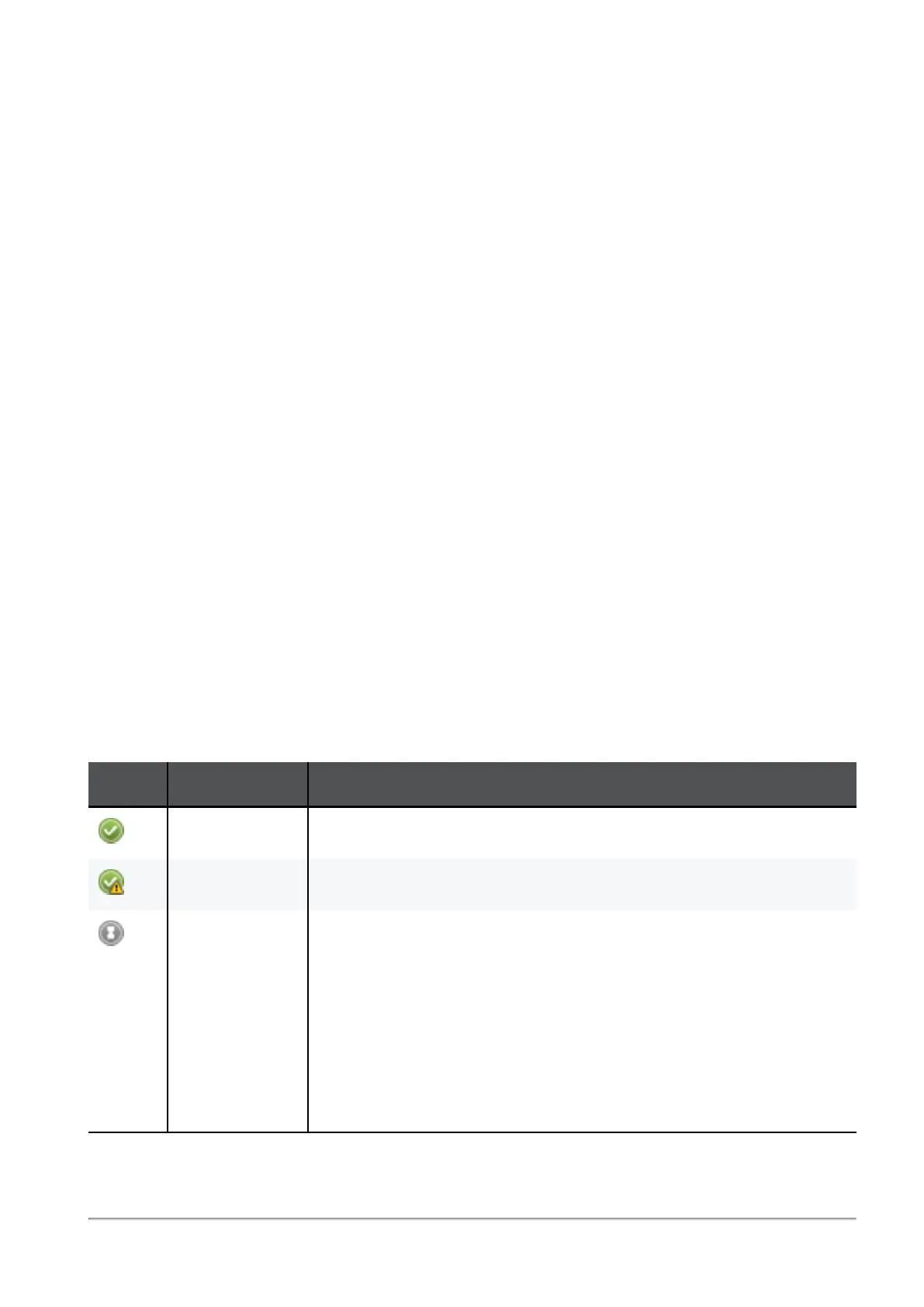
Icon Policy Status Description
Succeeded Policy installation succeeded.
Succeeded Policy installation succeeded but there are verification warnings.
Waiting for
first
connection
A Quantum Spark appliance object is configured, but the
gateway is not connected to the Security Management Server
(initial trust is not established).
n
If a policy is prepared, it is pulled when the gateway is
connected.
n
If a policy is
not prepared
, the Policy Type column shows
"No Policy Prepared." When the gateway is first
connected, only trust is established.
Table: Policy Installation Statuses









 To Next Page