Electrical Safety Analyzer 19032 User’s Manual
3-6
21. Warm up
The analyzer unit should be warmed-up for 15 minutes prior to use and 30 minutes prior
to calibration.
22. Warning signal during testing
“DANGER – HIGH VOLTAGE TEST IN PROGRESS, UNAUTHORIZED PERSONS
KEEP AWAY”
23. TWIN PORT
The unit process twin port measurement mode with AC withstand, DC withstand, or IR
(insulation impedance) on GB (grounding impedance). When processing the maximum
AC or DC output current in this measurement mode, do not exceed 1/2 the maximum
specification on a continuous basis.
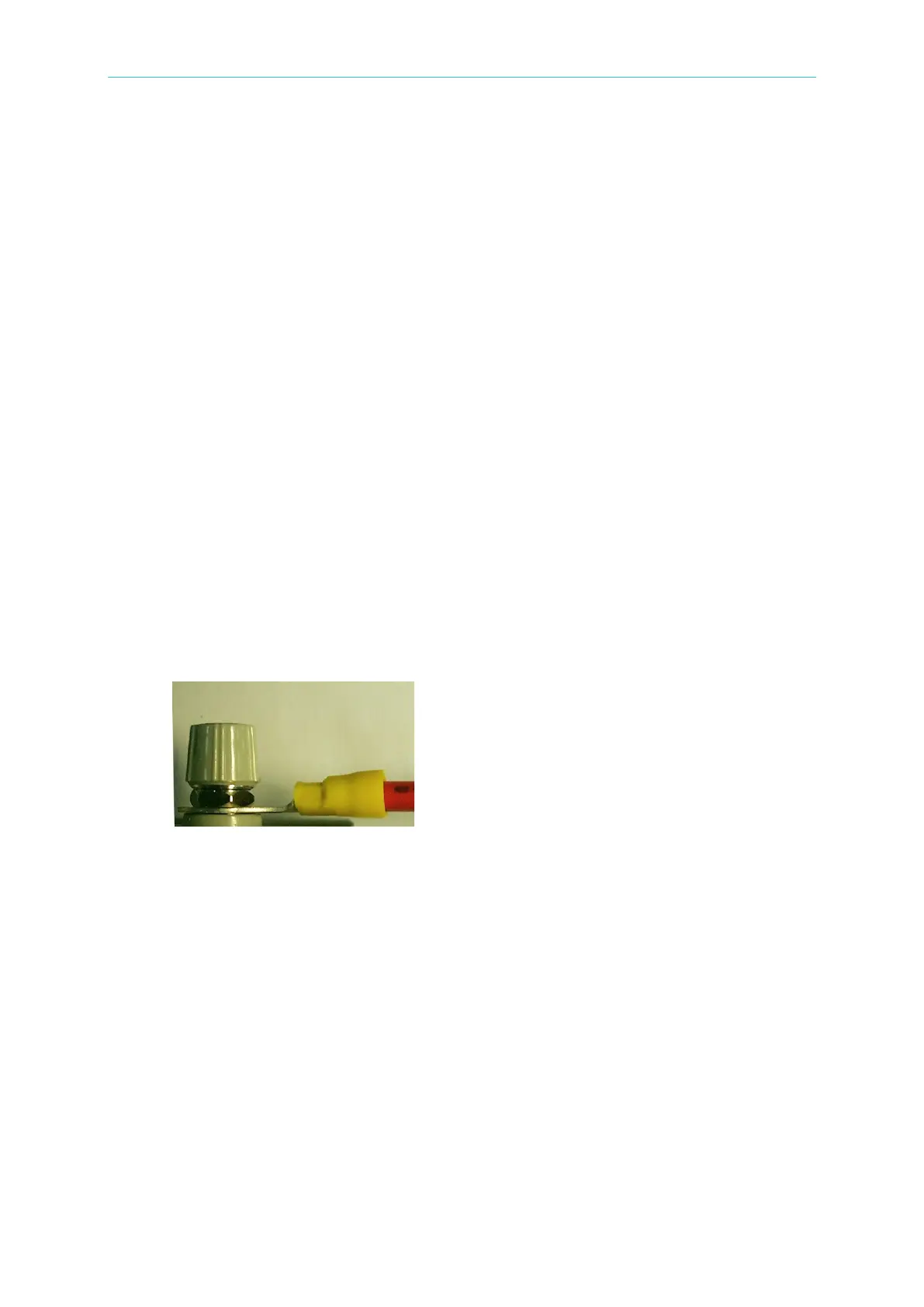
24. Description of ground bond lead wiring
The maximum output current of this unit is 30A AC. A loose cable connection may cause a
temperature rise and the ground bond output terminal may be damaged.
Follow the steps below to ensure a good wiring connection:
Remove both the DRIVE+ (red) and DRIVE- (black) caps.
Use a hex box spanner to loosen both nuts and then remove the nuts.
Slip the test leads onto both terminals.
Install the nuts and use a hex box spanner to tighten both nuts.
Re-install both the DRIVE+ (red) and DRIVE- (black) caps.
Tighten both caps.
The correct Ground Bond lead wiring is shown below:
25. Keep test cable away from the panel
Keep the high voltage cable and the DUT away from the panel at least 30 cm during
operation to avoid display interference caused by high-voltage discharge.
26. Connecting automated devices
Connect the grounds of the device and the automated station together.
Add an anti-interference iron core to the high voltage cable and the 2 ends (device
output and DUT) of the RTN/LOW test cable with a minimum of one turn of wire
through the core.
The high voltage and RTN/LOW test cables must be separated from the control
cable.



 To Next Page