Firmware Update
8-1
8. Firmware Update
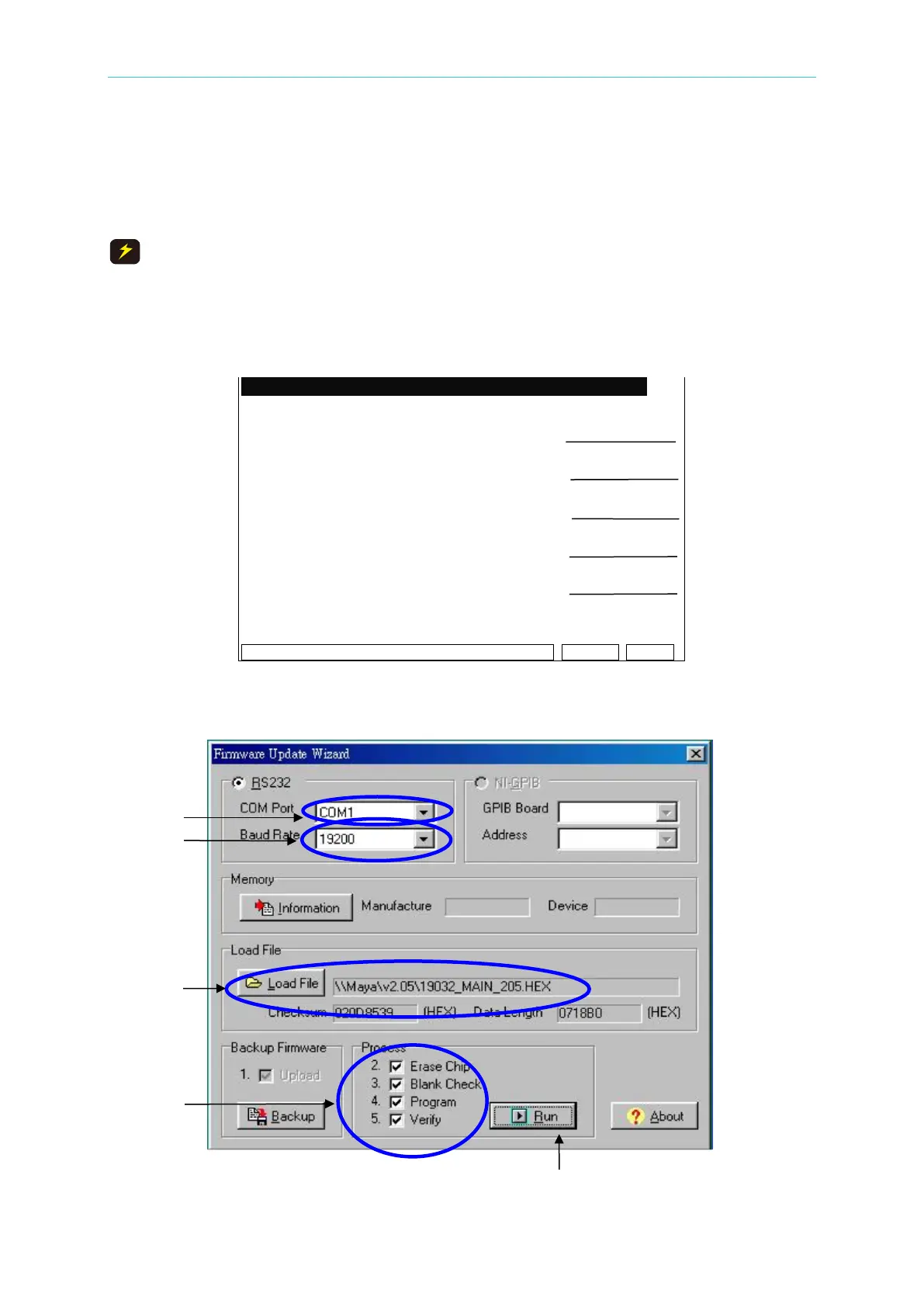
To perform a Firmware Update, follow the procedures below.
An error during this procedure may cause abnormal operation or
damage to the instrument.
1. Connect the 19032 to the PC with an RS-232 cable.
2. Press the UPDATE button on the front panel after turning ON the instrument. When the
power is ON, the LCD should display the following:
Firmware Update Version 3.00
!!! WARNING !!! Baud Rate
Incorrect use may cause
damage to the instrument.
This function should only be Error Log
performed by a qualified
service technician. INC. CONT.
DEC. CONT.
_BR:19200 ________ ___Remote Error
Figure 8-1
3. Run the Firmware Update Wizard on the PC. The splash screen will display:



 To Next Page