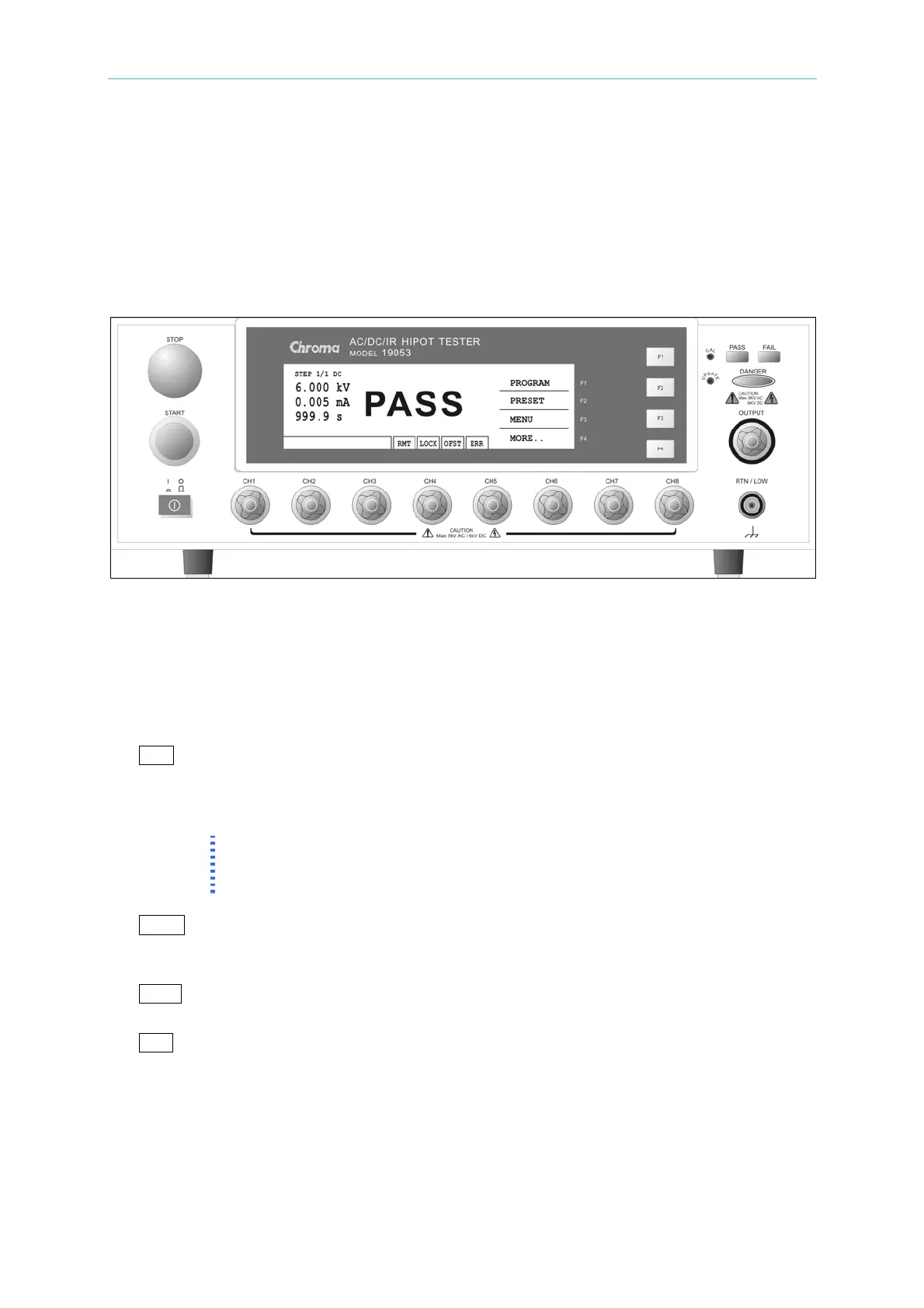
Panel Description
4. Panel Description
4.1 Front Panel
Front panel includes several function areas which easy to use. This paragraph will
introduce each control and information on LCD to you.
Display Area
Function key display area: Under different display menus, there are different function
descriptions. The right side of display has corresponding function keys (F1-F4). If the
description is blank, it means corresponding function is invalid.
State list : This list indicates the setting mode, the range of setting value and displays no
good state of testing result.
RMT : When this area is highlighted, it means the main unit is under Remote status.
That is the main unit controlled by PC through GPIB/RS232 connecting cable.
At the same time, all of keys are malfunction except for [STOP], [Local] and
[MORE..] Keys.
Note
As connecting RS232, the word “RMT” on LCD will not be highlighted only
when give the command of :SYSTem:LOCk:REQuest?. When the word
“RMT” is not highlighted, all keys can be operated as usual.
LOCK : When this area is highlighted, it means the main unit is under setting
parameter protected mode. The other mode can’t enter except for
"MEMORY", "TEST" and "KEY LOCK" modes.
OFST : When this area is highlighted, it means the main unit has been zeroed the
leakage current of test cable and test lead currently.
ERR : When this area is highlighted, it means there is unclear error in error queue.
Danger LED : The testing status indication LED. When LED is light, the tester is under
testing status. There is high voltage or mass current on testing terminal.
Don’t touch the testing terminal at the same time.
PASS LED : When this LED is light, it means DUT judge as PASS after testing.
FAIL LED : When this LED is light, it means DUT judge as FAIL after testing and then
4-1
www.valuetronics.com



 To Next Page