HIPOT Tester 19051/19052/19053/19054 User’s Manual
cutting off the main unit output immediately. This LED keeps on light until
the main unit be pressed [STOP] key.
Key Area
Power Switch : The switch provides AC power source which the tester is needed.
STOP Key : Reset key, after pressing this key the main unit return to standby testing
status immediately. That is cutting output and clear all of judgments
simultaneously.
START Key : After pressing this key, the main unit is under testing status. The testing
terminal has output and each judgment function starts simultaneously.
Cal-Enable : Calibration switch. This key is only for calibration before exiting factory.
A non-professional personnel using this function is prohibited or may
cause the product malfunction.
Function Keys: Function key. Under different display menus, there are different
functions. The right side of display has corresponding function
description. If the description is blank, it means corresponding function
key is invalid.
Terminal Area
OUTPUT : High electric potential terminal of high voltage output. This terminal is
belong to high electric potential output, usually is high voltage output.
Therefore, this terminal is very dangerous. Don’t touch it when DANGER
LED is light, there is high voltage outputting.
RTN / LOW : The common test terminal. It’s a reference terminal when high voltage
test, it also a low electric potential terminal. This terminal is almost
equal to cover grounding terminal.
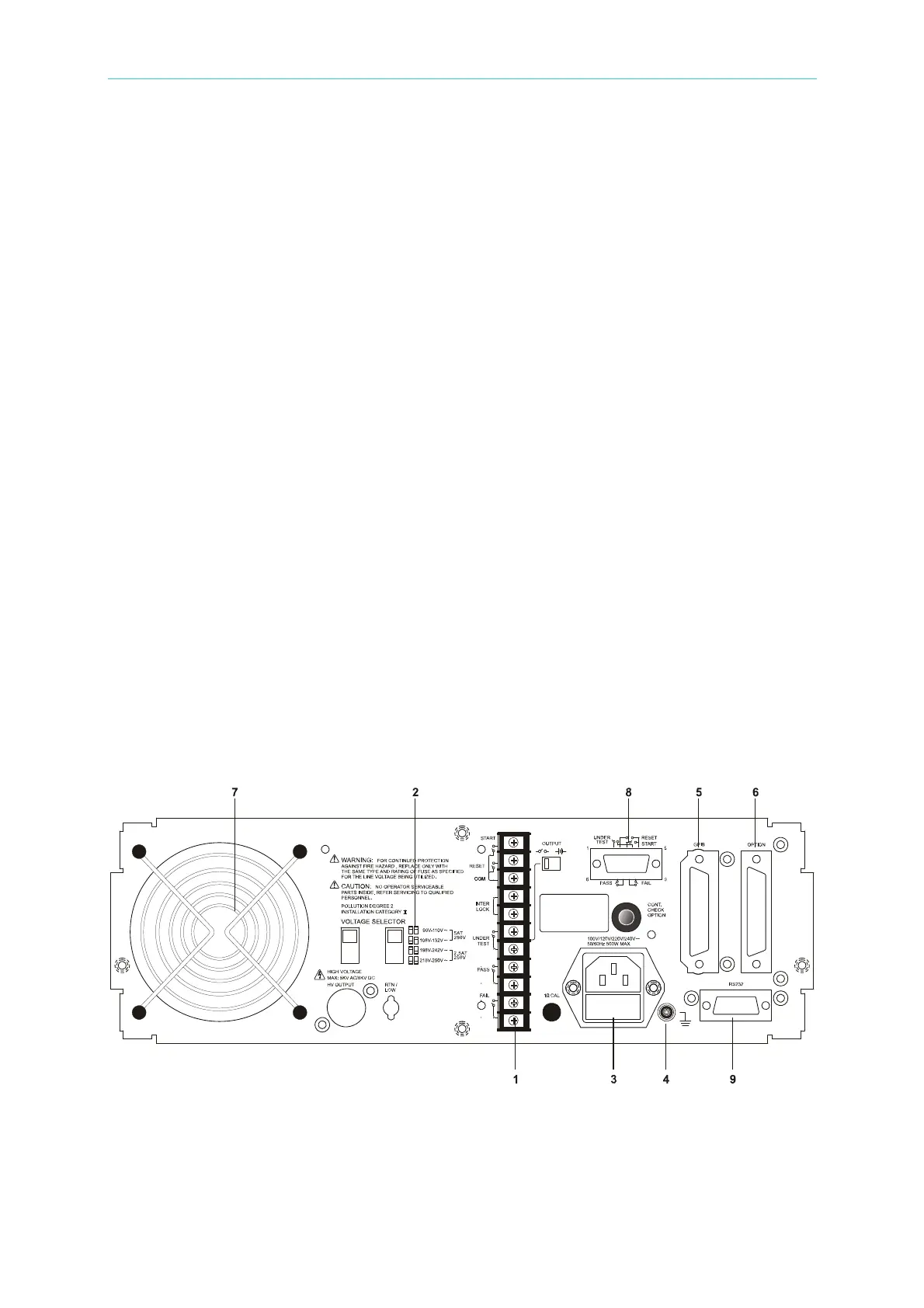
4.2 Rear Panel
1. REMOTE I/O : The test result signal output terminal.
START : Start test signal input terminal.
STOP : Stop test signal input terminal.
INTER LOCK : Output only when this two terminals are short circuit and high voltage.
UNDER TEST : When the tester is under test status, this output terminal will short circuit.
4-2
www.valuetronics.com



 To Next Page