Panel Description
4. By using Function Key ENTER to move the underscore blinking cursor to next character.
5. If press Function Key ENTER twice then will show a read confirmation window.
6. Press Function Key YES to confirm or press Function Key NO to cancel.
Note
If there is covered data in the memory name, please be careful to confirm
before storing.
4.6 Preset Parameter Setting
4.6.1 How to Enter Testing Preset Parameter Setting Menu
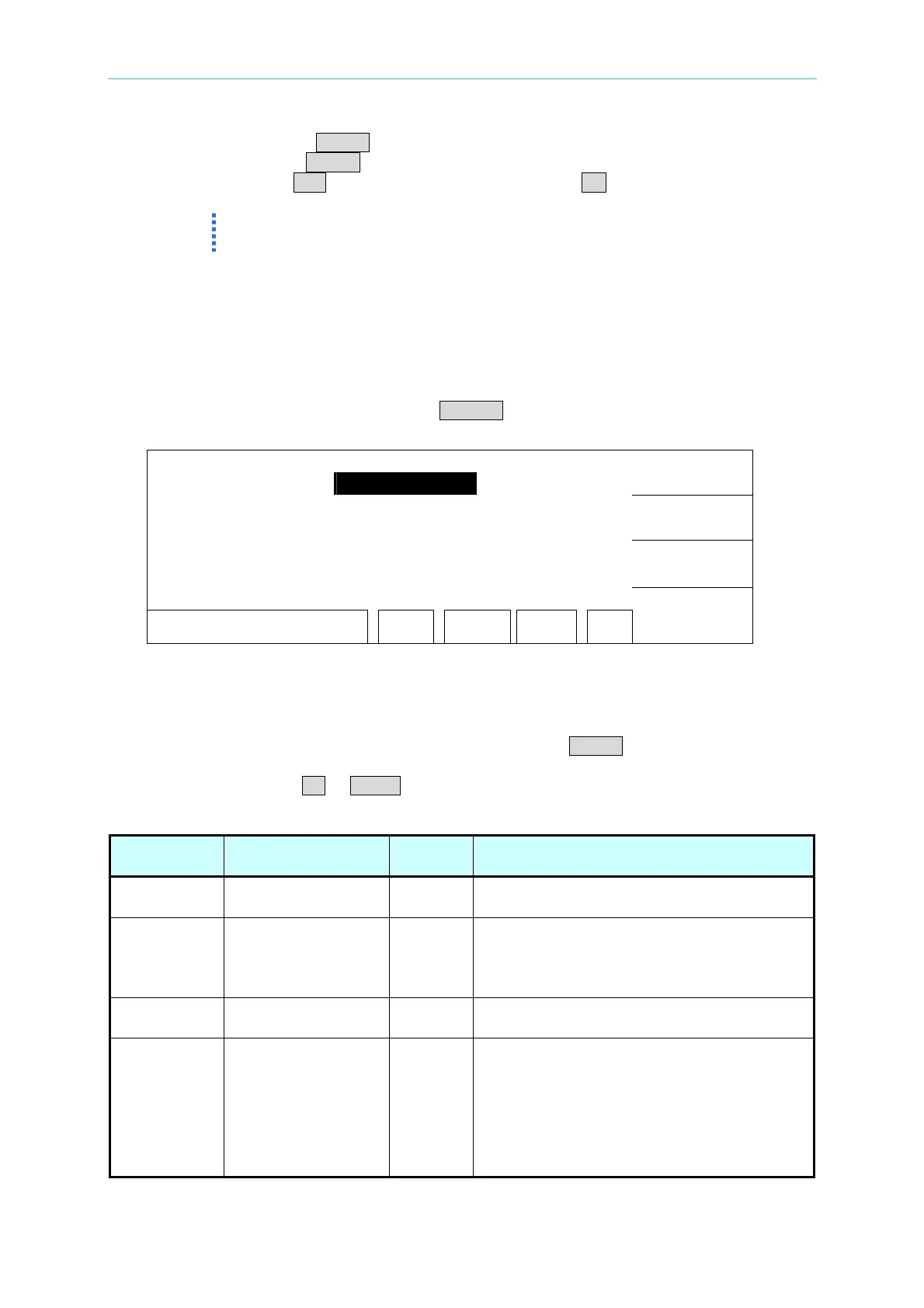
Under power on menu, press Function Key PRESET to enter testing preset parameter setting
menu as the following.
1. PASS HOLD : 0.5 sec
UP
2. STEP HOLD : 0.2 sec
3. AC-V FREQ. : 60 Hz
DOWN
4. GR CONT. : OFF
5. SOFT. AGC : ON
ENTER
RMT LOCK OFST ERR
EXIT
4.6.2 Operation Methods
1. After entering test preset parameter setting menu, press ENTER key move the
highlighted cursor to the parameter item, which want to set.
2. Press Function Keys UP or DOWN to set this item parameter data.
Testing preset parameter function description table:
Setting Item Range Initial
Setting
Description
Pass Hold
0.2 ∼ 99.9
0.5 When the display shows PASS, the
continuous time of buzzer beeps.
Step Hold
0.0 ∼ 99.9 / KEY
0.2 Set interval time between test procedures.
Key: Set test procedure is interrupted.
(Please press [START] to continue when
test stop.)
AC-V Freq. 50/60 60 Set AC-V FREQ. of HIPOT tester by
inputting frequency of AC source.
GR CONT. OFF/KEY/TIME
(0.2sec~99.0sec)
OFF Set grounding continue test no good
function operation mode.
1. When set to OFF, it doesn’t proceed
grounding continue test.
2. When set to KEY, press START KEY to
proceed grounding continue test.
3. When set to TIME, GR CONT operation
4-7
www.valuetronics.com



 To Next Page