RS232 Interface
6. RS232 Interface
6.1 Guide
The user can use computer by RS232 interface to remote control and data transfer.
6.2 Interface Specification
It’s a standard RS232 interface, the setting value as the following:
BAUD RATE : 300 / 600 / 1200 / 2400 / 4800 / 9600 / 19200
PARITY : NONE / ODD / EVEN
FLOW CTRL. : NONE / SOFTWARE
6.3 Command Format
The analyzer RS232 interface function composed command string is inputted by ASCII code
to attain functions of remote control and setting. The length of the command string is limited
in 1024 characters (include end code) [Command + Parameter] compose a command. Two
commands can be connected by semicolon and end by ending code. The end code are the
following types, the analyzer can distinguish it by self.
End code
LF
CR + LF
6.4 Connector
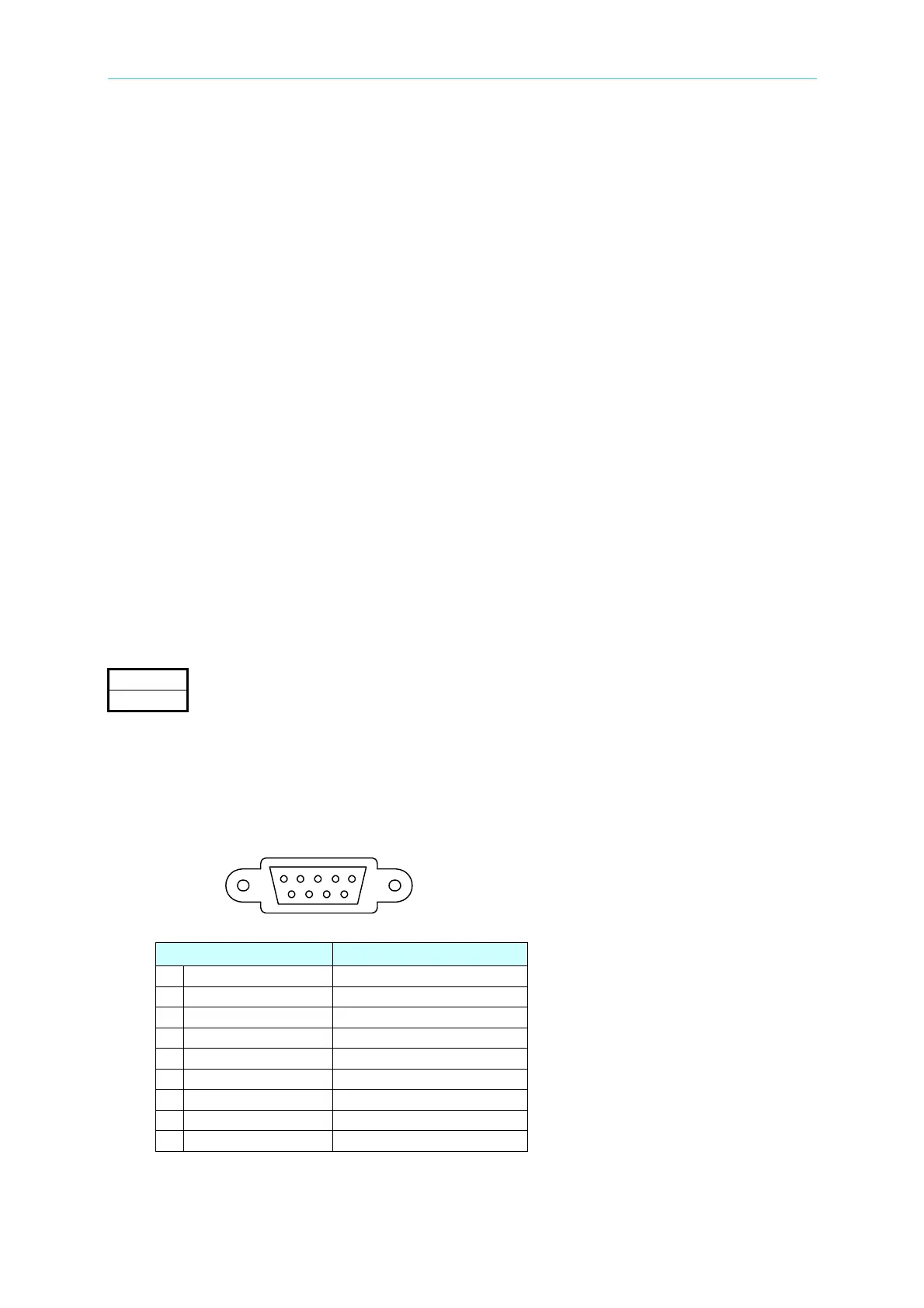
The analyzer RS232 connecter is a 9-pin D-Sub connector.
Pin Number Description
1 * Don’t use
2 TxD Send data
3 RxD Receive data
4 * Don’t use
5 GND Ground
6 * Don’t use
7 * Don’t use
8 * Don’t use
9 * Don’t use
6-1
www.valuetronics.com



 To Next Page