Panel Description
The screen below is for setting the DC CURRENT RESISTANCE judgment of the
transformer. It is still a guidable operation what just following the method of the display to
key in the testing parameter and finish it by pressing [Enter] to jump to next testing item.
As above, by pressing [Enter] of the last item on each screen, the unit will jump to next
setting screen automatically. If the user desire to change the setting on each back-light, the
values may change by pressing the key which under the Cursor.
Above parameters are described as following:
PRI : The first level pin setting
SEC 1…9 : The secondary turns of the transformer
TRANSFORMER : Pin position of the transformer
FIXTURE : Pin position of the fixture
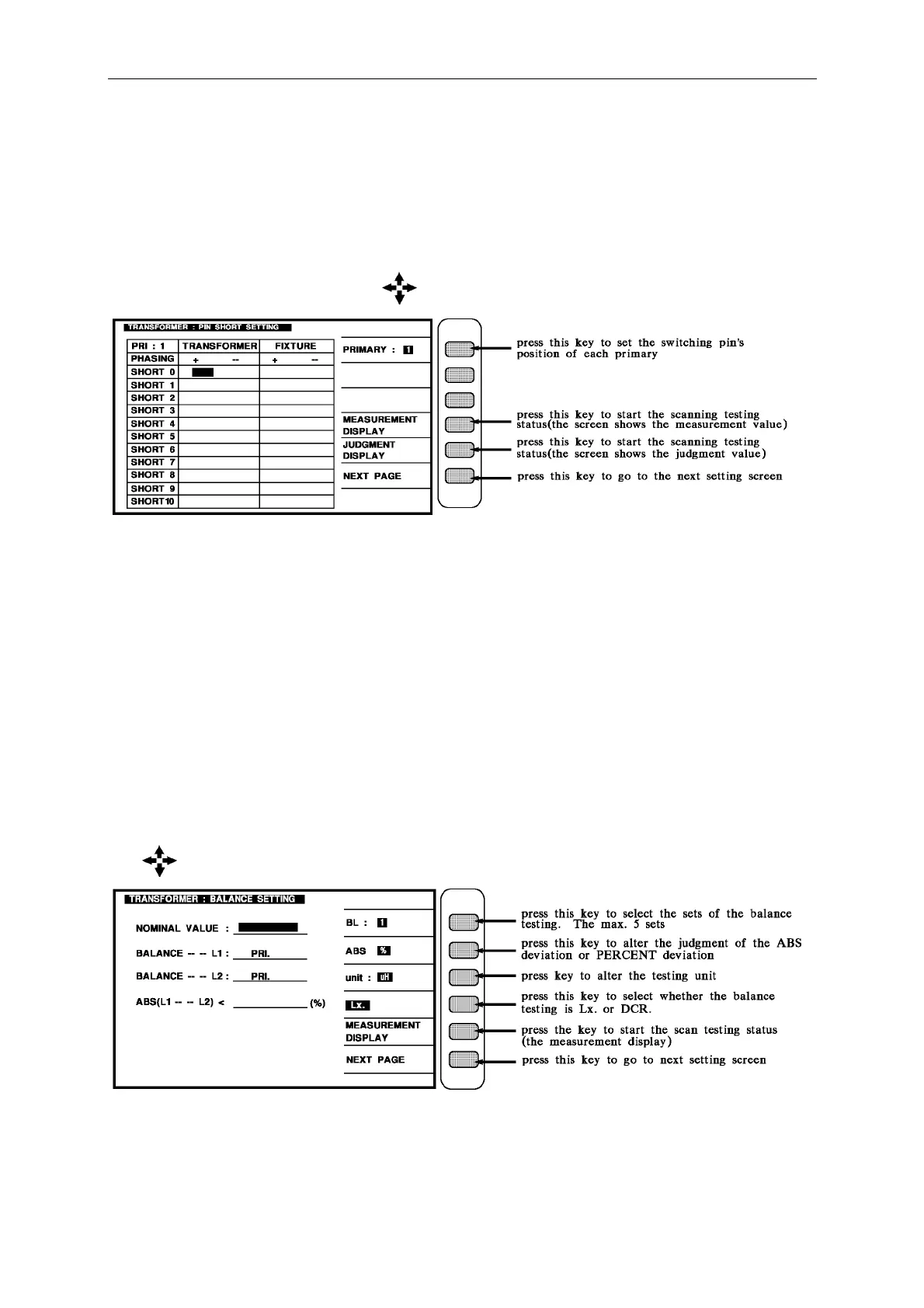
The screen below is for setting the PIN SHORT judgment of the transformer. It is still a
guidable operation what just following the method of the display to key in the testing
parameter and finish it by pressing [Enter] to jump to next testing item. As above, by
pressing [Enter] of the last item on each screen, the unit will jump to next setting screen
automatically.
If the user desire to change the setting on each back-light, the values may change by pressing
the key which under CURSOR.



 To Next Page