Automatic Transformer Test System 3300/3302 User’s Manual
PS: If LOAD ON. than LOAD set up NO
﹕
1 to NO
﹕
9 9 groups correspondence to LIST
SWEEP test 1
〜
9 groups. than 1
〜
9 groups test vales LOAD NO: 1
〜
NO: 9 of
correction value.
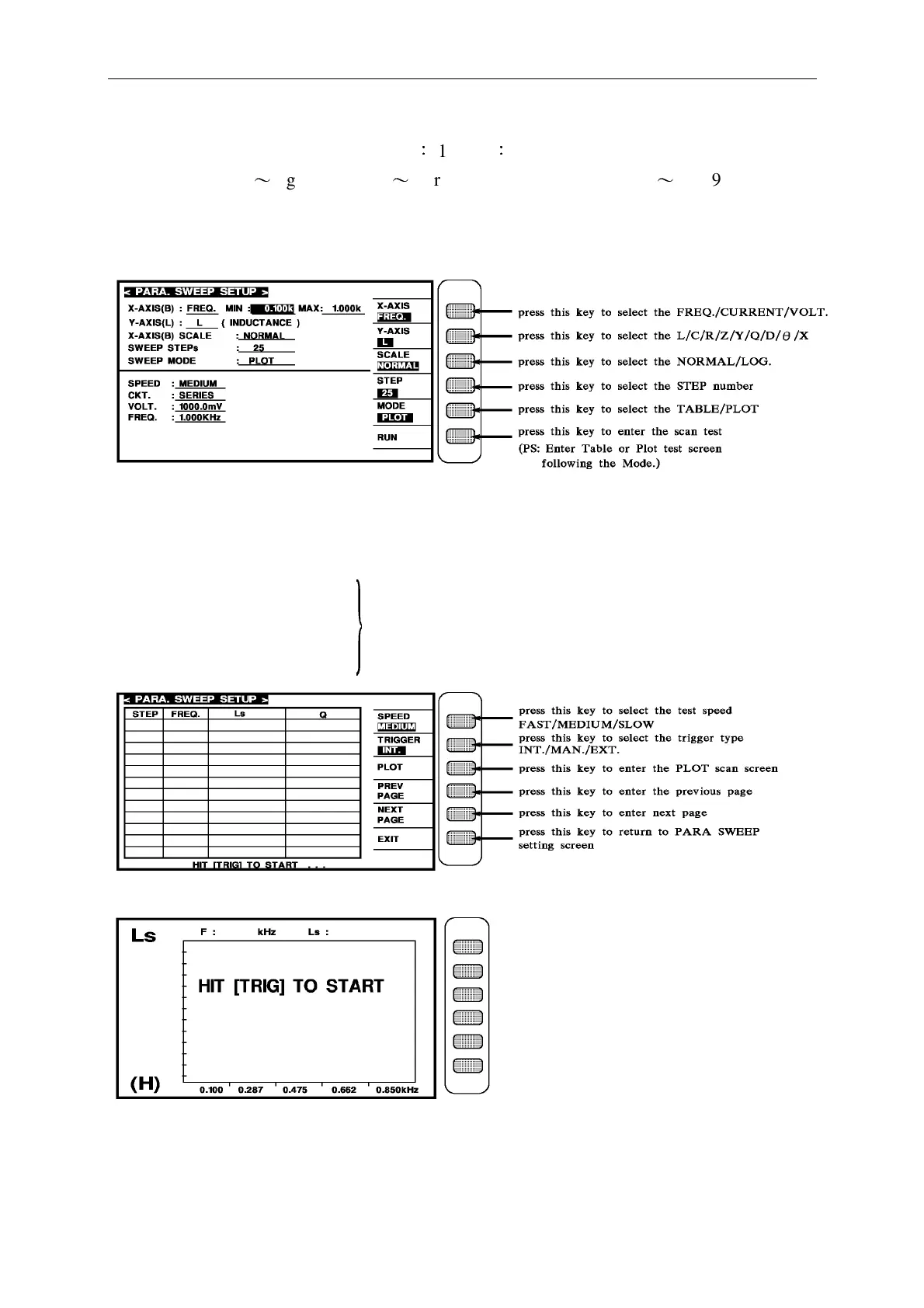
b. When it enters the [PARA. SWEEP] function, the screen shows as below:
Below explains the parameters showed in the figure above.
MIN : X-AXIS set the minimum value of parameter.
MAX : X-AXIS set the maximum value of parameter.
SPEED : Test speed
CKT. : Serial, Parallel mode PS : They are the parameters of LCRZ components screen.
VOLT. : Test voltage They are for reference only in PARA. SWEEP SETUP.
FREQ. : Test frequency
As shown above, press TRIG to start scan test.



 To Next Page