Automatic Transformer Test System 3300/3302 User’s Manual
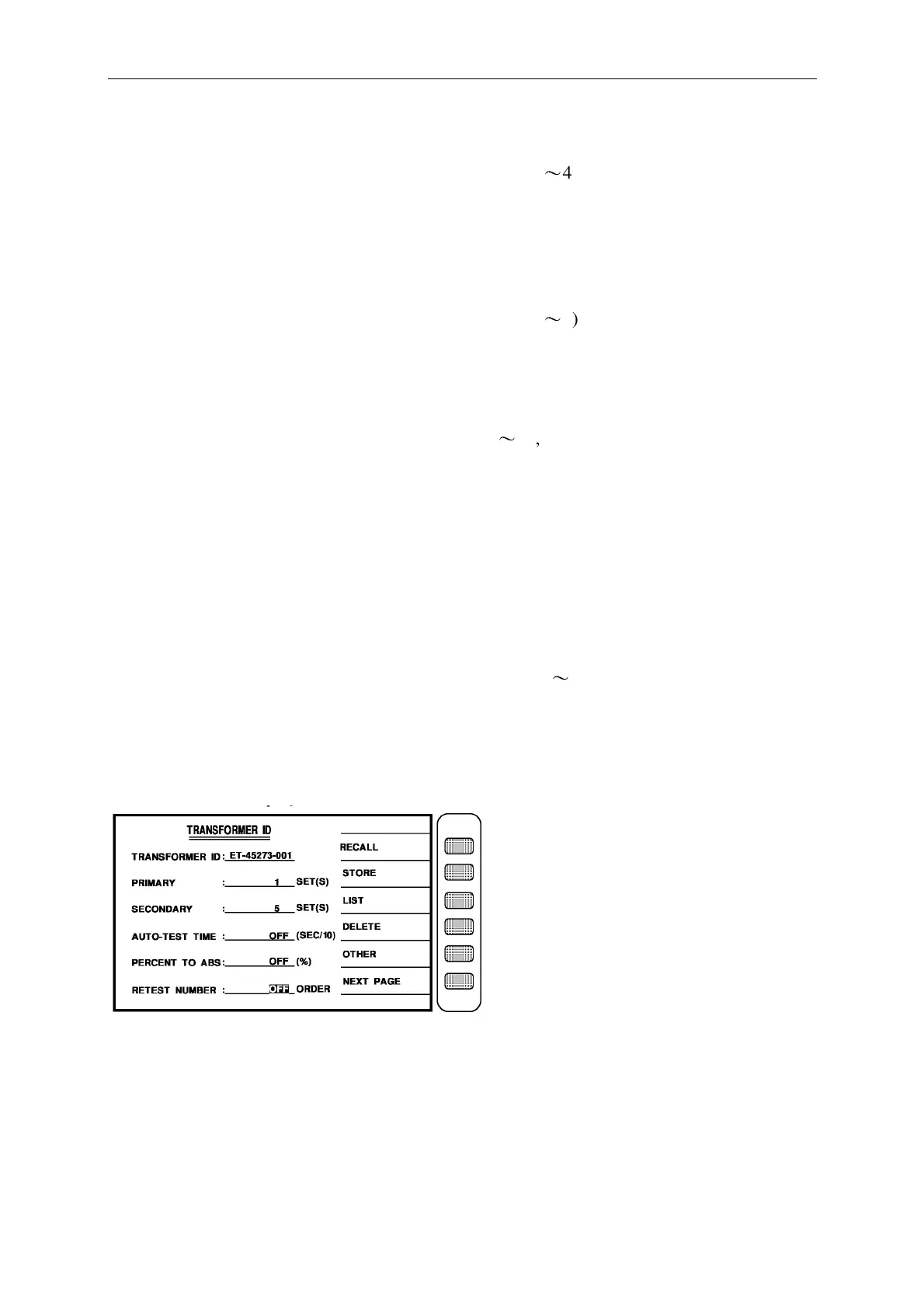
PRIMARY : __________…..Enter the transformer primary winding number.
The method of input is that press the number key (range 1
〜
4), then press [Enter] to make
sure and automatically change to next test item.
Ex: there is just one winding in the primary, the input is as below: [1] [Enter]
SECONDARY : __________….. Enter the transformer secondary winding
number.
The method of input is that press the number key (range 1
〜
9), then press [Enter] to make
sure and automatically change to next test item.
Ex: there are five winding in the secondary, the input is as below : [5] [Enter]
AUTO-TEST TIME : __________….. Enter the interval time between each test.
The method of input is that press the number key (0
〜
99, 0 is off), then press [Enter] to make
sure and automatically change to next test item.
Ex: if not use the interval time between each test, the set is below: [0] [Enter]
PERCENT TO ABS : __________…..Input the whole the present of deviation range.
The method of input is that press the number keys to input the percent of deviation, then press
[Enter] to make sure and automatically change to next test item. (0 is off)
Ex: if not use the percent of deviation, the set is below: [0] [Enter]
RETEST NUMBER : __________…..Input the no-good repeated test times.
The method of input is that press the number keys (range 1
〜
10, 0 is off), then press [Enter]
to make sure, then press [Enter] again to automatically change to the test parameter setting.
Ex: if not use the no-good repeated test, the set is below: [0] [Enter]
When finish the input, the screen is below:



 To Next Page