Application of Interface
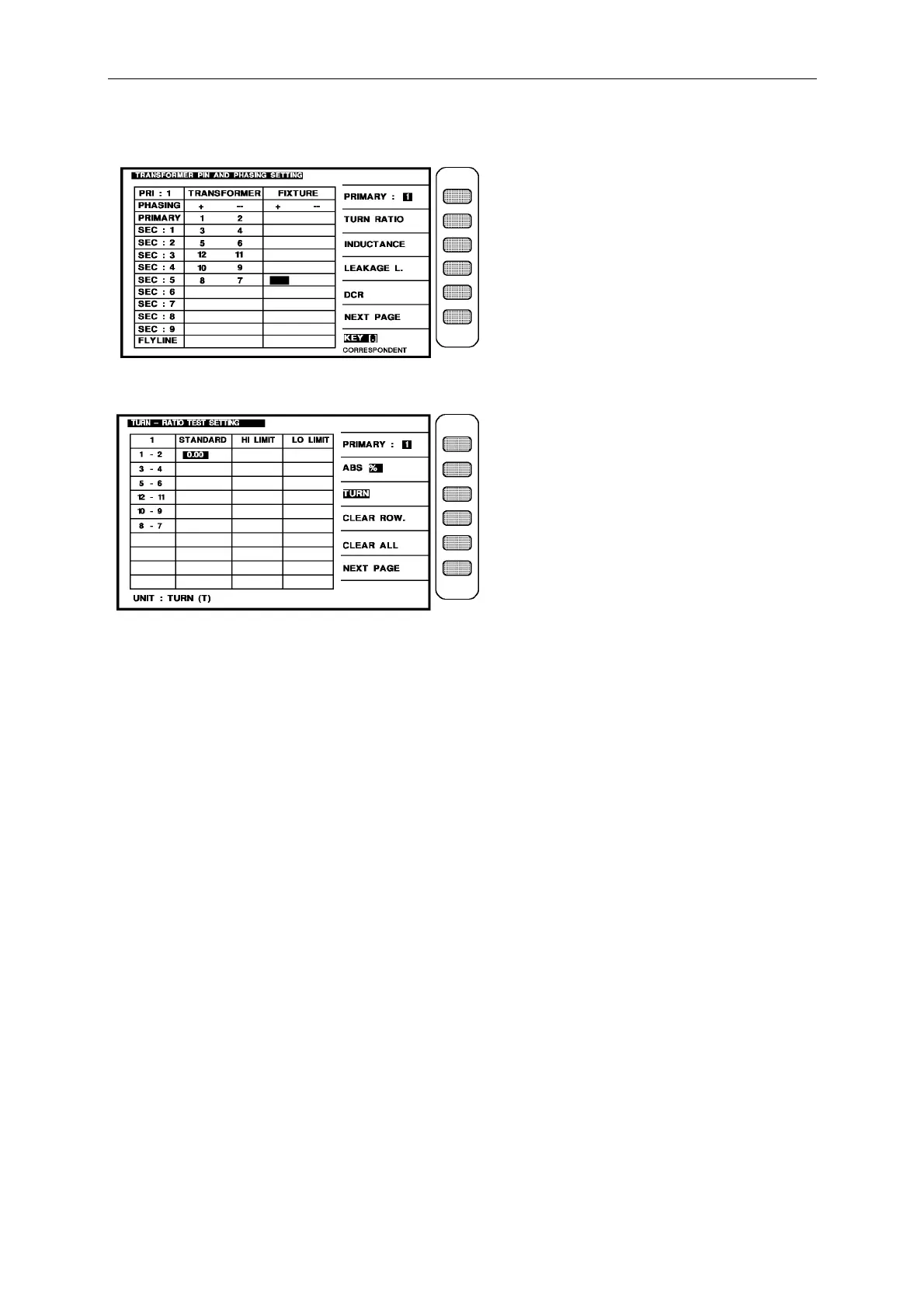
After finish the pin numbers input, the screen is as below:
Then press [Enter] to enter next setting screen as below: (TURN RATIO)
When into this screen is entrance to the judgment setting of transformer turn-ratio and phase,
the same is still guidable operation, just according the block area on the screen and number
keys to input the pin number, press [Enter] then automatically change to next pin setting item
use the same method till the last item of pin number on the same screen, press [Enter] then
automatically change to next the setting screen of parameter.
Ex: The turns of each winding of transformer are following:
Np(1 - 2) = 48T
N1(2 – 3) = 48T ± 0.3 T, N2(5 – 6) = 5T ± 0.3T
N3
(12-11)
= 12T ± 0.3 T, N4(10- 9) = 24T ± 0.3T
N5(8 – 7) = 2T ± 0.3 T
Then the input is following:
Press the key [ABS%] beside the screen to make the [ABS] to the back-light.
1 – 2 : [4] [8] [Enter]
3 – 4 : [4] [8] [Enter] [4] [8] [.] [3] [Enter] [4] [7] [.] [7] [Enter]
5 – 6 : [5] [Enter] [5] [.] [3] [Enter] [4] [.] [7] [Enter]
12-11 : [1] [2] [Enter] [1] [2] [.] [3] [Enter] [1] [1] [.] [7] [Enter]
10- 9 : [2] [4] [Enter] [2] [4] [.] [3] [Enter] [2] [3] [.] [7] [Enter]
8 – 7 : [2] [Enter] [2] [.] [3] [Enter] [1] [.] [7] [Enter]



 To Next Page