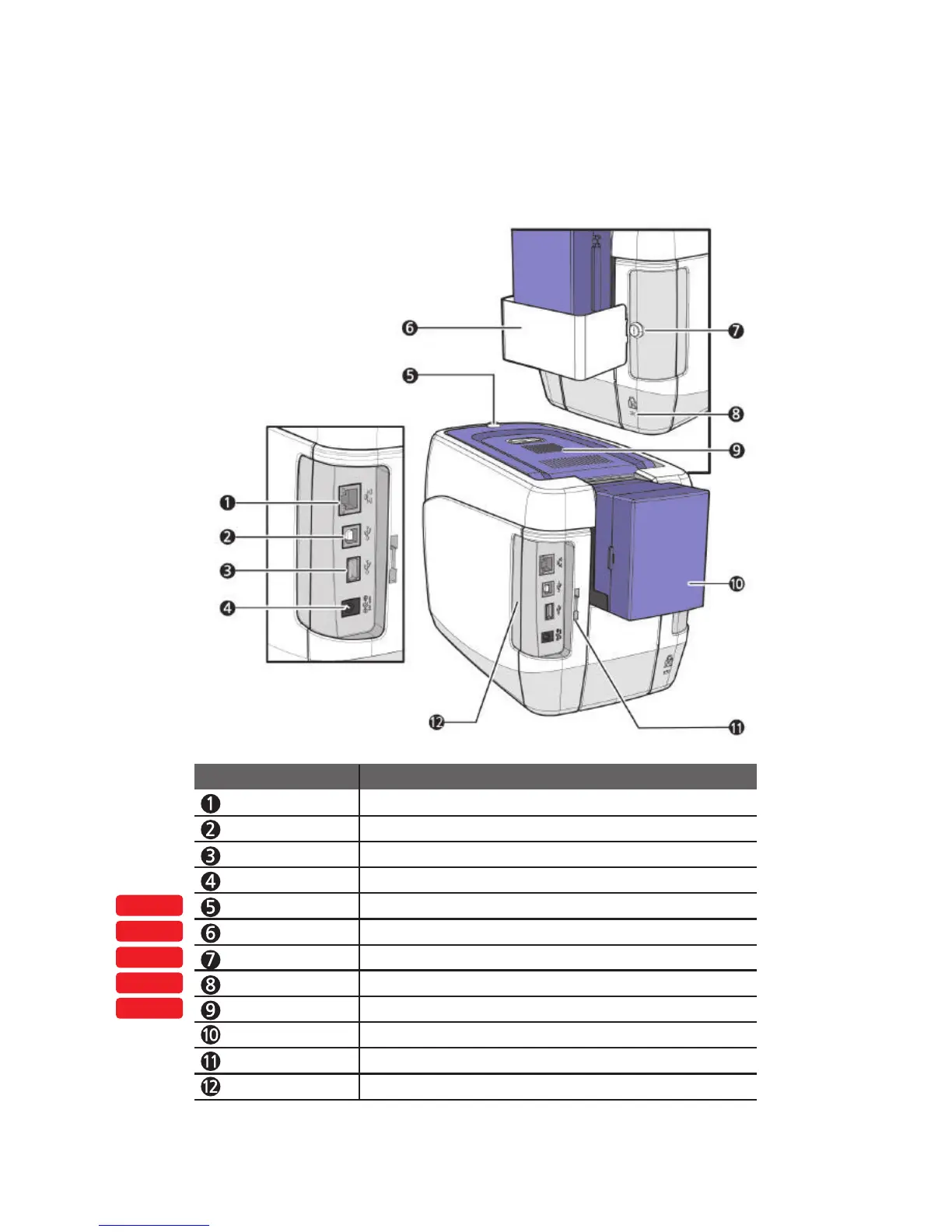
Top Cover Lock Key Locks/unlocks the Top Cover.
External RF Recognizes an RF card.
Printer Lock Use this to mount a security lock.
Side Cover Open Section
Press to open the Side Cover.
Input Hopper (Standard)
Stores cards to print (max. 100 cards).
Locks/unlocks the input hopper.
Lock Connector Link
Used to connect the Back Cover to the Input Hopper Lock.
Input Hopper Lock Used to lock the input hopper for Security.
OPTION
OPTION
OPTION
OPTION
OPTION
Ethernet Port Used to connect to a network using a LAN cable.
USB Port Used to connect to a PC using a USB cable.
USB Socket Used to insert USB memory media or to connect to a PC.
Power Supply Port Connects to the power supply.
Name Description
Input Hopper Lock Key
19
CIM User Guide Manual



 To Next Page