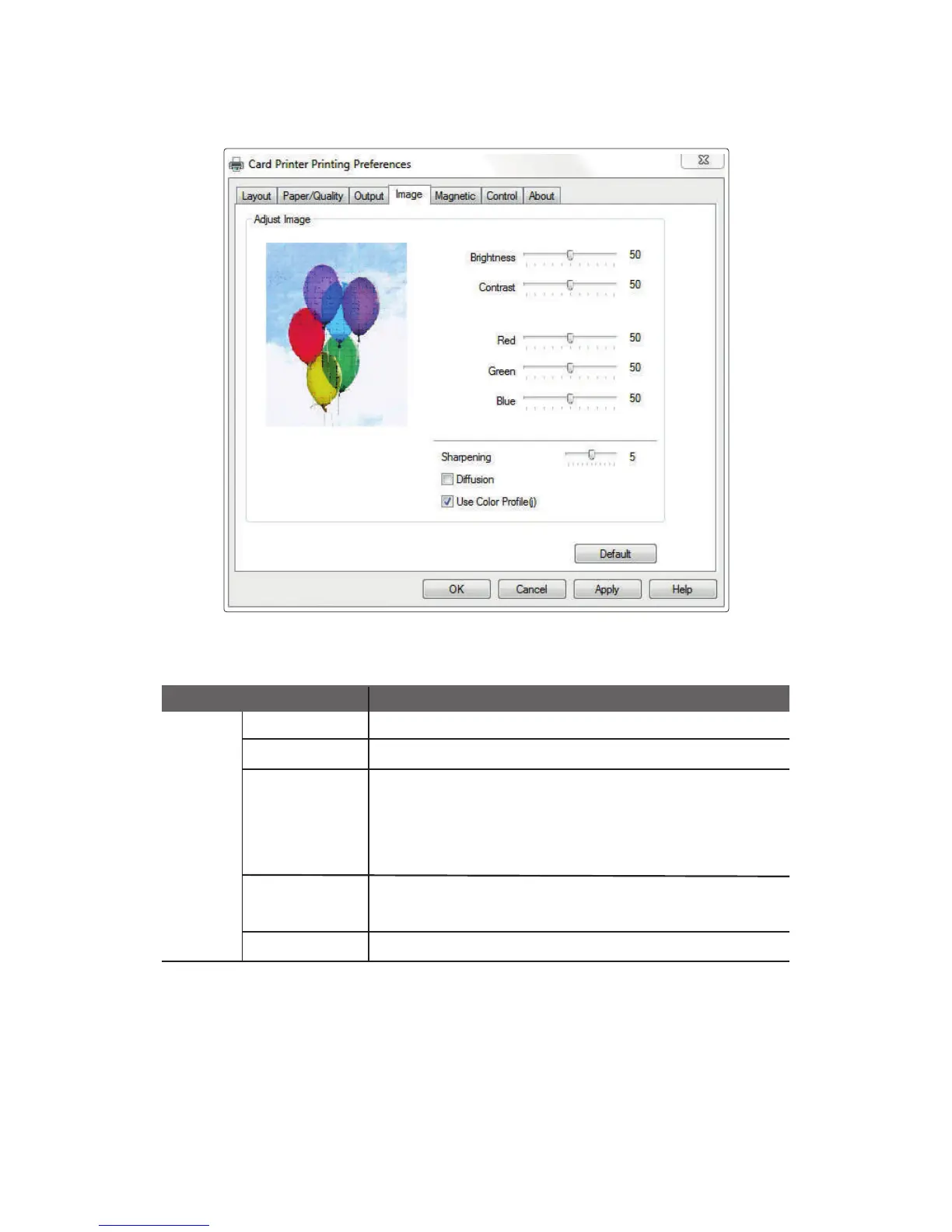
④ Image
Brightness Sets the brightness of the printed card.
Contrast
Sets dark areas as darker and bright areas as brighter.
Sharpening
Increases the contrast of adjacent pixels to make the
image look sharper..
Diffusion
Use Color Profile
This filter adjusts the contrast of the edge details and creates
brighter and darker lines on each plane of the edge, resulting
in a sharper image with clearer outlines.
Mixes the pixels of an image and makes it look blurry. This filter
mixes pixels in such a way to minimize the change of colors.
Supports more colors by using the color profile.
Adjust
Image
Item Description
59
CIM User Guide Manual



 To Next Page