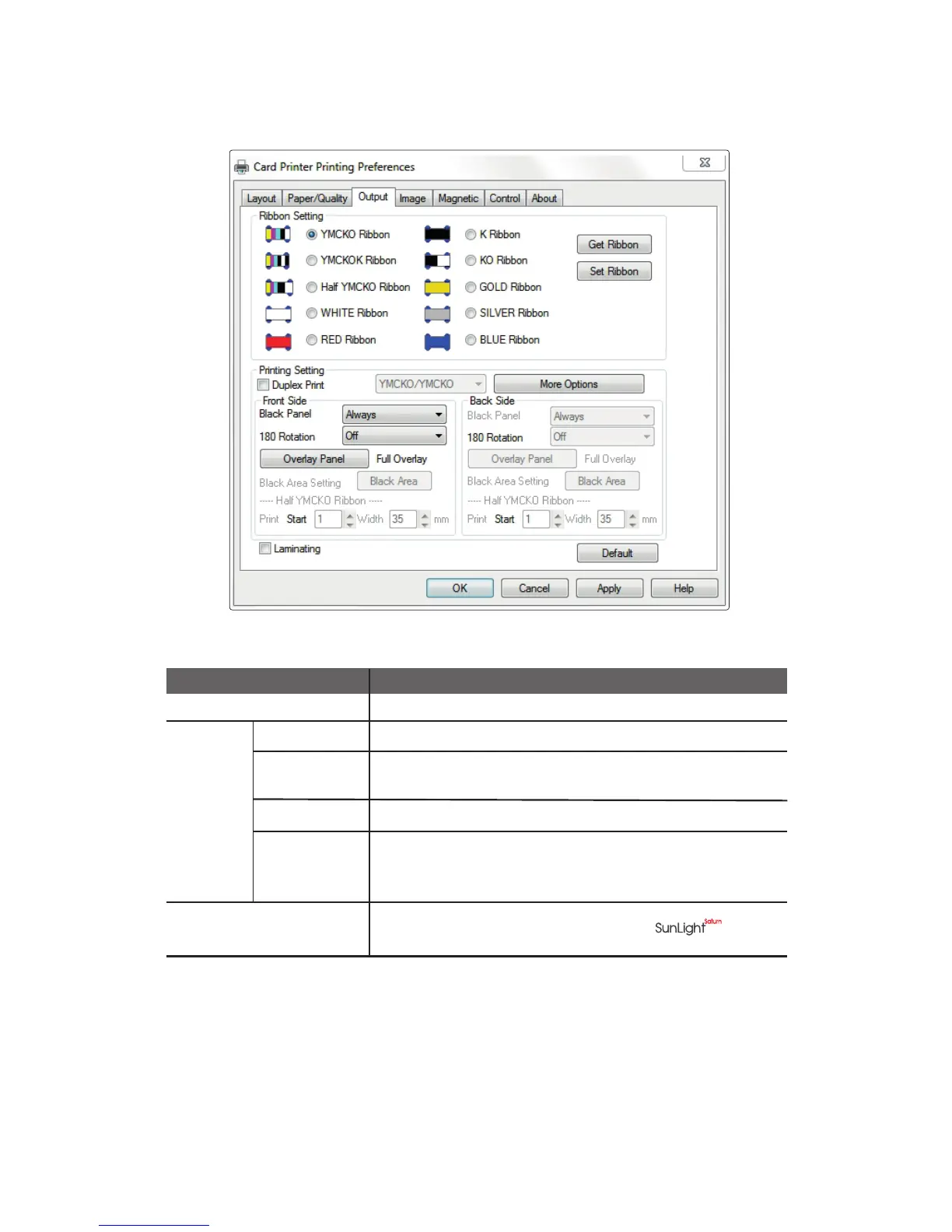
② Output
Ribbon Setting Sets the type of ribbon.
Duplex Print
Prints on both sides of the card.
Black Panel
Selects the K panel for printing black text and black & white
images included in the document.
Item Description
180 Rotation
Rotates the document 180 degrees.
Overlay Panel
Sets the type of overlay panel for protecting the printed card.
-Full Overlay /No Overlay /Selected Area /Use Image File
-Smart Card ISO /Smart Card AFNOR /Magnetic Card
Using the printer command
(TPCL) 2.0
Check the box for more stability when using
Printer
Setting
57
CIM User Guide Manual



 To Next Page