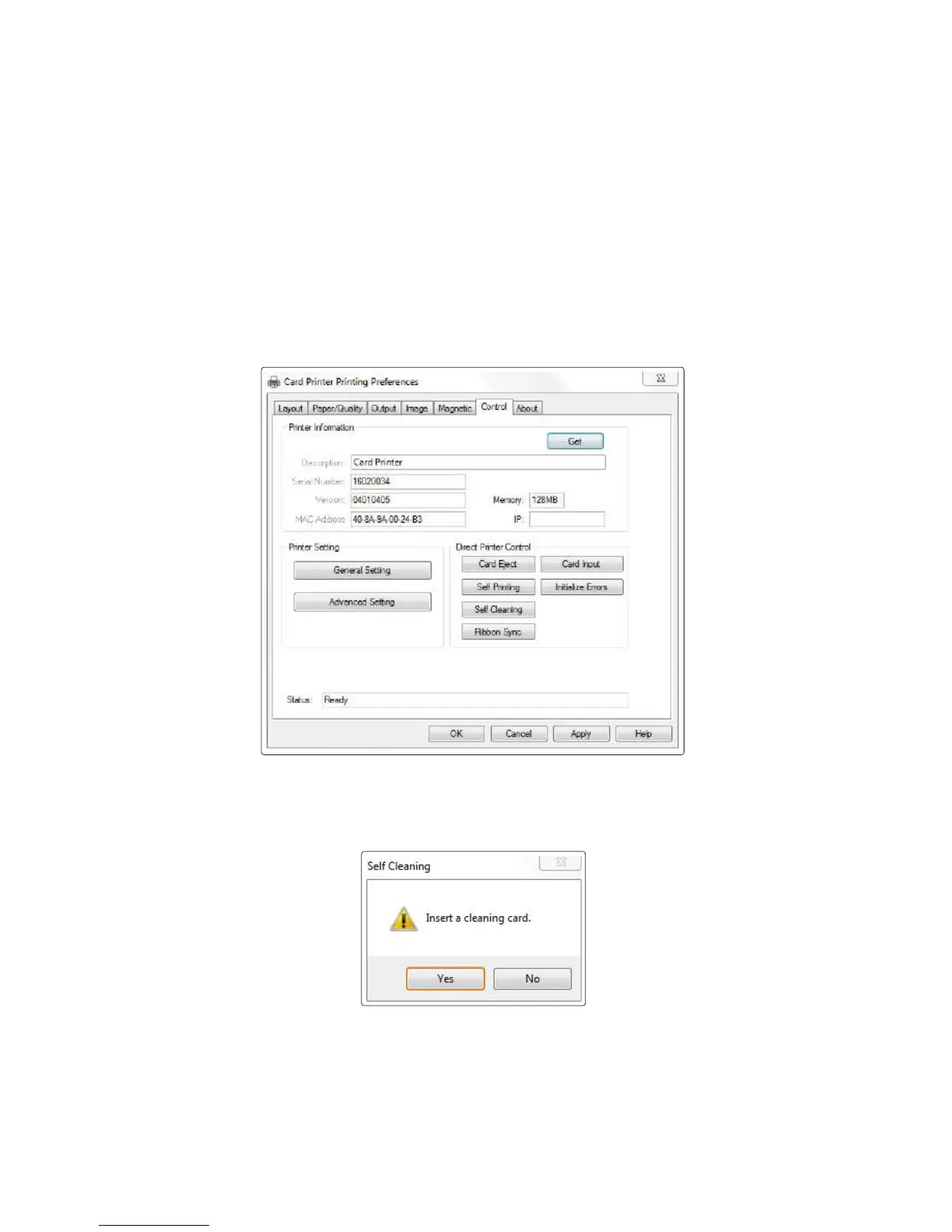
3) Connected to a PC
1. Turn off the printer and open cover, remove ribbon and all cards and close the
cover. And turn it on.
4. Insert a cleaning card when prompted by the “Insert a cleaning card”
message, and then click “Yes”.
2. Go to "Control Panel → Hardware and Sound → Devices and Printers"
and right-click the "Card Printer" driver icon. Then, select "Printing
preferences".
3. Go to “Card Printer Printing preferences → Control” and click
“Self-Cleaning”.
5. The cleaning card will be ejected after it moves back and forth 10 times.
6. Do not use the printer for 2-3 minutes until the alcohol solution is
fully dried.
72
Install printer and ready



 To Next Page