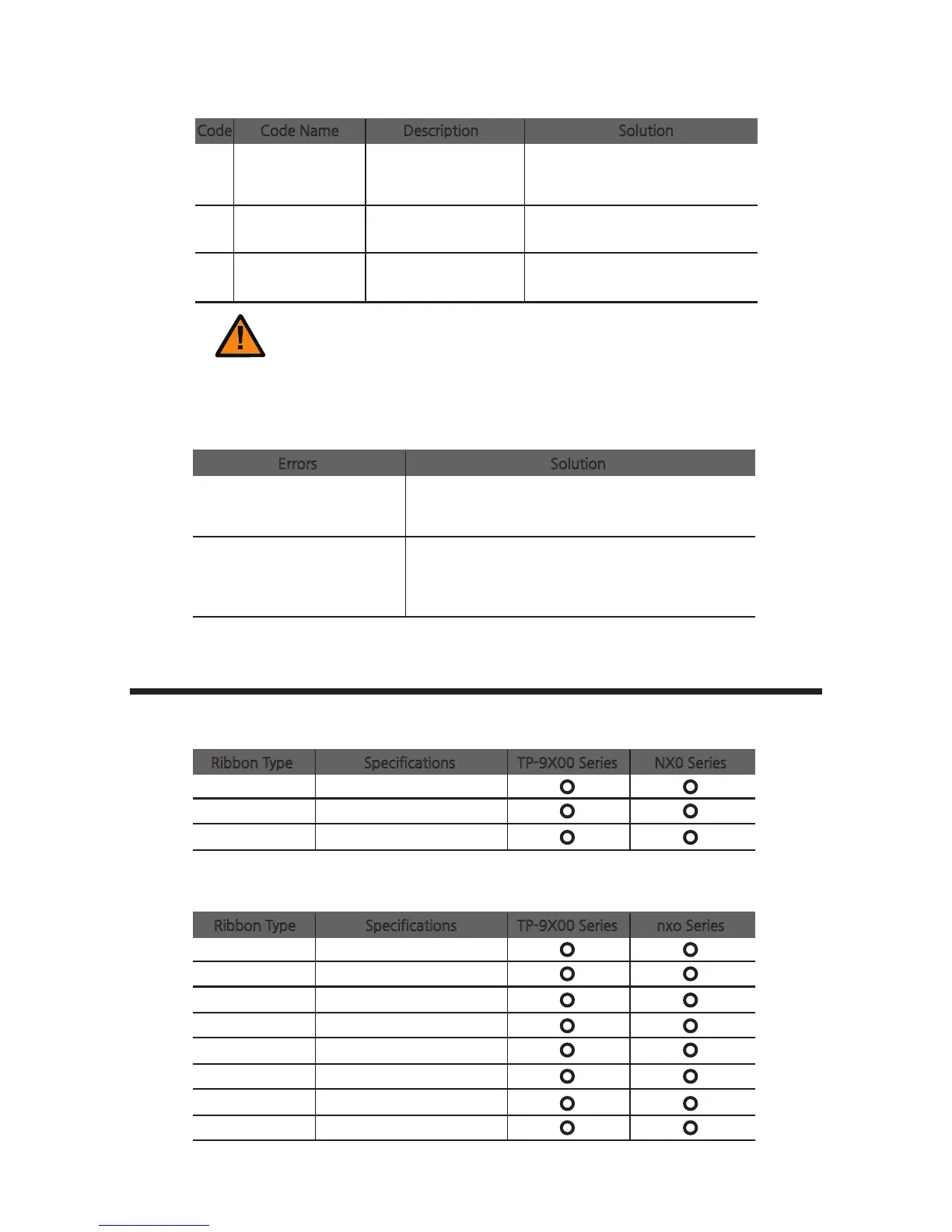
20 Command Error
Send compliant command.
The command is not
compliant with the
specifications.
21 Parameter Error
Send the parameter command.
The parameter is not
valid.
22
Main
Communication
Part Timeout
The command is not
sent on time.
Send the command.
Caution
One of the following steps must be taken to recover the printer from the error state:
1) Press the "RIBBON SET" button with the ribbon installed.
2) Press the "EJECT" button.
3) Turn off and on the power.
-Additional Errors
Errors Solution
The ribbon is frequently cut at
the top of the card.
- Check the X-coordinate in the printer driver.
- The recommended starting value for the X - coordinate
is 14 ± 2.
The printer is unable to find
the Card Designer or other
programs.
- Make sure that the printer driver is installed correctly.
- Check the connections of communication cables.
- Reboot the PC.
Ribbon Specifications
-Color Ribbons
TP-9X00 Series NX0 Series Ribbon Type Specifications
YMCKO
200 Prints/Roll
1/2YMCKO
400 Prints/Roll
YMCKO-K
167 Prints/Roll
-Monochrome Ribbons
TP-9X00 Series nxo SeriesRibbon Type Specifications
Blue
1000 Prints/Roll
Black
1000 Prints/Roll
Red
1000 Prints/Roll
Green
1000 Prints/Roll
White
1000 Prints/Roll
Metallic gold
1000 Prints/Roll
Metallic silver
1000 Prints/Roll
KO(black overlay)
500 Prints/Roll
④ Miscellaneous
Code Code Name Description Solution
83
CIM User Guide Manual



 To Next Page