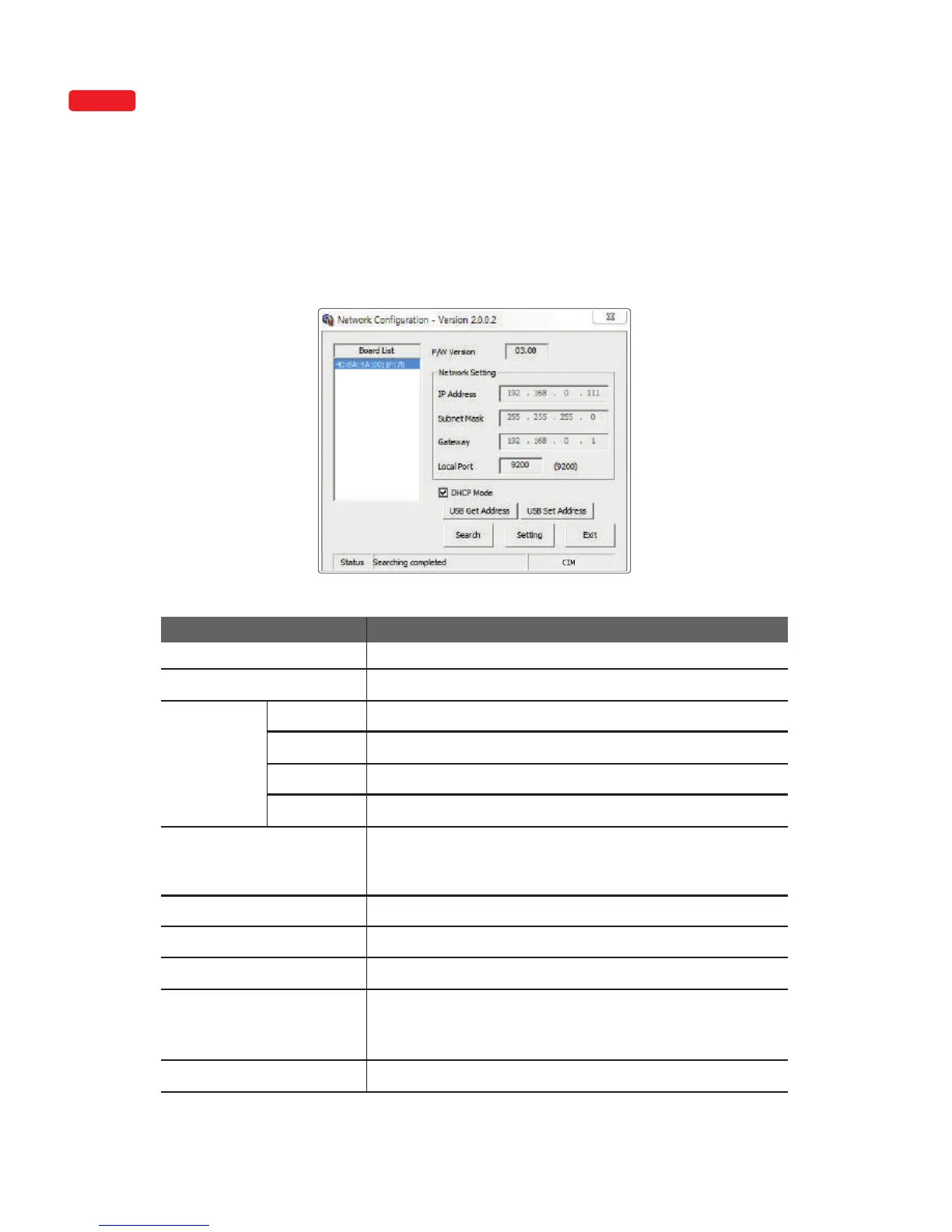
"Start → All Programs → CIM → Network"
After installing the printer driver, go to the following path to configure network
settings. (This feature is only supported by some models.)
③ Configure Network Settings
1) Network Configuration Window
Board List Displays a list of detected printers.
Firmware Version
Displays the firmware version of the selected network board.
IP Address
Displays the IP address of the selected network board.
Item Description
Subnet Mask Displays the subnet mask of the selected network board.
Gateway
Displays the gateway of the selected network board.
Local Port
Sets the port of the network printer.
DHCP Mode
Sets the IP address automatically for network environments that
support DHCP. Otherwise, you need to retrieve the allocated IP
address and enter manually.
USB Get Address
Retrieves the printer’s network address USB.
USB Set Address
Sets the printer’s network address via USB.
Search
Searches the printer’s network.
Setting
Saves the new network information to the printer. After the
settings are applied, the printer reboots. This reboot takes
about 10 seconds.
Exit
Exit the program.
OPTION
Network
Setting
"Start -> Apps (by name) -> CIM -> Network setting"
40
Install printer and ready



 To Next Page