It is recommended to clean the printer at least once a month or whenever
you replace the ribbon.
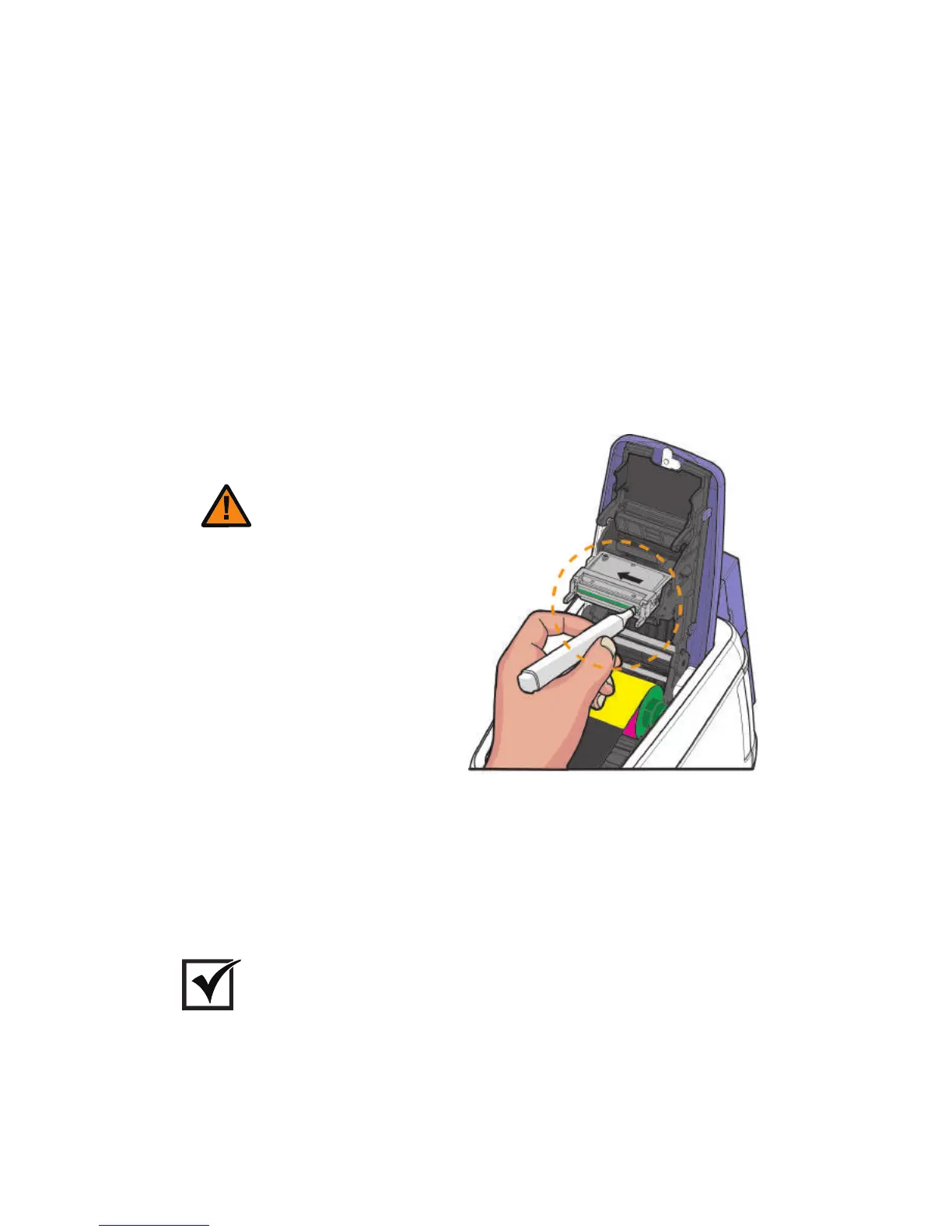
2) Clean the Printer's TPH Using Cleaning Pen and Alcohol Swab
1. Turn off the printer connected to a PC and unplug the power adapter.
2. Clean the main body of the TPH using the cleaning pen or cotton swab
before cleaning its head.
3. Make sure to clean the ceramic edge of the printhead, as shown in the
picture.
4. Make sure that the TPH is fully dried before turning the printer on;
otherwise, the TPH may get damaged.
Do not touch the TPH head with your
hands as this can damage it.
Caution
Important
The Cleaning Pen is only included in the Advanced set sold by Cim.
74
Install printer and ready



 To Next Page