12
Card Jammed
The card is jammed in
the path.
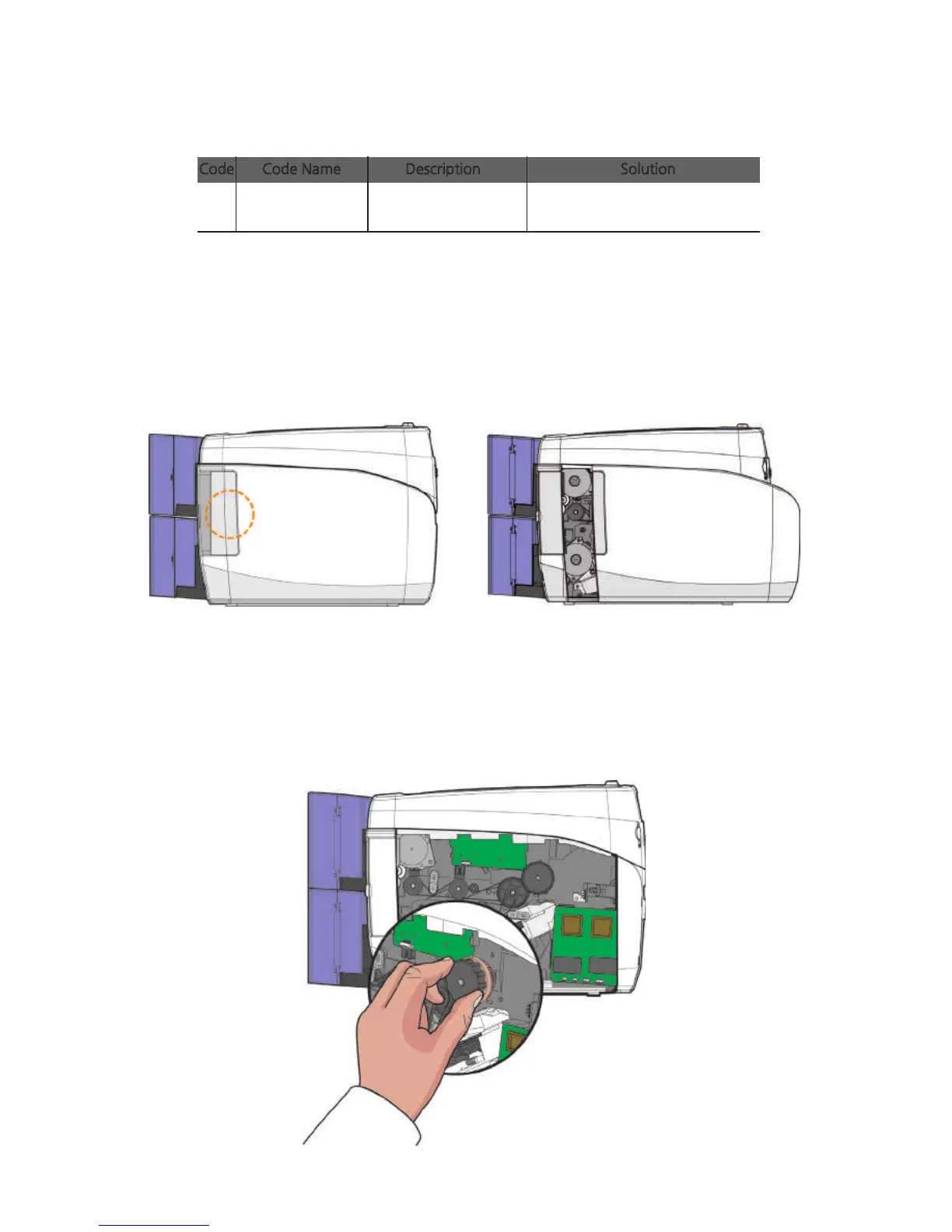
1. Open the side cover by holding the area highlighted by the circle and
pushing it towards the front of the printer as shown in the picture.
② Card Feeding
2. Rotate the knob to remove any jammed card the path as shown in the
picture.
This method can only be used for single-sided printing models (without the
flipper only.
Check the path to see if the card
is jammed.
Code Code Name Description Solution
1) Remove Jammed Card (Single-sided Printing)
78
Install printer and ready



 To Next Page